Flex credits, per-seat, per-action: AI sales tool pricing models in 2026 (and the only metric that matters)
AI sales tools bill on three meters: per-seat, per-action, or credit bundles, each with its own waste mode. The metric that cuts through all three is AI cost per held meeting: (AI + data + sending spend) over meetings held.
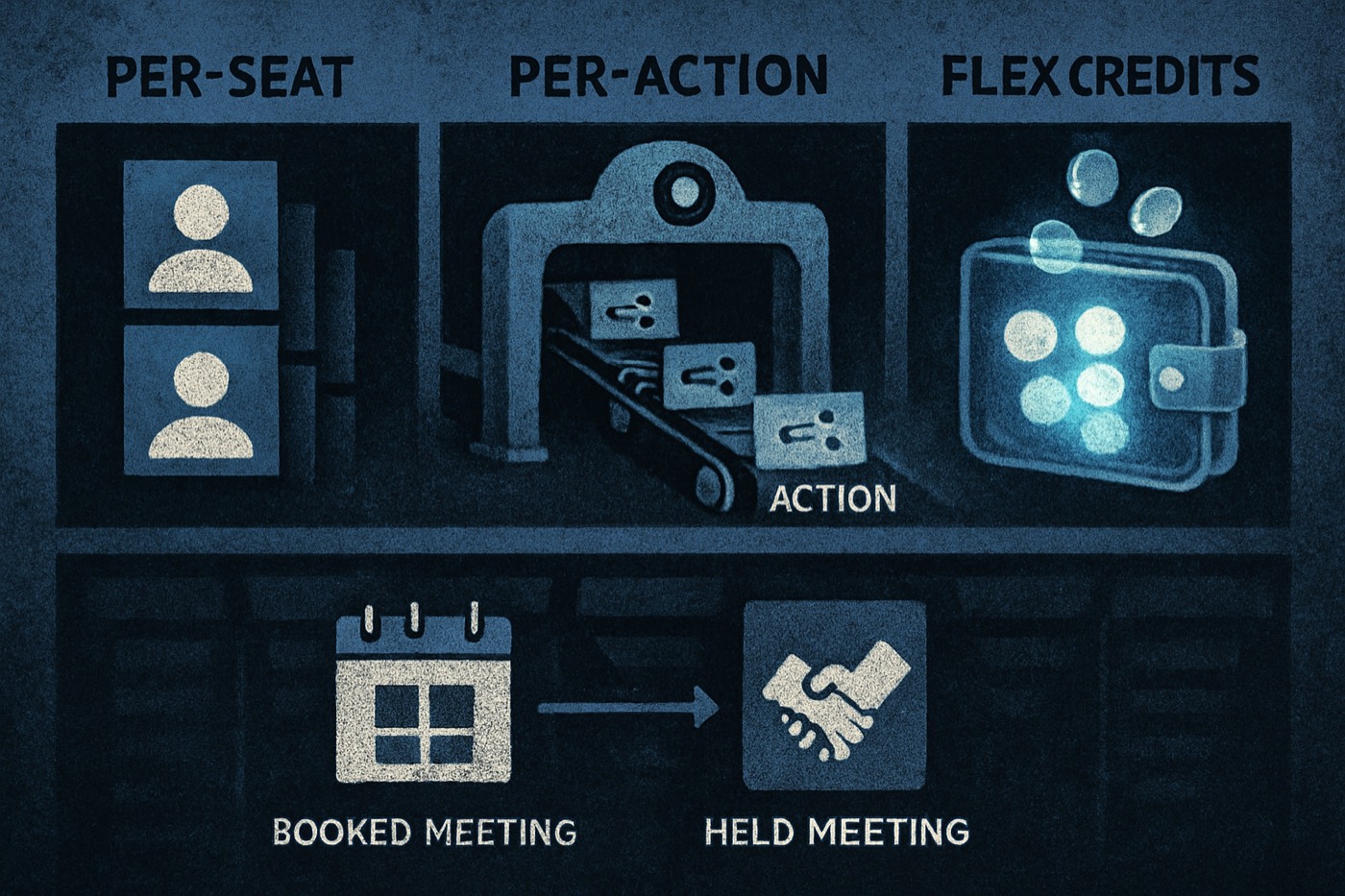
You are not buying "AI". You are buying a meter. That meter either prints pipeline or prints invoices.
Most AI sales tools in 2026 bill on one of three meters: per-seat, per-action, or credit bundles. Each one shapes how your team behaves, and each one has a predictable way of quietly costing more than you planned. This guide names the three models, maps each to the failure mode it creates, and hands you the one metric that cuts through all of them: AI cost per booked meeting (and per held meeting). You finish with a worksheet and a procurement script that forces any vendor to show you the meter in writing.
Define the three pricing models (so nobody can talk past you)
If you are comparing AI sales tools or "AI CRM" add-ons, start here. Almost every pitch is a remix of these three meters.
1) Per-seat pricing (the classic CRM tax)
You pay per user per month. Sometimes AI is included in higher tiers. Sometimes it is an add-on. Either way, the meter is headcount.
Salesforce still leads with per-user Sales Cloud editions: Enterprise at $175/user/month and Unlimited at $350/user/month, plus the AI-forward Agentforce 1 Sales bundle at $550/user/month. Source: Salesforce pricing page.
HubSpot publicly announced the move to seat-based pricing across all tiers in 2024. Source: HubSpot investor relations PDF.
What per-seat really means: you pay for people who do not prospect, do not close, and barely log in. Finance calls it "adoption". Operators call it a leak.
2) Per-action pricing (pay for work done)
You pay when the tool does a unit of work, usually called an action. This is closer to cloud billing. It can be fair. It can also turn into a slot machine if you do not model your workload.
Salesforce is pushing this with Flex Credits, where a standard Agentforce action costs 20 Flex Credits, which Salesforce's own announcement frames as $0.10 per action. Sources: Salesforce press release and the official rate card PDF.
- https://www.salesforce.com/news/press-releases/2025/05/15/agentforce-flexible-pricing-news/
- https://www.salesforce.com/en-us/wp-content/uploads/sites/4/assets/pdf/Flex_Credits_Rate_Card_-Effective_10.24.25.pdf
What per-action really means: you must know what the platform counts as an action, plus any multipliers. Otherwise you are buying outcomes and paying for attempts.
3) Credit bundles (credits, tokens, conversations, runs)
You buy a bundle of credits, and features consume them. Sometimes the mapping is clear. Often it is not, and the vendor controls the exchange rate.
HubSpot runs AI usage on HubSpot Credits and documents the billing concept in its knowledge base.
Clay splits usage into Data Credits and Actions, and defines Actions as orchestration: enriching, running tables, calling AI, sending data out, exporting. Sources: Clay pricing page and Clay FAQ.
- https://www.clay.com/pricing
- https://www.clay.com/faq/what-are-actions-and-data-credits-how-do-they-work
What credit bundles really mean: the vendor can change the definition, the multipliers, the included allotment, and the overage premium. You need a spreadsheet, not vibes.
Map each model to the failure mode it creates
Pricing models do not just bill you. They shape behavior, usually the wrong behavior.
Per-seat failure mode: seat bloat
Symptom: "We need five more seats for ops, marketing, the founders, and the intern." Reality: half the seats exist to view dashboards and forward emails.
Why it happens
- Seats become the permission system for basic workflow.
- Leaders want visibility and get a paid login.
- Tools bundle automation into higher tiers, so you buy seats to access it.
How it shows up on the P&L
- Predictable monthly cost, predictably wasteful.
- You avoid surprise bills, then bleed slowly forever.
Fix
- Separate view-only from prospecting from closing roles.
- Demand unbundled access for non-revenue users, or you pay forever.
Per-action failure mode: surprise bills
Symptom: usage spikes, the invoice spikes, and nobody can explain why.
Why it happens
- Your team tests workflows in production.
- Bad prompts cause retries.
- An agent loops across records.
- A "simple" workflow includes several counted actions (lookup, enrich, write, log, sync).
Salesforce makes the action concept explicit and publishes multipliers in the rate card. That is good, but it also means you have to read it and model your workload.
Fix
- Hard caps and throttles in admin.
- Sandbox usage that does not burn production credits.
- Alerts at 50, 80, and 95 percent of budget.
Credit bundle failure mode: opaque unit economics
Symptom: you buy 100,000 credits, they evaporate, and nobody can translate credit burn into meetings booked.
Clay separates Actions from Data Credits, which is more honest than one blended bucket. It is still two meters, which means two ways to get surprised.
Fix
- Force a conversion table: "one booked meeting costs X credits at Y quality assumptions."
- Track credits consumed per step, not per month.
The only metric that matters: AI cost per booked meeting (and held meeting)
Forget cost per lead. Leads are cheap. Meetings are not. And booked is not held.
The definition
AI cost per booked meeting = (total AI spend + total data spend + total sending infra spend) / booked meetings
Track a second metric:
AI cost per held meeting = (total AI spend + total data spend + total sending infra spend) / held meetings
Why held matters: booked meetings include no-shows, calendar spam, and "sure, book me" replies that never show up.
Step by step: compute AI cost per booked meeting with your numbers
This is the part you can do in 30 minutes. Then you finally know what you are paying for.
Step 1: Define your time window
Pick one:
- Last 30 days (best for fast iteration)
- Last full calendar month (best for finance)
- Last quarter (best for smoothing noise)
Lock it. No cherry-picking.
Step 2: Sum total AI spend
Include:
- AI subscription or add-on (seat, action, or credits)
- Any AI agent add-ons
- AI writing tools tied to outbound, if they are part of the workflow
- Any orchestration platforms charging for actions
If you are on Salesforce Agentforce, your AI spend is often a mix of user licenses plus Flex Credits consumption. Salesforce positions Flex Credits as consumption-based pricing tied to actions, so model it like cloud spend.
Step 3: Sum total data spend
Data is not optional. It is the fuel. Include:
- Enrichment credits (emails, phones, firmographics)
- Intent signals
- Technographics
- Any per-record or per-lookup costs
If you use a platform like Clay, treat Data Credits as data spend and Actions as AI or orchestration spend, because Clay separates those meters.
Step 4: Sum total sending infrastructure spend
This is where teams lie to themselves because it feels small. It adds up. Include:
- Email sending tools, if separate
- Mailboxes (Google Workspace, Microsoft 365)
- Warmup and deliverability tooling
- Domains
- Proxy or rotation tools, if used
- SMS or voice minutes, if part of booking
Keep it simple. Total dollars out.
Step 5: Count booked meetings (one source of truth)
Pick one system as the source of truth:
- Calendar events with a specific tag
- A CRM meetings object
- Scheduling-link booked events
Rules:
- Count only meetings booked with your ICP.
- Exclude internal meetings.
- Exclude reschedules of the same opportunity, unless you want inflated numbers.
Step 6: Count held meetings
Held meeting definition:
- Attended by the prospect for at least X minutes (pick 10)
- Or marked "held" by the AE in the CRM within 24 hours
If you cannot track held, your metric is fantasy.
Step 7: Compute both metrics
Run the math, then compare across pricing models. If you do not like the number, good. You finally have a real problem to solve.
Mini worksheet (copy into a spreadsheet)
Fill in the inputs. Everything else is math.
Inputs
- Time window start date: _______
- Time window end date: _______
Spend
- Subscription spend (seats): $______
- AI spend (actions or credits consumed): $______
- Orchestration spend (if separate): $______
- Data spend (enrichment, intent): $______
- Sending infra spend: $______
Meetings
- Booked meetings: _______
- Held meetings: _______
Calculations
- Total AI spend = seats + actions/credits + orchestration
- Total spend in metric = total AI spend + data spend + sending infra spend
- AI cost per booked meeting = total spend / booked meetings
- AI cost per held meeting = total spend / held meetings
- Hold rate = held / booked
Guardrails that actually mean something
No fake universal benchmarks. Use directional guardrails:
- If hold rate is below 60 percent, you have a targeting and qualification problem.
- If AI cost per held meeting rises month over month, you have a metering, workflow, or list-quality problem.
Want a sharper way to prove the outbound is working? Track the operational metrics too. This pairs well with "7 CRM metrics that prove your AI SDR actually works (no demos, no vibes)":
- /blog/ai-sdr-metrics-crm-proof
How each pricing model changes your cost-per-meeting math
Per-seat: your numerator creeps, your denominator stalls
Per-seat is stable, and that is the trap.
- Spend increases with headcount.
- Meetings do not increase linearly with headcount.
- Your cost per meeting quietly worsens.
Tell-tale sign: pipeline looks busy, meetings booked per rep stays flat, the software bill climbs anyway.
Per-action: your numerator spikes with bad process
Per-action can be clean with tight workflows. It gets ugly with enrichment retries, agent loops, duplicate steps, and monitoring actions running constantly.
Salesforce's published Flex Credits model is at least legible. Standard Agentforce actions map to Flex Credits, and the rate card spells it out, so modeling is possible if you do the work.
Credit bundles: your numerator looks flat until it explodes
Credit bundles feel safe because you prepay. Then you hit an overage tier, you buy top-ups at a premium, and the vendor repackages so your included credits shrink.
Clay discloses that credit top-ups can carry a premium and defines what Actions count. Use that clarity to forecast spend per workflow.
How to choose between per-seat, per-action, and credits (decision table)
Use this like an operator, not a procurement drone.
Choose per-seat when
- You have a small team.
- Usage per person is high and predictable.
- You do not want variable bills.
- You can keep seats tight.
Risk you accept: paying for non-producers.
Choose per-action when
- You can quantify workflows.
- You have ops maturity.
- You will enforce caps.
- Your volume changes month to month.
Risk you accept: surprise bills if governance is weak.
Choose credits when
- You want flexibility across multiple features.
- You understand the credit-to-outcome conversion.
- You can track burn per workflow.
Risk you accept: opaque unit economics and changing exchange rates.
Procurement script: make the vendor disclose the meter
Print this. Paste it into email. Get answers in writing. If they dodge, that is the answer.
Email script (copy and paste)
Subject: Usage metering details required for approval
Hi [Vendor],
Before we approve, we need written answers to these billing questions for your AI and automation features.
- Meter definition
- What exactly counts as a billable unit (seat, action, credit, conversation, run)?
- Provide a table of billable events with examples.
- Multipliers and tiers
- Do different actions cost different amounts?
- Provide the full rate card including multipliers and tier thresholds.
- Overages
- What happens when we exceed included usage?
- Do you auto-charge, throttle, or stop service?
- If you auto-charge, what is the unit price, and are there premiums for top-ups?
- Rollover and expiration
- Do unused credits roll over?
- When do credits expire?
- Environment rules
- Is usage in sandbox, test, or internal QA billed?
- If it is discounted, state the rate.
- Auditability
- Provide a downloadable usage log with timestamps, user or workflow attribution, and the billable unit count.
- Controls
- Can we set account-level caps and alerts?
- Can we disable specific credit-consuming features?
Once we have this, we can model AI cost per booked meeting and finalize.
Thanks, [Name]
This is the no-surprises checklist. It turns pricing into math. Vendors dislike it. Good.
Where the autonomous-operator model changes the math
The mess in your pricing usually comes from owning five meters in five tools: lead sourcing, enrichment, scoring, sequencing, the system of record, and scheduling. Every meter is its own surprise.
Chronic is an autonomous revenue operator, not another seat-priced CRM. You give it a revenue goal, and it runs the outbound system end to end: discovery, enrichment, signal scoring, the sending infrastructure (warmed mailboxes, domains, deliverability), outreach, reply handling, and meeting booking, surfacing approvals only for the decisions that matter. Because it owns the whole chain, there is one system to measure against one outcome: qualified meetings held.
That is the point of this article's metric. When discovery, data, sending, and booking live in one operator, AI cost per held meeting is something you can actually compute and improve, instead of stitching it together from five invoices that each move on their own.
How that reframes the usual comparisons, one line each:
- Clay is powerful, and then you inherit Actions and Data Credits as two meters to manage. Chronic runs the system instead of handing you the parts.
- Instantly sends email. Chronic runs the process end to end, through to the booked meeting.
- Salesforce is a platform with a pricing universe of seats plus Flex Credits. Chronic is measured on meetings held, not seats filled.
If you are comparing directly:
For deeper 2026 context on pricing mechanics, this post stays on point:
- /blog/ai-sales-tools-pricing-2026
FAQ
What are the main AI sales tool pricing models in 2026?
Three dominate: per-seat (pay per user), per-action (pay per AI action), and credit bundles (buy credits that features consume). Vendors mix them, but the meter always maps back to one of these three.
What should I include in AI cost per booked meeting?
Include all three buckets: AI spend (licenses, actions, credits), data spend (enrichment, intent), and sending infrastructure (mailboxes, sending tools, warmup, domains). Divide by booked meetings, and track held meetings too.
Why do held meetings matter more than booked meetings?
Booked meetings get inflated by no-shows, reschedules, and low-quality bookings. Held meetings correlate with pipeline created. If your hold rate is bad, the tool is booking junk or your targeting is off.
How do I avoid surprise bills with per-action pricing?
Demand the rate card, then set account-level caps, alerts at usage thresholds, sandbox rules, and workflow guardrails to prevent loops and retries. Salesforce publishes a Flex Credits rate card for Agentforce actions, which is the level of disclosure you should want from every vendor.
What questions expose a bad credit-bundle model?
Ask whether credits expire, whether they roll over, what triggers overages, whether top-ups are priced higher, and whether you can export a usage log tied to workflows and users. If they cannot answer fast, the model is built to be un-auditable.
If I am already on HubSpot or Salesforce, do I still need this metric?
Yes, especially then. Seat-based platforms hide waste in headcount, and consumption-based AI hides waste in workflow loops. AI cost per held meeting cuts through both and tells you whether the system actually prints pipeline.
Run the numbers, then renegotiate from a position of math
- Compute AI cost per booked meeting and AI cost per held meeting for last month.
- Identify which meter is driving the numerator: seats, actions, or credits.
- Fix the failure mode: seat bloat, surprise bills, or opaque unit economics.
- Send the procurement script and get the meter in writing.
- Only then pick the platform, not the other way around.