Cold email personalization that scales in 2026: 12 signals worth a first line
Personalization that scales is signal-based, not research-based: catch a verified trigger, infer a real problem, and match the CTA to the moment. The 12 highest-availability signals are below, with where to source each.
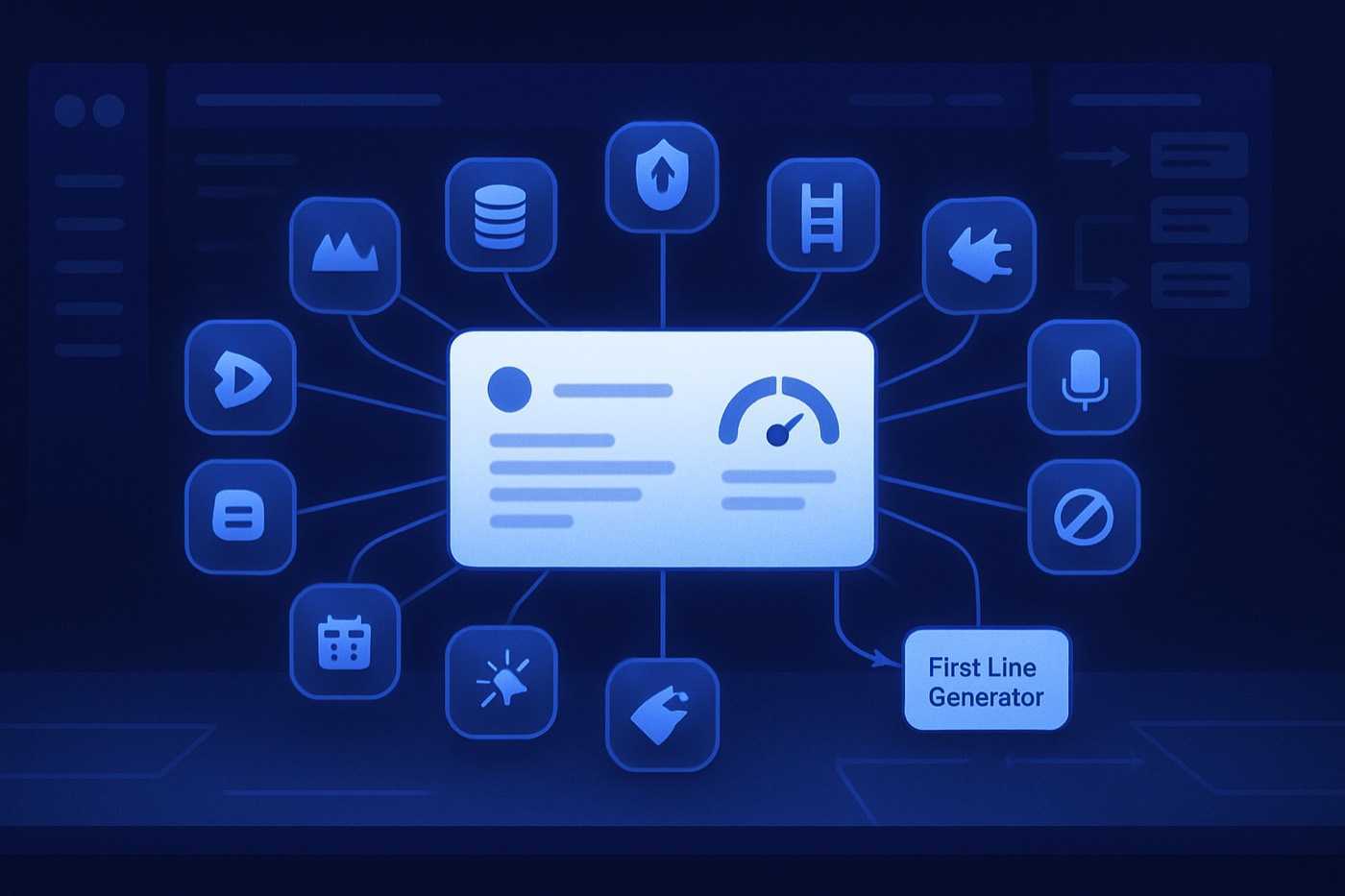
Personalization in 2026 means one thing. Your first line proves relevance in under 10 seconds. Not “Loved your website.” Not “Saw you’re hiring.” Not the same funding congrats they got 400 times this week.
You need cold email personalization signals something can catch automatically, score fast, and turn into an opener that makes sense to the reader.
If you want a north star, use this: Gartner research finds B2B buyers spend only about 17% of their total purchase time meeting with potential suppliers, and that splits across every vendor they consider (gartner.com). That is the whole window. Earn it. Use signals.
TL;DR
- Personalization that scales is signal-based, not “research-based.”
- The job is to ingest a handful of high-availability signals, then auto-generate: 1) a first line, 2) a signal-matched CTA, 3) a short sequence.
- The templates below cover: hiring, job posts, new execs, funding, tech installs, new locations, pricing changes, security changes, product launches, review velocity, role-based pain, intent spikes.
- Chronic is an autonomous revenue operator that runs this end to end, until the meeting is booked. Not a tool stack you have to stitch together.
What “personalization that scales” actually means in 2026
Personalization is not “adding a compliment.”
Personalization is:
- A verified trigger
- A believable inference
- A next step that matches the trigger
If any one of those is missing, your first line turns into theater. Buyers smell it. Spam filters love it.
The 3 rules for scalable first lines
- High availability: the signal shows up often in your ICP.
- Low ambiguity: you can infer a real problem without inventing a fantasy.
- Actionable CTA: the CTA matches the moment.
The template framework (copy this)
Use this structure for every opener you generate from signals:
First line template
- Signal reference (specific, 1 sentence)
- Meaning (1 sentence, no hype)
- Micro question (optional, 5-8 words)
CTA template
- Pick one: “Worth a 10-min sanity check?” or “Want the quick playbook?” or “Should I send the 3-step fix?”
Keep it short. Short emails get read. Long emails get archived.
The 12 cold email personalization signals worth a first line
Below: what it means, where to source it, one first-line template, and one CTA that matches the signal.
1) Hiring signal (headcount growth)
What it means
- Growth creates chaos.
- New hires break process.
- Managers feel it first: pipeline hygiene, handoffs, reporting, follow-up.
Where to source it
- LinkedIn company headcount changes (manual, scrapes, or data vendors).
- Your own inbound and “careers” page monitoring.
- Job data APIs and providers when they include headcount trend fields (varies by provider).
First-line template
Noticed the team size at {{Company}} is climbing fast. That usually means pipeline process starts breaking before anyone admits it.
CTA that matches
Worth a 10-minute check to map where leads are leaking today?
2) Job posts signal (specific roles, specific pain)
Hiring is broad. Job posts are sharp. They tell you what’s broken.
What it means
- A role is a problem statement with a budget.
- The job description often reveals tooling, priorities, and deadlines.
Where to source it
- LinkedIn Jobs, Indeed, company career pages.
- Job posting data providers and APIs. Example: TheirStack positions itself as a job posting data source via API (theirstack.com).
First-line template
Saw {{Company}} is hiring a {{Role}}. That’s usually a sign {{Team}} is drowning in manual {{process}} right now.
CTA that matches
Want a 3-step sequence that targets the priorities behind that {{Role}} hire and books meetings while they ramp?
3) New executive signal (new VP, new mandate)
What it means
- New execs run a 30-60-90 day reset.
- They need fast wins.
- They rip out “good enough” systems.
Where to source it
- LinkedIn announcements.
- Press releases.
- For public companies: executive changes often show up in Form 8-K filings under Item 5.02 (sec.gov).
First-line template
Congrats on {{ExecName}} joining as {{Title}}. New leaders usually inherit a pipeline that looks fine in slides and messy in the data.
CTA that matches
Want the “first 30 days” pipeline cleanup checklist we use with new RevOps leaders?
4) Funding signal (money plus pressure)
Funding is loud. Everyone spams it. So do it like a professional.
What it means
- Budget exists.
- Pressure exists.
- Hiring and tool consolidation follow.
Where to source it
- Crunchbase (funding rounds, timelines, investors, activity) (crunchbase.com).
First-line template
Saw the round news. The money is nice, the board deck is not. Next comes “prove pipeline coverage” and “show it weekly.”
CTA that matches
Want a simple weekly pipeline instrumentation plan you can run without adding headcount?
5) Tech installs signal (technographics and change events)
What it means
- A tool install often precedes a process change.
- A tool swap creates migration pain and broken automations.
- A new analytics tag can signal a growth push.
Where to source it
- BuiltWith and similar technographic databases.
- BuiltWith publicly states it tracks 100,000+ technologies and provides technology lookup and lists (builtwith.com).
First-line template
Looks like {{Company}} recently rolled out {{Tech}}. That’s usually step one. Step two is fixing the workflow gaps the install doesn’t cover.
CTA that matches
Want me to send the 5 automations teams forget after they add {{Tech}}?
6) New location signal (new office, new geo, new segment)
What it means
- Expansion changes ICP.
- New region means new competitors.
- Territory moves create lead routing pain fast.
Where to source it
- Press releases.
- LinkedIn posts.
- Company site updates.
- Google Business profile changes for location-based businesses.
First-line template
Saw {{Company}} expanding into {{City/Region}}. That usually breaks lead routing and follow-up speed for the first 60 days.
CTA that matches
Want a routing and SLA template that keeps speed-to-lead under 5 minutes?
Cold email personalization signals from website changes (the underrated gold)
Most teams ignore website deltas because it feels “technical.” Good. Less competition.
7) Pricing page changes (packaging, positioning, deal motion)
What it means
- They’re changing who they sell to.
- They’re changing ACV expectations.
- They’re getting objections on price clarity.
Where to source it
- Monitor pricing page diffs (visual diff tools, simple HTML snapshots, or your own crawler).
- SEO change monitoring (if you already track site updates).
First-line template
Noticed your pricing page changed recently, especially around {{Plan/Term}}. That usually signals you’re tightening qualification and deal motion.
CTA that matches
Want a short outbound script that mirrors the new packaging so deals don’t start misaligned?
8) Security page changes (procurement is coming)
What it means
- They’re selling upmarket.
- They’re hitting security objections.
- A security review bottleneck is slowing revenue.
Where to source it
- Monitor trust and security pages, SOC 2 pages, DPA pages.
- Change detection tools and crawlers.
First-line template
Saw updates on your security and trust page. That usually means enterprise deals are entering the chat, and security reviews start stalling pipeline.
CTA that matches
Want the security-first outbound angle that pulls in buyers without starting a 40-email compliance thread?
9) Product launches (new feature, new wedge)
What it means
- A launch needs distribution.
- Distribution needs lists, messaging, and follow-up.
- Most launches die in silence. Painfully.
Where to source it
- Company blog.
- Product Hunt.
- Release notes pages.
- Founder LinkedIn posts.
First-line template
Saw the {{Feature}} launch. The feature is the easy part. Getting the right 200 accounts to notice it is where launches usually die.
CTA that matches
Want a 4-touch launch sequence targeted by ICP plus intent, not vibes?
Cold email personalization signals from market proof (trust and social proof)
10) Review velocity (trust spike, adoption spike, or a push)
This is one of the cleanest signals in SaaS. It is also wildly underused in outbound.
What it means
- Customers are actively adopting.
- Marketing is running a review campaign.
- Or a competitor comparison battle is happening right now.
Where to source it
- G2, TrustRadius, Capterra review pages.
- G2 publishes buyer behavior research and reports that buyers consult review sites heavily (g2.com).
First-line template
Noticed a spike in new reviews for {{Company/Product}} lately. That usually means you’re pushing into a new segment or winning a head-to-head category fight.
CTA that matches
Want a competitor takeout sequence built around the exact claims reviewers keep repeating?
11) Role-based pain signal (title plus known failure mode)
This is personalization that scales because you do not need a unique trigger event. You need a truth tied to a role.
What it means
- Certain roles reliably own certain fires.
- You win by naming the fire without sounding like a psychic.
Where to source it
- Contact data (title, function).
- Enrichment providers.
- Your own call notes and win-loss.
First-line template
Quick guess: if you own {{Function}} at {{Company}}, you spend more time cleaning data than actually improving pipeline.
CTA that matches
Want the 3 automations that cut admin work by week one?
12) Intent spikes (in-market behavior)
This is the closest thing to a “buying window” you can catch without mind reading.
What it means
- The account is actively researching topics tied to your category.
- Timing is finally on your side.
Where to source it
- Third-party intent providers (Bombora, Demandbase, 6sense integrations).
- Bombora describes its Company Surge intent data and intent topics, embedded across many platforms (bombora.com).
First-line template
Looks like {{Company}} has been researching {{Topic}} heavily the past {{TimeWindow}}. That’s usually the moment internal teams start building a shortlist.
CTA that matches
Want the 2-minute “category checklist” buyers use to cut vendors fast, so you can align to it?
The “signal to first line” spec (what an operator should actually do)
The hard part isn’t naming signals. It’s running them every day without a human babysitting a spreadsheet. Here is the spec an autonomous operator like Chronic follows.
Step 1: Ingest signals into a single account timeline
You need one timeline per account that stores:
- Signal type (hiring, funding, pricing change)
- Timestamp
- Source URL
- Confidence score
- Notes (what changed)
Step 2: Score with fit plus intent
Signals without fit are noise. Fit without intent is a grind.
Chronic scores accounts on both fit and buying motion, so outbound goes to the accounts that match your ICP and show movement. Start here: AI lead scoring.
Step 3: Generate the opener and the CTA as a pair
One without the other is weak.
You want:
- First line tied to the signal
- CTA tied to the implication of the signal
- No “circling back”
- No “just bumping this”
Chronic writes the opener and sequence inside the same workflow, not in a separate copy tool: AI email writer.
Step 4: Enrich and route automatically
Signals often arrive before your data is complete. So you enrich first, then write.
Chronic enriches accounts and contacts automatically: lead enrichment.
Step 5: Run the sequence end to end, until the meeting is booked
Your “personalization” does not count if:
- nobody sends it,
- nobody follows up,
- nobody tracks replies,
- nobody books.
Chronic sends from managed, warmed mailboxes, handles the replies, and books the meeting, surfacing approvals only for the calls that matter: sales pipeline management.
Templates you can paste today (by signal type)
Use these as defaults. Then let the signal fill in the variables.
Hiring and job posts
Subject options
- “{{Role}} hire”
- “New headcount, same bottlenecks”
- “Speed-to-lead in {{Team}}”
Opener
Saw {{Company}} is hiring {{Role}}. That usually means {{Process}} is getting painful at current volume.
CTA
Want a quick sequence that targets {{Role}}’s priorities and books meetings without manual research?
Funding
Subject options
- “Post-round pipeline”
- “Board asks for coverage”
- “Next: outbound discipline”
Opener
Post-round, everyone cares about pipeline coverage and speed. Manual outbound usually turns into the bottleneck.
CTA
Worth a 10-min check to map the top 2 revenue leaks?
Pricing and security changes
Subject options
- “Pricing change”
- “Enterprise motion”
- “Security review stalls”
Opener
Noticed changes on {{Page}}. That’s usually a sign the buying motion is shifting.
CTA
Want a signal-based outbound playbook that matches the new motion?
Where Chronic fits (and why the “tool stack” keeps failing)
Most teams try to build this with:
- a data tool
- an intent tool
- a scraper
- a spreadsheet
- an outbound sender
- a prompt library
- a rep doing copy-paste glue work
It works. For a week. Then the Zap breaks. The data drifts. The rep quits. Pipeline dies quietly.
Chronic is an autonomous revenue operator. You give it a revenue goal, and it does the boring part on its own:
- Finds ICP-matched leads: ICP builder
- Enriches contacts and accounts: lead enrichment
- Scores by fit plus intent: AI lead scoring
- Writes the opener and sequence: AI email writer
- Sends, follows up, handles replies, and books the meeting: sales pipeline
One operator. One timeline. Approvals only where they matter.
If you want the deliverability guardrails around all this, read:
- Domain Portfolio Model for Cold Email
- Inbox Placement Is Not Visibility: The Cold Email Metrics That Predict Pipeline in 2026
- GTM Signals Cheat Sheet (2026): 40 Buying Signals and Exactly What Outreach to Send for Each
FAQ
What are cold email personalization signals?
Cold email personalization signals are observable events or changes that indicate a relevant business situation. Examples: a new job post for RevOps, a pricing page update, a surge in intent for a category keyword. Signals beat generic personalization because they tie to timing and need.
Which signals are the highest availability for most B2B teams?
Start with:
- job posts
- hiring and headcount trend
- product launches
- review velocity
- technographic installs
They show up constantly across mid-market SaaS and services.
Isn’t funding a burned-out signal now?
Yes. Everyone spams “congrats on the raise.” Funding still matters, but the opener must translate it into a real operational pressure: pipeline coverage, hiring, data hygiene, speed-to-lead. Skip the confetti.
How do I source technographics without guessing?
Use a technographics provider like BuiltWith for web-detectable technologies. BuiltWith publicly describes tracking 100,000+ technologies and providing lookup and list building. Then cross-check with job posts that mention tools when you need higher confidence.
What’s the biggest mistake teams make when scaling personalization?
They personalize the first line but keep a generic CTA. The reader thinks: “Cool, you stalked me. So what?” The CTA must match the signal. Every time.
How should signals be stored so an agent can write good first lines?
Store each signal as a structured record:
- type, timestamp, source URL, change summary, confidence score, affected persona
Then the email writer can generate an opener that is specific, grounded, and short.
Turn signals into meetings
Pick 3 signals from this list. Build one opener and one CTA for each. Run it for 14 days. Track replies by signal type, not by rep.
Then do the obvious thing: stop gluing tools together by hand. Let an operator capture the signals, enrich the accounts, score them, write the openers, run the sequences from warmed mailboxes, and book the meetings, while you keep humans on closing.
That is the Chronic model. End to end, until the meeting is booked.