7 cold email SOPs that protect deliverability
A cold email SOP defines who does what, how often, and when to stop sending. These 7 SOPs (suppression, list decay, volume ramp, asset inventory, sequence exit rules, enrichment, attribution) protect deliverability and sender reputation while you book meetings.
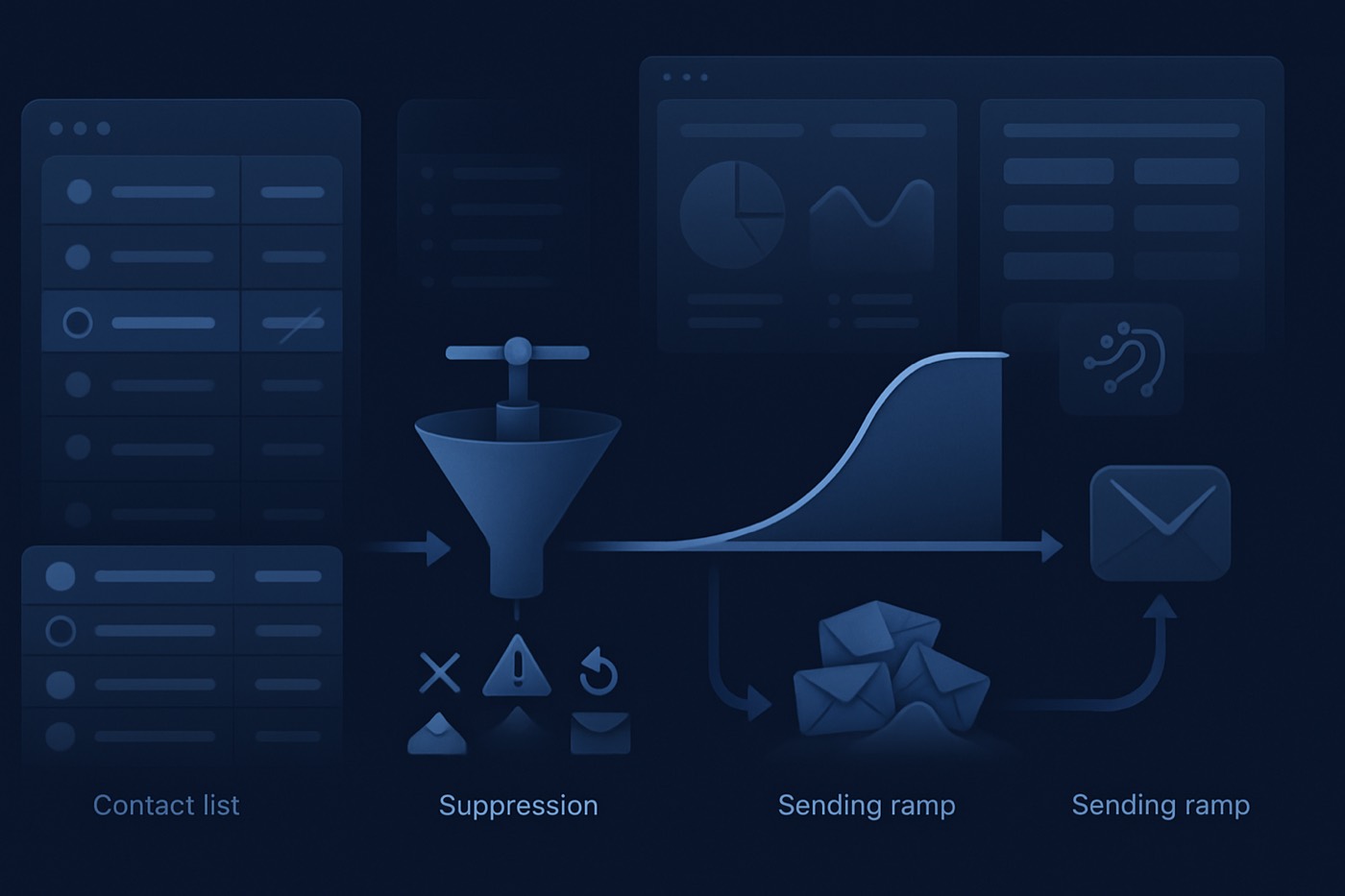
Bad deliverability is rarely caused by one "spammy" email. It is almost always caused by a broken operating rhythm: inconsistent list hygiene, unmanaged volume spikes, missing suppression logic, and a sending system that keeps emailing people who have already told you to stop.
The 7 SOPs below turn deliverability into an operational system. Each one protects the same two things: the meetings you are trying to book, and the reputation of your domains, mailboxes, and brand. They also map to how mailbox providers now enforce bulk sending, including Gmail's requirements for senders over 5,000 messages a day, spam complaint thresholds, and one-click unsubscribe. (Google sender guidelines FAQ, Yahoo Sender Hub FAQ, RFC 8058 one-click unsubscribe, Microsoft enforcement context)
This is also the work an autonomous revenue operator like Chronic does on its own: it ramps volume safely, suppresses bad addresses, exits sequences on negative signals, and stops sending before reputation damage happens, surfacing approvals only for the decisions that matter. Whether you run these SOPs by hand or hand them to an agent, the rules are the same.
The SOP card template (copy and reuse)
Use this as the standard "SOP card" format for every process in outbound. It keeps each SOP scannable and enforceable, and it gives whoever (or whatever) runs the process a clear stop rule.
SOP name: Goal (1 sentence): Owner (role): Backup (role): Cadence: Inputs (tools + reports): Required fields (must be filled correctly): Steps (numbered): Stop rule (hard stop, who approves restart): What it protects (reputation, meetings, or both): Audit artifact (what gets saved, where):
Weekly deliverability review agenda (30 minutes)
This is the lightweight meeting you run every week to enforce multiple SOPs at once.
KPI snapshot (5 min)
- Hard bounce rate by inbox pool, domain, and sequence
- Spam complaints (FBL where available), "marked as spam" signals, and unsubscribes
- Reply rate trends (positive vs negative)
- Provider-specific anomalies (Gmail vs Outlook vs Yahoo)
Top regressions (10 min)
- Which sequence, list source, or segment changed?
- Any volume spikes, new domains, new inbox pools?
- Any enrichment or verification gaps?
Suppression actions (5 min)
- Auto-suppression counts and reasons
- Manual suppressions for edge cases
- Confirm "do-not-email" propagation across every sending tool
Root cause and corrective actions (10 min)
- Decide fixes, assign owners, set deadlines
- Confirm any stop rules triggered
- Confirm which experiments are paused
Output artifact: A single-page note with issues, actions, stop rules invoked, and a dated "deliverability decision log."
1) SOP: Bounce and complaint review with auto-suppression
Deliverability protection starts with one non-negotiable rule: bounces and complaints become permanent truth quickly, not "notes" someone might read later.
SOP card
Goal: Prevent repeated sends to invalid or unhappy recipients by enforcing suppression within 24 hours. Owner: RevOps (or Outbound Ops) Backup: SDR manager Cadence: Weekly review plus a daily automated suppression job
Required fields
email(primary)email_status(valid | risky | invalid | unknown)deliverability_status(ok | bounced-hard | bounced-soft | complaint | unsubscribed)suppression_reason(hard_bounce | soft_bounce_3x | complaint | unsubscribe | role_account_policy | legal)suppressed_at(datetime)source_system(provider, ESP, sequencer)last_sent_at(datetime)sequence_id(if applicable)
Steps
- Ingest events from your sequencer/ESP: hard bounces, soft bounces, unsubscribes, and spam complaint/FBL events where available.
- Auto-suppress immediately:
- Hard bounce: suppress forever.
- Complaint: suppress forever.
- Unsubscribe: suppress forever, and propagate to every sending tool.
- Soft bounce logic:
- If the same address soft bounces on 3 sends in a rolling 14 days, suppress for 30 days, then re-verify before reactivation.
- Weekly review:
- Rank by list source, sequence, and segment.
- Identify "bad list sources" and pause them.
- Write back suppression everywhere you send so reps and any automation share the same do-not-email truth.
Stop rule
- If spam complaints approach mailbox-provider thresholds or trend sharply upward, pause the sequence and the list source until root cause is confirmed and corrected. Gmail ties mitigation eligibility to spam rate and calls out a 0.3% threshold for bulk senders. (Google sender guidelines FAQ)
What it protects
- Reputation: you stop hammering invalid addresses and unhappy recipients before complaint rates put your domains at risk.
- Meetings: real prospects stay reachable because your sending pools are not poisoned by avoidable bounces.
Audit artifact
- Weekly deliverability decision log plus suppression export counts.
2) SOP: Stale-lead decay and re-verification triggers
List quality decays. People change jobs, domains change, and catch-all configurations change. If you do not track "staleness," you keep sending to ghosts.
SOP card
Goal: Prevent sending to stale contacts and keep enrichment fresh enough for real personalization. Owner: RevOps Backup: Growth Ops Cadence: Daily triggers plus a monthly audit
Required fields
emailjob_titlecompany_id(oraccount_id)email_verified_at(datetime)enriched_at(datetime)employment_status(current | left_company | unknown)contact_last_activity_at(email sent, reply, meeting)stale_risk_score(0-100 or low/med/high)reverify_required(boolean)
Steps
- Define decay rules (an example that works for most B2B outbound):
- If
email_verified_atis older than 90 days and there has been no engagement in 60 days, setreverify_required = true. - If the contact's company domain changed or a website redirect is detected, set
reverify_required = true. - If enrichment indicates "left company," set
deliverability_status = suppressand route to "replacement contact needed."
- If
- Re-verify before you re-enter any sequence.
- Only re-activate contacts after verification passes and core firmographics still match your ICP.
Stop rule
- If a list segment has a high invalid rate after re-verification sampling (for example, 5% of a 200-contact sample fails), stop the campaign build and replace the data source before scaling.
What it protects
- Meetings: outreach lands on people who still hold the role you targeted, so replies come from buyers and not bounce-backs.
- Reputation: you stop spending sending volume on addresses that no longer exist, which is one of the fastest ways to wreck placement.
Audit artifact
- Monthly "stale list" report showing re-verification volume, failure rate by source, and replacements found.
3) SOP: Send-volume ramp governance (domains and inboxes)
Deliverability failures often happen after a volume spike, especially when a team "turns on" a new domain or pushes a new sequence across a larger list.
SOP card
Goal: Prevent reputation shocks by controlling ramp speed, segmentation, and inbox-pool usage. Owner: Outbound Ops (or deliverability owner) Backup: RevOps Cadence: Weekly, plus a pre-launch approval for any new domain or inbox pool
Required fields
sending_domaininbox_pool_idfrom_addresssequence_idsend_datedaily_send_cap(per inbox and per domain)ramp_stage(0-4)risk_notes
Steps
- Create a ramp plan with explicit caps per domain and per inbox pool.
- Apply a "segment first" rule: ramp with best-fit accounts first (highest ICP match, cleanest data).
- Confirm authentication and unsubscribe compliance before ramping. Bulk senders are expected to authenticate mail and support easy unsubscribe at scale. (Gmail's requirements for senders over 5,000 messages a day to Gmail accounts: Google sender guidelines FAQ; Yahoo's one-click unsubscribe requirement: Yahoo Sender Hub FAQ; the one-click header standard: RFC 8058)
- Increase volume only if leading indicators hold steady:
- Hard bounce stable or improving
- Complaints stable
- Negative reply rate not spiking
Stop rule
- Any sudden spike in complaints, bounces, or negative replies triggers a rollback to the prior ramp stage and a sequence pause, pending the weekly review decision.
What it protects
- Reputation: controlled ramp is how you build sender history without tripping provider enforcement.
- Meetings: a steady, trusted sending pool keeps your best-fit accounts in the inbox instead of the spam folder.
Audit artifact
- A "ramp approval" record with date, approver, caps, and observed metrics.
4) SOP: Domain and inbox inventory tracking (lifecycle management)
Most teams can list their sales reps but cannot list their sending assets with owner, status, and history. That is a governance gap, and it is where reputation quietly leaks.
SOP card
Goal: Maintain a living inventory of every sending domain and inbox, including lifecycle status and risk. Owner: IT/Security plus RevOps (shared) Backup: Outbound Ops Cadence: Monthly audit plus change-control on any new asset
Required fields (a dedicated "Sending Assets" table works best)
asset_type(domain | inbox)asset_idownercreated_atstatus(active | warming | paused | retired)auth_status(SPF, DKIM, DMARC present, pass/fail)unsubscribe_supported(yes/no, header present)last_incident_atincident_notes
Steps
- Maintain the inventory in a real system of record, not a spreadsheet that goes stale.
- Tie every outbound send to a
sending_domainand aninbox_pool_id. - Retire assets deliberately. When a domain is burned (persistent poor placement), stop using it and mark it retired.
- Require change-control before adding assets: owner, authentication confirmation, ramp plan, and monitoring plan.
Stop rule
- If a sending asset has unknown authentication status or no unsubscribe capability, it cannot be used for outbound.
Why this matters now
- Mailbox providers are increasingly explicit about authentication and unsubscribe expectations for bulk sending and enforcement. (Gmail: Google sender guidelines FAQ; Yahoo: Yahoo Sender Hub FAQ; one-click unsubscribe mechanism: RFC 8058; Microsoft enforcement commentary: Proofpoint overview)
What it protects
- Reputation: you always know which asset sent which mail, so one bad sequence does not silently contaminate the rest of your sending estate.
Audit artifact
- A monthly inventory export with diffs (what changed since last month).
5) SOP: Sequence exit criteria based on negative signals (not just "step 6 sent")
Most sequences end because they ran out of steps, not because the prospect gave you a signal. That is how you rack up spam complaints and burn goodwill.
SOP card
Goal: Exit sequences early when negative intent is detected, and route every reply correctly within minutes. Owner: SDR manager Backup: Outbound Ops Cadence: Continuous (rules enforced in automation), with weekly sampling QA
Required fields
sequence_status(active | exited | paused)exit_reason(positive_reply | negative_reply | unsubscribe | complaint | no_fit | OOO | bounce)negative_signal_type(spammy_language | "stop emailing" | "not interested" | wrong_person | already_solution)reply_sentiment(pos | neg | neutral)next_action(book_meeting | route_to_AM | suppress | find_new_contact)
Steps
- Define negative signals that cause an immediate exit:
- "Stop," "remove," "unsubscribe me," "spam," "do not contact"
- "Wrong person," plus a suggested alternative contact
- Strong negative sentiment or a threat to report
- Automation rules:
- Exit the sequence and suppress on unsubscribe or complaint.
- Exit the sequence on an explicit "remove me."
- Human QA:
- The SDR manager reviews a random sample of negative replies weekly to confirm correct routing and suppression.
Stop rule
- If a sequence generates repeated negative replies above your internal threshold (set one per company and stage), pause it and require a messaging and targeting review before relaunch.
What it protects
- Reputation: the single biggest source of avoidable complaints is sending step 4, 5, and 6 to someone who already said no. Exit rules stop that.
- Customer relationships: you do not keep "personalizing" follow-ups at a prospect who has clearly disengaged.
Audit artifact
- A weekly sample QA sheet with reply text, chosen exit reason, reviewer, and any correction.
6) SOP: Enrichment refresh schedule and field standards
Personalization is only as good as the fields it reads. If your industry field is a free-text junk drawer, your targeting and your messaging become guesswork.
SOP card
Goal: Keep firmographics, technographics, and contact-role data fresh and standardized for targeting, routing, and personalization. Owner: RevOps Backup: Data Ops (or Growth Ops) Cadence: Quarterly refresh for ICP accounts, monthly for active outbound accounts, and just-in-time enrichment at sequence entry
Required fields (the minimum viable set for outbound)
account_industry(standardized picklist)employee_count_range(standardized)revenue_range(optional, standardized)hq_country(ISO)tech_stack(normalized categories)icp_fit_score(0-100)enriched_at(datetime)enrichment_sourceconfidence_score(optional)
Steps
- Define field standards: picklists, allowed values, validation rules.
- Run enrichment on new leads at creation, leads entering a sequence, and all active target accounts on a schedule.
- Set refresh frequency by risk. High-change segments (startups, agencies) refresh more often than stable segments (regulated enterprises).
- Store timestamps and sources so you can troubleshoot mismatches.
Stop rule
- If the fields required for routing and scoring are missing or below a confidence threshold, the record cannot enter a sequence until it is enriched.
What it protects
- Meetings: targeting runs on clean firmographics, so you reach the right segments and your opening lines reference facts that are actually true.
- Reputation: personalization built on current, verified data reads as a real message, not as scraped filler that invites the spam button.
Audit artifact
- An "enrichment coverage" dashboard: percent complete for required fields, by segment, plus median days since last enrichment.
7) SOP: Meeting attribution hygiene
Deliverability protection is not only about inbox placement. It is about not losing the thread after someone replies "yes." If your meeting source is wrong, you can never tell which outbound actually works.
SOP card
Goal: Make sure every meeting and opportunity is attributed to the correct outbound touchpoint, sequence, and campaign. Owner: RevOps Backup: SDR ops or Sales ops Cadence: Weekly audit plus real-time automation on meeting creation
Required fields
meeting_booked_atmeeting_source(cold_email | inbound | partner | referral | event)sequence_idcampaign_idfirst_touch_channellast_touch_channelopportunity_created_atopportunity_source_detail(a structured source string for outbound)contact_role_in_deal(economic | champion | influencer | blocker)
Steps
- Enforce "no blank source" on meeting creation.
- Auto-stamp meetings created from reply handlers with
sequence_id,campaign_id,sending_domain, and the owning rep. - Weekly audit:
- Spot-check a sample of meetings to confirm correct attribution.
- Fix common failure modes (forwarded threads, calendar links not tied back to the record, manual meeting creation).
Stop rule
- If attribution falls below your minimum threshold (for example, 95% of meetings have a valid
meeting_sourceandsequence_id), pause new sequence-creation work and fix instrumentation first.
What it protects
- Meetings: you can tell which segment, sequence, and message produced real pipeline, so you double down on what works instead of guessing.
- Reputation: when attribution is honest, you can retire the sending behavior that booked a meeting at the cost of three complaints.
Audit artifact
- A weekly attribution audit report and a list of corrected records.
How these SOPs stop "personalization theater"
Personalization theater happens when a rep or a tool generates custom-looking lines on top of:
- stale contact data,
- wrong job titles,
- incorrect company info,
- and sequences that keep sending after a clear "no."
These SOPs fix the underlying system so personalization is based on:
- verified emails,
- current roles,
- clean technographics,
- and accurate engagement signals.
The result is fewer "Hi {first_name}, I saw you're still the VP of [former employer]" disasters, fewer complaints, and outreach that a real buyer might actually answer.
Where an autonomous operator fits
You can run these seven SOPs as a manual operating rhythm, and many strong teams do. The catch is that they are relentless: suppression has to happen daily, ramp has to be watched continuously, and exit rules have to fire within minutes of a reply, every time, without anyone forgetting.
That continuous discipline is exactly what an autonomous revenue operator like Chronic is built to run. You set the revenue goal, the offer, the budget, and the constraints. The agent handles discovery, enrichment, deliverability and infrastructure, sending from managed warmed mailboxes, reply handling, and meeting booking, applying the same stop rules above and surfacing an approval only when a decision needs you. It optimizes for qualified meetings held, not emails sent, and it protects your domains, mailboxes, and brand by default rather than as an afterthought.
Whether a human or an agent runs them, the point of these SOPs is the same: never trade your reputation for a few more sends.
FAQ
What is a cold email SOP?
A cold email SOP is a written, enforceable operating procedure for outbound email. It specifies ownership, cadence, the required data fields, automation rules, and explicit stop conditions. A checklist tells you what "good" looks like. An SOP tells you who does the work, when it happens, where it is recorded, and when sending must stop.
How do I choose the owner for deliverability SOPs?
Put RevOps or Outbound Ops in charge of systems (suppression logic, enrichment schedules, asset inventory, attribution). Put SDR leadership in charge of human behavior (sequence exit criteria, reply-handling QA). The biggest failure mode is splitting ownership so that no one has the authority to pause sending when a stop rule triggers.
Which SOP has the fastest impact on deliverability?
The fastest impact usually comes from bounce and complaint review with auto-suppression, because it immediately stops repeated sends to bad addresses and unhappy recipients. That is the most direct lever you have on complaint rate, which is what providers enforce against.
How do one-click unsubscribe standards relate to cold email SOPs?
Even in B2B outbound, unsubscribe handling is an operational safeguard that reduces spam complaints. Yahoo requires one-click unsubscribe for certain traffic classes, and RFC 8058 defines how the List-Unsubscribe-Post one-click mechanism is signaled. (Yahoo Sender Hub FAQ, RFC 8058) Your SOP should make sure unsubscribe signals propagate into your suppressions consistently, across every tool you send from.
What is the most common stop-rule mistake teams make?
Teams often define stop rules but do not define:
- who has the authority to pause sending,
- where the stop is enforced (sequencer, system of record, suppression list),
- and what evidence is required to restart.
A good SOP makes stopping easy, visible, and auditable. An autonomous operator makes it automatic, then tells you why it paused.
Implement the 7-SOP operating rhythm (week 1 plan)
- Day 1: Adopt the SOP card template and publish it in your internal wiki.
- Day 2: Implement auto-suppression write-back fields (hard bounce, complaint, unsubscribe) everywhere you send.
- Day 3: Stand up the weekly deliverability review and decision log.
- Day 4: Create the sending-asset inventory (domains, inbox pools, owners, status).
- Day 5: Add stale-lead decay triggers and block sequence entry when
reverify_required = true. - Week 2: Add enrichment refresh rules and meeting-attribution enforcement.
Run this cadence for 30 days and you will not just improve deliverability. You will have an outbound system that protects your reputation while it books meetings, whether your team runs it or you hand it to an agent that runs it for you.