Deliverability tracking for outbound: the closed loop that turns signals into pipeline
Deliverability tracking only grows pipeline when the signals (bounces, complaints, placement, domain health) automatically change who you email and how fast. Chronic runs that loop for you: it pauses, throttles, rotates mailboxes, and retires risky copy on its own.
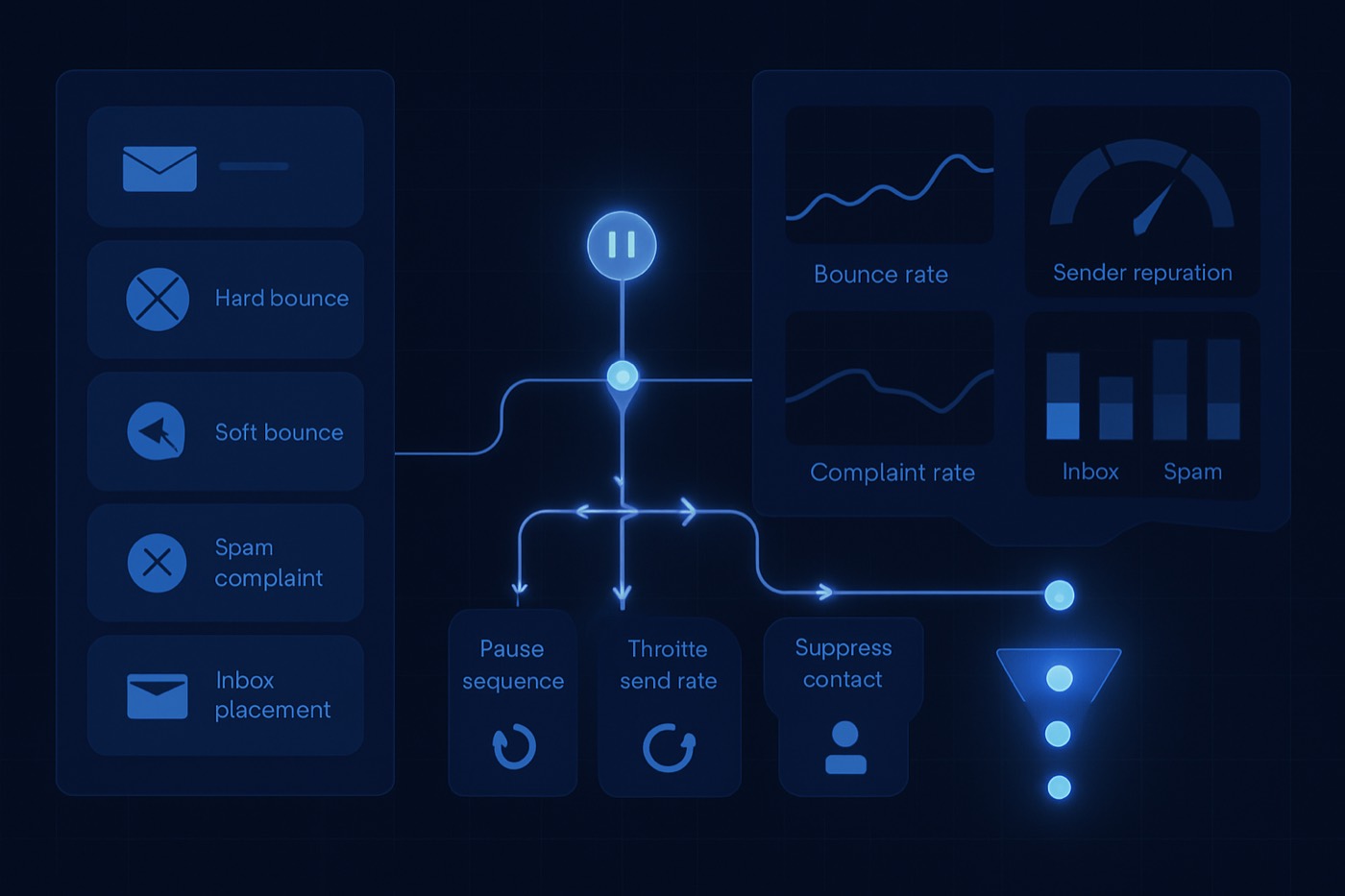
Deliverability tracking becomes a growth lever only when the signals actually change who you email, when you email them, and how aggressively you scale volume. The problem is that most teams watch deliverability in one place and run pipeline in another. That split guarantees "we learned something" never turns into "pipeline improved."
This guide walks through the deliverability signals that matter for cold outbound, the thresholds that protect your domains, and the closed loop that turns each signal into a decision. It also shows where an autonomous revenue operator like Chronic does this work for you, so a founder or seller does not have to become a RevOps and deliverability specialist to send safely.
What a closed deliverability loop is (and why monitoring alone fails)
Most outbound stacks stop at monitoring: a dashboard shows the bounce rate climbing, and someone is supposed to notice and react. A closed loop is different. Every deliverability signal is logged as a structured event, those events roll up into health scores at the mailbox, domain, and content level, and the system acts on them automatically: pausing sends, throttling volume, rotating mailboxes, retiring copy, and changing who is eligible to be emailed.
The distinction matters because deliverability damage happens fast. By the time a human reads a dashboard, a complaint spike has already cost you reputation. A loop that enforces its own rules protects the asset that takes months to rebuild: your domain and mailbox reputation.
Why teams lose money watching deliverability "in a separate place"
If your deliverability data lives apart from the system that decides who gets emailed, you get predictable failure modes:
- You pause sending in your outbound tool, but reps keep emailing manually from the primary domain.
- You fix DNS, but you keep hitting the wrong segment and complaints stay high.
- You learn "this opener triggers spam," but that never updates the copy across active sequences.
- You improve inbox placement, but the system keeps prioritizing leads that should be cooled down.
The fix is to make the sending decision and the deliverability signal the same system, so the learning is enforced, not just noticed.
Step 1: The deliverability signals worth logging
The goal is to capture signals that explain why delivery or engagement changed, not just whether someone opened. These are the event types a serious outbound system tracks.
A. Bounce events (hard vs soft, plus provider codes)
Log:
- Bounce type: hard, soft
- Bounce category: invalid mailbox, DNS failure, policy block, rate-limited, mailbox full
- SMTP status code: 5xx permanent, 4xx temporary
- Provider: Google, Microsoft, Yahoo, other
- Message ID and sending identity
- Timestamp
Why it matters: hard bounces are a list-hygiene and enrichment problem. Soft bounces often signal ramping too fast, provider throttling, or a slipping domain reputation. Acceptable bounce rates vary by segment and list source, so the number that matters is your own baseline. Treat any sustained increase as a targeting, data, or ramp issue rather than something to wait out.
B. Spam complaint events (user-reported spam rate)
Log:
- Complaint source: Gmail Postmaster (aggregate), provider feedback loop (message-level), ESP event
- Complaint rate window: daily is the practical default
- Sending domain and subdomain
- Sequence and copy variant
- Threshold flags: warning, danger
Why it matters: Google's bulk sender guidelines tie deliverability and mitigations directly to spam rate. Senders should keep the user-reported spam rate below 0.1% and never let it reach 0.3% or higher. Source: Google Email sender guidelines FAQ
C. Inbox placement test results (seed tests)
Log:
- Test tool
- Mailbox provider: Google, Microsoft, Yahoo
- Placement: inbox, promotions, spam, missing
- Copy variant ID
- Sending identity
- Timestamp
Why it matters: placement tells you when you have a content reputation problem versus a domain reputation problem, and it lets you test new copy before scaling it.
D. Domain health and authentication checks
Log:
- SPF pass/fail
- DKIM pass/fail
- DMARC present and policy
- Alignment status where measurable
- TLS
- Forward and reverse DNS validity on dedicated infrastructure
Why it matters: mailbox providers tightened authentication and unsubscribe requirements for bulk senders starting in 2024. Google's FAQ lists the enforcement outcomes and highlights one-click unsubscribe, DMARC, and spam rate thresholds. Source: Google Email sender guidelines FAQ
E. Unsubscribe events (including one-click)
Log:
- Unsubscribe type: one-click header, in-body link, reply
- Consent scope: global, brand, topic
- Sequence
- Timestamp
- Processing time against your SLA
Why it matters: one-click unsubscribe is now a baseline expectation. The underlying standard is RFC 8058. Source: RFC 8058
F. Reply classification events
Log:
- Reply category: interested, not now, not a fit, referral, unsubscribe, complaint, out of office, bounce-back
- Sentiment or risk flag: low, medium, high
- Sequence step and copy variant
- Timestamp
Why it matters: reply classification is a deliverability input, not just a sales one. "Stop emailing me" messages often precede a formal complaint if you keep pushing. Classifying replies and acting on them is one of the jobs Chronic handles directly, so a hostile reply suppresses the contact without anyone tagging it by hand.
Step 2: Roll signals up into three health scores
Raw events are noise until they roll up into something you can act on. Three deterministic scores cover almost every decision:
- Sending Identity Health per mailbox
- Domain Health per domain or subdomain
- Content Health per copy variant, and optionally per sequence
Each score is a weighted composite over rolling windows (7-day and 28-day windows are a sensible pair). A starter weighting:
- Spam complaints: highest weight, because they can collapse a reputation quickly
- Hard bounce rate: high
- Soft bounce rate: medium
- Inbox placement: high
- Unsubscribe rate: medium, depending on how you message
- Negative reply rate: medium-high
- Authentication failures: a hard fail that forces the score to critical
Keep every signal tied to the recipient, the account behind them, the sequence, the step, the copy variant, and the sending identity. That mapping is what lets the system reason about which mailbox or which opener is causing trouble, instead of just flagging "deliverability looks bad."
Step 3: Act on the scores automatically
This is where the loop earns its keep. Each of the rules below is a reaction a competent operator should run without waiting for a human.
Rule 1: When complaints spike, stop the bleeding
Google's guidance highlights 0.3% as the line you must not cross and recommends staying under 0.1%. Source: Google Email sender guidelines FAQ
- Trigger: daily domain spam rate at or above 0.2% (warning) or 0.3% (critical)
- Actions: set domain health to critical, pause all active sequences on that domain, and restrict any future enrollment to high-fit, recent-intent leads until the domain returns to healthy.
Rule 2: Rotate mailboxes when soft bounces or temp errors spike
Soft bounces and delivery errors usually spike when volume ramps too fast or you hit provider throttling.
- Trigger: 7-day rolling soft bounce rate exceeds your baseline by 2x
- Actions: cut the daily send cap on that mailbox by 30% for 72 hours, rotate to another mailbox in the pool, and require an inbox placement test pass before returning to normal volume.
Rule 3: Retire copy when inbox placement degrades
- Trigger: a placement test shows 20% or more landing in spam for Microsoft across two tests
- Actions: retire the variant, swap sequences to the next-best variant, rewrite the opener and CTA (often the culprit), and validate the new variant with a placement test before scaling.
Rule 4: Suppress recipients and cool down accounts on negative signals
- An unsubscribe sets email permission to no, reason: unsubscribe.
- A hostile reply or complaint threat sets email permission to no, reason: complaint risk.
- Two or more contacts at the same account showing negative signals in 14 days puts the account in a 14-day cooldown and blocks new enrollments there.
This is a brand-protection rule as much as a deliverability one: you are limiting damage per account, not just per inbox.
Step 4: Close the loop back into targeting and prioritization
Monitoring stops at "deliverability looks risky." A closed loop ends with "who we email and how we reach them changed automatically."
Loop A: Health feeds targeting
When complaints rise, the right move is rarely "fix DNS and continue." It is usually "tighten the targeting."
- Trigger: domain health is at warning
- Constraint: enroll only your strongest-fit segment, exclude segments with a history of low replies and high unsubscribes, and require a minimum data-confidence threshold.
That is a direct tie between deliverability and pipeline efficiency: better data and tighter fit mean fewer complaints and more replies per send.
Loop B: Health feeds prioritization and channel choice
Priority should reflect more than buying intent. It should also reflect whether it is safe to email someone right now.
- If domain health is critical, reduce the weight of email-based actions and route those leads to a wait state or a different channel.
- If both mailbox health and content health are healthy, raise the probability that the system sends now.
Loop C: Signals change pipeline state
A common mistake is treating "in a sequence" as forward progress. Instead, when deliverability risk rises mid-sequence, move the lead to a deliverability hold, switch the planned touch to another channel, and preserve their position so they can be reactivated cleanly once the domain recovers.
Step 5: A build plan, or a system that already runs it
If you are assembling this yourself, the work breaks into a few stages.
Instrumentation and ingestion
You need data from your sending tool (bounces, replies, unsubscribes), provider signals (Gmail Postmaster spam rate, authentication dashboards), an inbox placement testing tool, and DNS and authentication validation. Decide what is event-level (bounce, unsubscribe, reply classification, placement result) versus snapshot-level (daily spam rate, daily bounce rate, domain auth status). Keep the raw payload for debugging and map the core fields into structured columns for reporting and automation.
Suppression
The minimum viable suppression list: unsubscribes, hard bounces, complaints (plus an account cooldown review), and any "do not contact" reply. Tie all of it to a single permission field that every outbound action respects.
Throttles and stop rules
Define per-mailbox daily send caps, ramp rules that only increase volume when health is stable, and an emergency brake for complaint or placement failures. Something has to be the arbiter that says "this sequence can enroll" and "this mailbox can send today."
Copy governance
Keep a lightweight registry: variant ID, the change you made, approval status, risk flags, and the placement and complaint results tied to it. Then enforce two rules: no unregistered copy in production, and automatic retirement when a variant degrades.
This is a real amount of RevOps and deliverability engineering, and it is exactly the part a founder or seller should not have to build or babysit. An autonomous revenue operator does it as part of the job. With Chronic you set the revenue goal, the offer, and the constraints. The agent runs discovery and enrichment to keep bounces low, sends from managed, warmed mailboxes it owns and rotates, watches every signal above, and pauses, throttles, rotates, and retires copy on its own, surfacing an approval only when a decision genuinely needs you. The deliverability loop is not a project you stand up; it is built into how the operator sends.
Step 6: What to watch weekly
Whether a tool runs the loop or you do, a weekly view should answer one question: are we safe to scale outbound, and what should change?
Health overview: domain status (healthy, warning, critical), daily Gmail spam rate, 7-day hard bounce rate, the last five placement tests, and any sequences paused for deliverability.
Top drivers: complaints by sequence and copy variant, bounces by data source, negative replies by segment, and placement by provider (Google vs Microsoft vs Yahoo).
Pipeline impact: meetings or opportunities created per 1,000 emails sent, broken out by domain health status, and reply-to-meeting conversion by copy-variant health.
That last view is where the win shows up. Better deliverability is not "more inbox." It is more pipeline per unit of send, with your reputation intact.
Thresholds to start from
Use these as starting points, then calibrate to your own baseline.
- Daily Gmail spam rate: healthy below 0.1%, warning 0.1% to 0.2%, danger 0.2% to 0.3%, critical at or above 0.3%. Source: Google Email sender guidelines FAQ
- 7-day hard bounce rate: healthy below 1%, warning 1% to 2%, danger above 2%. These are conservative starting bands, not a published standard; calibrate to your own list quality and history.
For recovery after a complaint spike, Google notes that mitigation eligibility returns after seven consecutive days below 0.3%, so a sensible rule is to keep a domain paused until it has held below 0.3% for seven days, then restore it in ramp mode (not full volume) only after a placement test passes. Source: Google Email sender guidelines FAQ
FAQ
What is outbound deliverability tracking?
It is the practice of logging deliverability signals (bounces, spam complaints, inbox placement, authentication status, unsubscribes, reply classification) and acting on them automatically by changing who gets emailed, when, how fast, and through which channel. The point is not the dashboard; it is the decisions the signals trigger.
Which metrics should I track first for a minimal setup?
Start with four: hard bounce rate (with suppression), unsubscribes (with suppression), daily spam complaint rate (especially for Gmail), and inbox placement tests for your top provider, which for B2B is often Microsoft. These cover the majority of "stop the bleeding" situations.
What thresholds should we use for spam complaints?
Google recommends keeping the user-reported spam rate below 0.1% and never letting it reach 0.3% or higher, since bulk sender mitigations are affected when you exceed 0.3%. Use those as starting thresholds, then calibrate. Source: Google Email sender guidelines FAQ
How do we implement one-click unsubscribe correctly?
Use the List-Unsubscribe and List-Unsubscribe-Post headers defined in RFC 8058, and make sure the message carries a valid DKIM signature covering those headers. Source: RFC 8058. Also keep a visible unsubscribe option in the body for marketing messages, in line with mailbox provider expectations. Source: Google Email sender guidelines FAQ
How do we tie deliverability to prioritization without killing volume?
Do not make deliverability an absolute blocker for everything. Use health status to shift channel priority (email versus call versus LinkedIn), restrict email enrollment to your best-fit segments during warnings, and slow the ramp when risk rises. That protects deliverability while still advancing pipeline through other touches.
What's the most common reason deliverability tracking fails to help?
Teams log the data but never enforce the rules. If anyone can still enroll anyone, from any mailbox, with any copy, the tracking becomes a reporting mirror instead of a control system. The win comes from suppression, throttles, and enrollment limits that are actually enforced, which is why having one system both watch the signals and make the sending decision matters so much.
The short version
Deliverability tracking only pays off when the signals close the loop and change behavior on their own: bounces and complaints trigger suppression, a slipping domain pauses sends and tightens targeting, degraded placement retires copy, and risky accounts cool down. You can build that loop with the events, scores, and rules above, or you can hand the goal to Chronic and let the operator run discovery, sending from managed warmed mailboxes, signal tracking, and the whole protective loop for you, surfacing only the decisions that need your call.