LinkedIn Outbound in 2026: What to Automate Without Burning Your Accounts
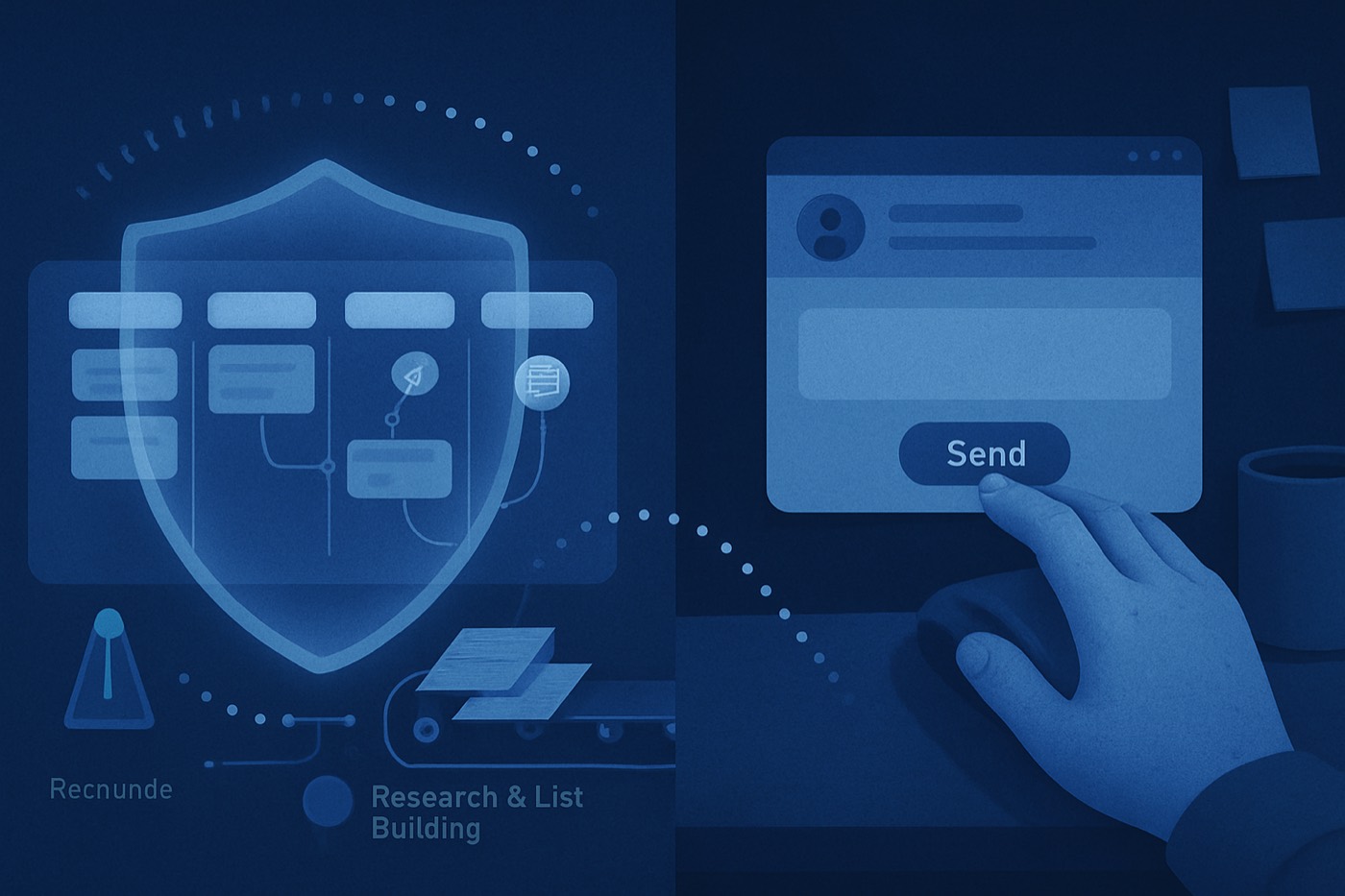
LinkedIn outbound in 2026 has one job: create conversations with people who already smell like buyers. That’s it. The era of “spray 300 invites a day and pray” is dead. LinkedIn’s detection got sharper, its limits got tighter, and its enforcement got more creative. If your outbound plan depends on high-volume automation, you are not “optimizing.” You are speedrunning an account restriction.
This is the risk-first playbook for LinkedIn Outbound in 2026. Where automation is safe, where it gets you flagged, and how to build pipeline without gambling your founder’s account.
TL;DR
- Automate off-platform. ICP building, list building, enrichment, draft personalization, CRM logging, follow-up reminders.
- Keep on-platform actions human. Connection sends at volume, message bursts, repeated templates, “bot rhythm.”
- Assume LinkedIn can detect your tooling. LinkedIn explicitly bans many automation tools and calls out bots, scrapers, and extensions. It also monitors third-party software signals. (linkedin.com)
- Respect the caps. LinkedIn enforces invitation limits and commercial search limits. You don’t “beat” them. You route around them. (linkedin.com)
- Multi-channel wins. Use LinkedIn as a precision assist channel. Run email-first outbound for volume and reliability.
- Chronic angle: Pipeline on autopilot. Chronic runs email outbound end-to-end till the meeting is booked. LinkedIn becomes the scalpel, not the sledgehammer.
The 2026 trend: LinkedIn is not a growth channel. It’s a compliance system.
LinkedIn’s incentives are obvious:
- Protect member experience.
- Protect data.
- Sell Sales Navigator and ads.
- Kill spam.
So they do what any platform does. They throttle, detect, and restrict. LinkedIn’s own Help Center is blunt: it doesn’t permit third-party tools that scrape, modify the site, or automate activity, and it explicitly calls out bots and automated methods for messaging and engagement. (linkedin.com)
And in 2026, enforcement is not just “you sent too many invites.” It’s:
- commercial search limits that shut down your prospecting for the month,
- invitation limits,
- temporary restrictions,
- identity verification requests,
- and more sophisticated detection of automation tooling. (linkedin.com)
The trend you should care about: LinkedIn is getting better at spotting behavior that looks coordinated, repetitive, and tool-driven.
That changes the outbound game. You don’t win by doing more on LinkedIn. You win by doing less on LinkedIn, but doing it with intent.
Define the automation line (aka: what’s “LinkedIn outreach automation safe”)
Here’s the clean line:
Automate everything that happens before LinkedIn
Safe automation is the stuff that:
- does not touch LinkedIn’s UI at scale,
- does not send actions through your LinkedIn session,
- does not need a browser extension running in your profile,
- does not generate bot timing patterns.
Keep anything that triggers a LinkedIn “member experience” tripwire manual
Risky automation is anything that:
- sends connection requests,
- sends messages at speed,
- views profiles at high volume,
- scrapes data while logged in,
- runs on a browser extension that LinkedIn can fingerprint.
LinkedIn even warns that third-party plug-ins can impact limits and usage. (linkedin.com)
And yes, LinkedIn appears to detect extensions aggressively. Reporting in 2026 described LinkedIn scanning for thousands of Chrome extensions and collecting device signals. Independent testing cited a script checking for 6,236 extensions. (bleepingcomputer.com)
Translation: if your outbound depends on a LinkedIn automation extension, you are playing on hard mode.
What to automate in 2026 (without lighting accounts on fire)
This is the “automation that won’t get you restricted” bucket. It’s not sexy. It works.
1) Automate list building (off LinkedIn)
Stop treating LinkedIn search like your database. LinkedIn enforces a commercial use limit for searching when it thinks you are prospecting. (linkedin.com)
So build lists using:
- your product analytics (who hit pricing, docs, integrations pages),
- website intent signals,
- job postings,
- technographics,
- CRM expansion signals,
- curated data providers.
Then use LinkedIn only to validate and to add context.
Chronic does this the right way:
- Define ICP once with the ICP Builder.
- Pull leads automatically.
- Keep LinkedIn search volume low, because you don’t need it as your core engine.
2) Automate enrichment (emails, phones, firmographics, technographics)
If your reps are copying company names into 5 tabs, they are not doing outbound. They are doing data entry.
Enrich before you write anything. Enrichment supports:
- segmentation,
- relevance,
- routing,
- timing.
This is where Lead Enrichment matters. The goal is simple: every prospect record shows enough signal to write a relevant first touch.
3) Automate “light personalization” drafts (not fake intimacy)
In 2026, personalization that looks like this dies:
- “Loved your recent post!”
- “I noticed we’re both in SaaS!”
- “Congrats on the funding!” (from 14 months ago)
Personalization that works is about relevance. It answers:
- Why you?
- Why now?
- Why this problem?
Automate the draft. Keep the final send human.
That’s the line.
Use an AI writer to produce:
- 3 subject lines,
- 2 opening hooks based on real signals,
- 1 concise CTA.
Then a human picks one and edits for tone. Fast.
This is exactly what AI Email Writer should do: produce usable first drafts, not publish spam.
4) Automate follow-up reminders (don’t automate message spam)
Follow-ups win deals. Message bursts lose accounts.
Automate:
- task creation (follow up in 3 days),
- reminders (if no reply after X days),
- “reply needed” sorting.
Do not automate:
- 5 LinkedIn DMs in 48 hours,
- “if viewed profile then send pitch” triggers,
- instant follow-up the moment they accept.
That “instant reaction” pattern screams automation. Humans sleep. Bots don’t.
5) Automate CRM logging (because nobody does it)
CRM hygiene is always promised, never delivered.
Automate:
- logging of touches,
- stage updates,
- contact creation,
- notes capture.
This is boring. It also keeps your pipeline real.
Chronic’s Sales Pipeline approach: outbound activity and pipeline tracking stay connected. No spreadsheet cosplay.
What to keep manual in 2026 (if you want account longevity)
This is the part people hate. This is also the part that keeps you employed.
1) Connection requests at volume
LinkedIn sets invitation limits to protect member experience, and restrictions typically last about a week. (linkedin.com)
You will see the warning. Then you will pretend it’s fine. Then your SDR will keep clicking. Then LinkedIn will restrict the account.
Keep connection requests:
- low volume,
- spread out,
- written like a real person,
- tied to actual targeting.
If you need volume, do it in email. Not in invites.
2) Message bursts and repeated templates
The fastest way to look like a bot:
- same message,
- same cadence,
- same timing,
- same action patterns across days.
Even if the copy is “personalized,” the behavior is not.
LinkedIn’s own policy language targets automated sending and inauthentic engagement. (linkedin.com)
3) Browser-extension automation and scraping while logged in
LinkedIn explicitly calls out prohibited software and extensions that scrape or automate activity. (linkedin.com)
And the platform appears to actively detect extensions at the browser level. (bleepingcomputer.com)
So yes, some tools might “work.” So do unregistered motorcycles. Until they don’t.
If you care about account longevity, you treat “runs inside your LinkedIn session” as radioactive.
Account longevity basics (the boring stuff that keeps your profile alive)
If you run LinkedIn outbound, you are maintaining an asset. Treat it like one.
Pacing: stop acting like you have a deadline
Pacing is your first defense:
- Avoid doing the same action at the same minute every day.
- Avoid long streaks of identical actions.
- Build natural gaps.
Think “human schedule,” not “sequence schedule.”
Content activity: look like a real member
LinkedIn rewards accounts that behave like members:
- profile completeness,
- consistent activity,
- real engagement.
You don’t need to be a creator. You need to avoid looking like a burner account with a quota.
Minimum viable “human”:
- 2-3 genuine comments per week on relevant posts,
- occasional repost with a real take,
- keep your profile updated.
Inbox management: reply speed and conversation quality matter
If you blast messages and never reply, you look like spam. If you get replies and handle them well, you look like a member who belongs.
Rules:
- reply to every response inside 24 hours,
- don’t “pitch slap” on message 2,
- ask one clean question.
Also, don’t use LinkedIn like email. Threads matter. Context matters.
Why multi-channel matters when LinkedIn throttles
LinkedIn throttles two things that kill outbound:
- invite volume,
- search volume.
Commercial search limits exist for a reason, and LinkedIn documents them. (linkedin.com)
Invitation limits exist for a reason, and LinkedIn documents them. (linkedin.com)
So if your pipeline depends on LinkedIn alone, you built your revenue engine on somebody else’s safety system.
Multi-channel fixes that.
The modern split that actually works
- Email = volume channel. Predictable throughput. Better automation. Easier to A/B test.
- LinkedIn = precision channel. Targeted nudges. Social proof. Deal support.
Use LinkedIn for:
- pre-touch engagement on key accounts,
- nudging after an email touch,
- validating roles and org changes,
- handling warm inbound and referrals.
Do not use LinkedIn for:
- being a budget Instantly clone inside a social network.
If you want a sharper view on what to consolidate and what to keep, read The Modern Outbound Stack in 2026: What to Consolidate, What to Keep Best-of-Breed.
The risk-first playbook: LinkedIn outbound flows that don’t get you banned
Here are 3 operator-grade flows.
Flow 1: Email-first, LinkedIn assist (default for 2026)
- Build ICP segments.
- Enrich to get work emails and context.
- Run a tight email sequence.
- Use LinkedIn only for non-responders you still want.
LinkedIn actions (manual):
- view profile once,
- follow,
- like one post if relevant,
- send connection request only if you have a real reason,
- send one short message after they accept.
This keeps LinkedIn activity low. It also keeps your account boring. Boring is good.
Chronic fits here: it runs outbound end-to-end till the meeting is booked, so you don’t “need” 200 invites a week to hit goal.
For scoring who deserves the LinkedIn touch, use AI Lead Scoring and prioritize by fit plus intent. Also see Fit vs Intent Scoring: A Simple Model Sales Teams Actually Trust.
Flow 2: ABM micro-batches on LinkedIn (small, high-intent lists)
This is for:
- enterprise deals,
- high ACV,
- narrow ICP.
Rules:
- 10-20 targets per week per rep.
- No automation.
- No templates.
- Everything contextual.
Sequence:
- Follow target.
- Engage once.
- Connect with a reason.
- After acceptance, ask a question, not for a meeting.
This keeps acceptance and reply quality high, which reduces risk.
Flow 3: “Inbound capture” on LinkedIn (the easiest win people ignore)
If someone:
- comments on your post,
- views your profile repeatedly,
- engages with your company content,
…that’s not outbound. That’s warm.
Systemize it:
- alert to inbound signals,
- manual outreach within 12 hours,
- short ask.
This is where LinkedIn is best. The leads self-identify.
Where Chronic fits (and why it reduces LinkedIn risk)
LinkedIn outbound risk climbs with volume. Always has. Always will.
Chronic flips the model:
- Email-first autonomy for pipeline volume.
- LinkedIn used like a targeted assist channel.
Chronic does:
- lead sourcing and ICP matching,
- enrichment,
- personalized email drafts,
- sequencing,
- prioritization with fit plus intent scoring,
- meeting booking.
Pipeline on autopilot. End-to-end, till the meeting is booked.
Start here if you’re tired of duct-taping tools:
- Lead enrichment that doesn’t require 12 tabs
- AI lead scoring that prioritizes the right accounts
- A pipeline that reflects reality
If you’re comparing stacks:
- Chronic vs HubSpot
- Chronic vs Salesforce
- Chronic vs Apollo
One line of contrast, no fluff: Clay is powerful but complex. Instantly only sends emails. Salesforce costs a fortune per seat and still needs extra tools. Chronic is $99, unlimited seats, and runs the whole outbound motion.
Trend signals for 2026 (what’s changing right now)
1) LinkedIn is more hostile to automation signals
LinkedIn openly prohibits automation tools and extensions that automate activity. (linkedin.com)
Recent reporting showed LinkedIn detecting browser extensions at scale. (bleepingcomputer.com)
Net: “just use a Chrome extension” is a worse bet in 2026 than it was in 2024.
2) Limits matter more than tactics
Commercial use limits and invitation limits are structural constraints. (linkedin.com)
You can’t “copywriting” your way out of platform caps.
3) Operators are shifting to lower-volume, higher-intent LinkedIn
This is the mature play:
- fewer touches,
- better targeting,
- cleaner multi-channel routing.
Which is why the target keyword matters: LinkedIn outreach automation safe means “automate the prep, not the platform actions.”
Your 30-day rollout plan (risk-first)
Week 1: Clean your foundation
- Update profile basics.
- Stop any extension-based automation.
- Reduce LinkedIn actions to normal human behavior.
- Set your ICP segments.
Week 2: Build your off-platform engine
- Enrich your list.
- Score by fit and intent.
- Write 2-3 email angles per segment.
- Launch email-first sequences.
Reference: Relevance Beats Personalization: The Signal Stack That Gets Replies in 2026
Week 3: Add LinkedIn as assist
- Pick top 20 percent of non-responders.
- Manual LinkedIn touch with real context.
- No bursts. No templates.
Week 4: Tighten and scale what’s safe
- Scale email volume carefully.
- Keep LinkedIn volume steady.
- Track meetings booked per segment, not vanity metrics.
If you want governance so your CRM doesn’t turn into fan fiction, use Agentic CRM Governance: The 30-Day Rollout Plan.
FAQ
Is LinkedIn outreach automation safe in 2026?
“Safe” means you automate off-platform work and keep on-platform actions human. LinkedIn explicitly prohibits many third-party tools that automate activity on the site, including bots and extensions that automate messaging and engagement. (linkedin.com)
What can I automate without risking a LinkedIn restriction?
Automate list building off LinkedIn, enrichment, light personalization drafts, follow-up reminders, and CRM logging. Keep connection requests and DMs manual, especially at volume.
Why do accounts get restricted even when the copy is “good”?
Restrictions trigger on behavior patterns, not just message quality. High-frequency actions, repeated timing, message bursts, and extension-driven activity look automated. LinkedIn also sets invitation limits and can restrict sending invitations for about a week. (linkedin.com)
What is LinkedIn’s “commercial use limit” and why does it matter?
It’s a LinkedIn control that limits searching when your activity indicates commercial prospecting or hiring. Hit it and your LinkedIn search becomes useless for the rest of the period. LinkedIn documents this limit in its help center. (linkedin.com)
Does LinkedIn detect automation tools and browser extensions?
It actively prohibits prohibited software and extensions. (linkedin.com)
And 2026 reporting cited LinkedIn scanning for thousands of Chrome extensions, with independent testing observing a script checking for 6,236 extensions. (bleepingcomputer.com)
Should I ditch LinkedIn outbound entirely?
No. Use it as a targeted assist channel. Build pipeline through email-first outbound, then use LinkedIn for precision touches on high-fit, high-intent accounts. That keeps your LinkedIn risk low and your meeting volume high.
Run this like an operator
- Cut LinkedIn volume.
- Automate the prep.
- Manual the moments that trigger restrictions.
- Route volume through email.
- Use LinkedIn for targeted pressure, not mass outreach.
If your 2026 plan still depends on blasting invites, you’re not doing outbound. You’re doing platform roulette. Chronic runs the email-first engine so LinkedIn stays what it should be: a high-signal assist channel, not your entire pipeline.