Microsoft bulk-sender enforcement (2026): the deliverability playbook for cold email teams
Microsoft now junks or rejects high-volume mail that fails authentication or hygiene checks (the 550 5.7.515 bounce). To keep landing in Outlook, you need aligned SPF, DKIM, and DMARC, low complaints, a working opt-out, and automatic suppression on every bounce.
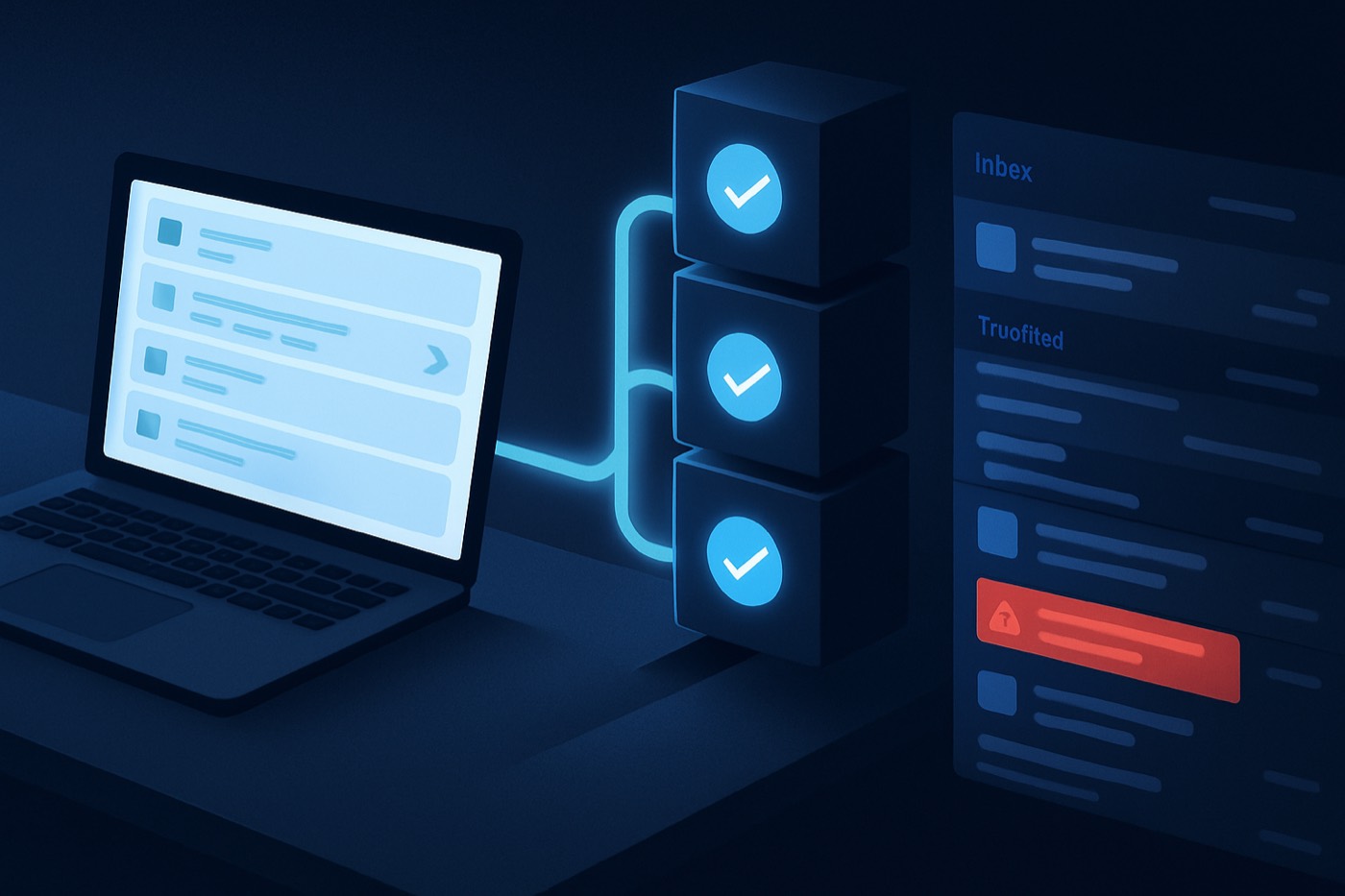
Microsoft is done “warning” bulk senders. In 2026, enforcement shows up as real delivery failures: messages shoved to Junk, throttled, or rejected with hard bounces that stop sequences mid-flight. If your outbound depends on Outlook.com, Hotmail.com, and Live.com inboxes, deliverability is now an always-on operational discipline, not a one-time DNS task. Microsoft has been explicit that non-compliant messages can be rejected with 550; 5.7.515 Access denied... does not meet the required authentication level, removing any doubt about whether “it might still land somewhere.” (Microsoft Tech Community, Proofpoint, Microsoft Q&A)
This is exactly the kind of work an autonomous revenue operator is built to own. Chronic runs the full outbound system for you: it finds prospects, writes and sends from managed, warmed mailboxes, handles replies, and books meetings, all while protecting your domains and reputation. The deliverability rules below are the rules the agent already enforces on every send, so you do not have to become a deliverability specialist to keep landing in Outlook. This playbook explains what changed and what “good” looks like, whether you run it yourself or hand it to an operator that does.
What Microsoft bulk sender enforcement means in practice (2026 reality)
Microsoft’s bulk-sender push started as an announcement and timeline in 2025, but the 2026 shift is enforcement becoming visible and repeatable: teams notice “Outlook got quiet,” then realize Outlook is actively filtering or rejecting based on authentication and hygiene signals. (Microsoft Tech Community, Proofpoint)
Junking vs rejection: why cold email teams must care
In practical outbound terms, there are two failure modes:
Junking (soft failure)
- Your email is accepted, but routed to Junk or heavily filtered.
- You see “sent” in your tool, but replies drop.
- If sending keeps running, complaints rise and reputation decays faster.
Rejection (hard failure)
- Microsoft rejects the message during SMTP.
- You see a bounce like
550 5.7.515 Access denied... does not meet the required authentication level. (Microsoft Tech Community, Microsoft Q&A) - If nothing auto-stops sequences on these signals, the team keeps hammering a broken identity and tanks the whole sending domain.
The key change: deliverability is no longer a “marketing” concern you can defer. Cold outbound is now governed by mailbox-provider policy enforcement, which makes it an operational problem that has to be monitored and acted on every day. That cadence is hard to keep by hand and easy for an agent to keep automatically.
Microsoft bulk sender requirements 2026: the requirements that matter
Microsoft’s published guidance for high-volume senders centers on authentication and hygiene. For bulk senders (commonly referenced as 5,000+ emails/day), Microsoft calls out SPF, DKIM, DMARC (with alignment) plus practices like functional unsubscribe and bounce management. (Microsoft Tech Community)
Here is how to translate each requirement into what actually has to happen on every send.
1) SPF, DKIM, DMARC: not just “present,” but aligned
Definitions (plain English)
- SPF: which servers are allowed to send for your domain.
- DKIM: a cryptographic signature proving the email was not altered and is authorized.
- DMARC: the policy and reporting layer that ties SPF/DKIM to the visible “From” domain and tells receivers what to do if checks fail.
What Microsoft is enforcing
- SPF must pass.
- DKIM must pass.
- DMARC must exist with at least
p=none. - DMARC must align with SPF or DKIM (preferably both). (Microsoft Tech Community)
The mistake that breaks cold email most often: Your emails technically pass SPF/DKIM for some underlying domain (like a vendor domain), but the domain in the human-visible 5322.From is not aligned. Microsoft has explicitly called out rejections tied to insufficient authentication level and alignment requirements. (Microsoft Tech Community, Microsoft Q&A)
What good looks like
- One “From” domain per sending identity (or subdomains managed intentionally).
- DKIM signing domain and Return-Path domain aligned with the From domain (or at least meeting relaxed alignment rules).
- DMARC published with reporting: start at
p=noneto observe, then move toward quarantine/reject once stable.
When Chronic provisions and warms a mailbox, this is part of setup, not a checklist you chase later: the agent stands up aligned authentication for each sending identity before it sends anything, and it watches the DMARC reports for drift.
2) Complaint thresholds: your “cold email math” just changed
Microsoft’s public post emphasizes authentication and hygiene, and security vendors report Microsoft actively enforcing complaint-rate rules alongside authentication. (Proofpoint)
Even where Microsoft does not publish one universal threshold in a single place, the market reality is consistent across major mailbox providers: complaint rates that creep up lead to filtering and then blocking.
Practical interpretation
- Complaints are not evenly distributed. One bad list segment can poison the reputation of an entire domain.
- If complaints are not logged at the contact level and suppressed for future sends, you are guaranteeing repeat complaints.
3) Unsubscribe expectations: “functional” beats “hidden”
Microsoft explicitly recommends functional unsubscribe links for bulk or marketing mail. (Microsoft Tech Community)
Cold email teams often resist this because they think it lowers reply rates. In 2026, the trade-off is different:
- Easier opt-out usually means fewer “Report spam” clicks.
- Fewer “Report spam” clicks protects domain reputation and improves long-term deliverability.
One-click unsubscribe standard (industry)
For broader ecosystem context, Gmail and Yahoo’s bulk sender rules require one-click unsubscribe using List-Unsubscribe and List-Unsubscribe-Post (RFC 8058). The standard requires a DKIM signature covering those headers. (RFC 8058, Postmark Support)
Even if Microsoft’s enforcement focuses first on authentication, standards-based unsubscribe is now a defensive deliverability move for outbound.
The deliverability playbook: how an operator keeps compliance sticking
Most teams fail Microsoft bulk sender requirements 2026 in a predictable way: they “fix DNS,” then keep operating with the same workflow that creates complaints, bounces, and repeated sends to the same risky addresses.
The fix is operational: treat deliverability signals like any other pipeline risk, and act on them automatically. This is the part most teams cannot sustain by hand, and it is the core of what an autonomous operator does on every send.
What to track per contact and per sending identity
Deliverability events have to be first-class records, not buried log lines. At minimum, an operator (or your system) keeps:
Per contact
email_status: Active, Unsubscribed, Hard Bounced, Complaint, Do Not Contactlast_bounce_date,bounce_type(hard/soft),bounce_codelast_complaint_date,complaint_source(if available)unsubscribe_date,unsubscribe_method(link, one-click header, reply stop)last_sent_date,last_reply_date
Per sending identity (mailbox or domain)
daily_send_counthard_bounce_rate_7dcomplaint_rate_7dmsft_rejection_rate_7d(track 550 5.7.515 patterns specifically)authentication_status(pass/fail snapshots)
This is the foundation for the only rule that matters in the moment: stop sending the instant a risk signal appears. Chronic keeps this state per contact and per mailbox so a single rejection or complaint changes behavior immediately, not at the next manual review.
Auto-suppress risky identities (the suppression ladder)
The response should escalate from contact-level to domain-level:
Contact suppression (immediate)
- Trigger: unsubscribe, complaint, hard bounce
- Action: set
email_status = Do Not Contact - Action: remove from all active sequences, prevent re-enroll
Company or domain suppression (selective)
- Trigger: repeated hard bounces across multiple contacts at the same company domain, or high complaint density
- Action: suppress new enrollments targeting that domain for 7-14 days
- Action: route to manual review (bad data, role accounts, or hostile segment)
Sender identity suppression (emergency brake)
- Trigger: Outlook rejection spikes, authentication failures, complaint-rate spike
- Action: pause that mailbox/domain, rotate traffic to a healthier pool only if safe
- Action: open a deliverability incident with a clear owner
Chronic enforces this ladder for you. It deprioritizes segments that are statistically likely to complain or bounce before they enter a sequence, and it improves company and contact data quality before the first send, so the list that goes out is the list least likely to trip enforcement. The approvals that reach you are the judgment calls (pausing a domain, escalating an incident), not the mechanical suppression that should always happen.
Rotate sending pools safely (without playing whack-a-mole)
Pool rotation is often done badly, as a hack to “escape” reputation problems. In 2026, that backfires fast.
Safe rotation principles
- Rotate to manage volume and protect individual mailboxes, not to evade enforcement.
- Keep each identity’s volume predictable, targeting consistent, and suppression rules identical.
What “unsafe rotation” looks like
- Spinning up fresh domains and blasting cold lists.
- Moving the same bad list to a new mailbox.
- Ignoring the root cause (complaints, bad targeting, poor segmentation).
If you rotate without improving list quality and opt-out handling, your complaint rate follows you. An operator rotates against health metrics, not against a calendar, and it never moves a poisoned list onto a clean domain.
Enforce sequence stop rules (non-negotiable)
A sequence should stop on any of these events:
Hard stops
- Unsubscribe (any method)
- Spam complaint (any source)
- Hard bounce
- Microsoft 550 5.7.515 rejection tied to authentication failure (pause the identity and stop the sequence to that recipient)
Soft stops (pause and review)
- 2+ soft bounces in 7 days
- Auto-reply that indicates wrong person or no longer at company
- “Not interested, remove me” intent detected
This is where automation has a structural advantage over manual operations. The rules run the same way on every recipient, every campaign, every time, with no rep forgetting to update a list. Reply handling matters here too, because opt-outs and negative feedback are deliverability inputs, not just CRM updates. Chronic reads replies, classifies intent, and feeds that straight back into who gets contacted next.
Lightweight SOP: Microsoft bulk sender enforcement response plan
If you are running outbound yourself, this is the daily and weekly cadence. If you hand it to Chronic, this is the cadence the agent runs continuously and reports back on.
Daily (about 10 minutes)
- Check rejection codes. Filter for
550 5.7.515and any Outlook 5.7.x auth bounces. (Microsoft Tech Community) - Auto-suppress. Confirm all hard bounces, unsubscribes, and complaints are suppressed at the contact level.
- Sequence stop audit. Spot-check that active sequences are not continuing after a suppression event.
- Identity health. If one mailbox spikes in bounces or rejections, pause it.
Weekly (30 to 60 minutes)
- Authentication audit. Validate SPF, DKIM, DMARC alignment for every sending domain and vendor.
- Complaint and negative-reply review. Identify which campaign, segment, and copy variant produced complaints.
- List hygiene. Remove invalids, role accounts, and segments that do not match your ICP.
- Sending pool governance. Rebalance volume across identities based on health metrics.
- Fix upstream targeting. Tighten ICP and enrichment so you stop enrolling risky contacts in the first place.
The weekly targeting step matters most, and it is where Chronic does the most quiet work: better prospect-to-offer match reduces “why are you emailing me?” complaints, which is what protects your Outlook reputation over time.
What not to do in 2026 (myths that increase enforcement risk)
1) Warm-up myths: “If I warm up enough, I can send anything”
Warm-up does not make poor targeting acceptable. You can warm a mailbox and still get complaints if your message is irrelevant. Complaints are a user-action signal, not an IP-temperature problem.
Better approach: tighter targeting, fewer sends, higher relevance, and an opt-out that is easy enough to reduce “report spam.”
2) List blasting: “More volume will average out”
Mailbox providers do not grade you on effort. They grade you on recipient response. High-volume blasting increases spam complaints, unknown-user bounces, and negative engagement. Microsoft explicitly recommends list hygiene and bounce management. (Microsoft Tech Community)
3) Ignoring complaints: “We barely get any”
If you are not instrumented, you do not know. Most outbound stacks do not reliably capture complaint feedback, so the team assumes “we’re fine” until Outlook rejections start spiking. The fix is boring but effective: log, suppress, stop sequences, and adjust targeting.
How this is supposed to work end to end
The point of all the rules above is that they should run automatically, not live in a runbook someone updates by hand. A working setup looks like this:
Step 1: Capture deliverability events
Pull from the sources you already have:
- SMTP provider webhooks (bounces, delivery, complaints)
- ESP logs
- Reply parsing for opt-out intent (“unsubscribe,” “remove me,” “stop”)
Turn those into structured events: a record of what happened, plus a status change on the contact and the sending identity.
Step 2: Run the guardrails on every send
The rules that have to fire without a human in the loop:
- If
email_status != Active, do not enroll. - On hard bounce, set Do Not Contact and stop all sequences.
- On complaint, set Do Not Contact and suppress the company domain if a cluster appears.
- On an Outlook rejection code, pause the sending identity and open an incident.
Step 3: Use AI where it actually helps, not where it is flashy
Useful applications:
- Predictive risk scoring on leads and segments (complaint likelihood from firmographics, role, region, past engagement).
- Pre-send enrichment to cut unknown-user bounces and wrong-person emails.
- Personalization that earns replies instead of spam reports.
- Tying deliverability incidents to pipeline impact so the risk is visible in revenue terms.
Not helpful: “auto warm-up optimization” that just encourages more sending, and “spin up more domains” playbooks.
This is the design Chronic ships by default. You set the revenue goal, the offer, the constraints, and your approval level; the agent runs discovery, enrichment, sending, reply handling, and these guardrails as one system, and surfaces only the decisions that need you.
How this changes tool selection
Most outbound tools can store email activity. Far fewer can act on it the moment it happens across every campaign at once.
When you evaluate options, ask:
- Can bounces, complaints, and unsubscribes be captured as structured events tied to the contact?
- Can the system auto-suppress and block re-enrollment universally, not per-list?
- Can it pause identities and rotate pools with governance, not as a manual scramble?
- Can it enforce stop rules across all sequences, not just inside one campaign?
- Does it provision and warm mailboxes with aligned authentication, or leave that to you?
The gap is rarely storage. It is enforcement and infrastructure: who actually stands up the authentication, watches the signals, and stops the send. Bolting that onto a general-purpose tool is a project most teams never finish. An outbound-native operator that owns mailboxes, sending, and these guardrails as one system closes the gap faster, because compliance is the default behavior rather than a configuration you maintain.
FAQ
What is a “bulk sender” in Microsoft’s policy?
Microsoft’s Outlook guidance focuses on domains sending over 5,000 emails per day, requiring SPF, DKIM, and DMARC (with alignment) for those high-volume senders. (Microsoft Tech Community)
What does enforcement look like when you fail?
It can look like increased junk-folder placement or outright SMTP rejection. Microsoft has documented rejections labeled 550; 5.7.515 Access denied... does not meet the required authentication level. (Microsoft Tech Community, Microsoft Q&A)
Is having SPF, DKIM, and DMARC “set up” enough?
Not necessarily. The common failure is alignment: the visible From domain must align with the domain used by SPF and/or DKIM for DMARC to pass as intended. Microsoft explicitly references alignment in its guidance. (Microsoft Tech Community)
Do cold email teams need one-click unsubscribe?
Microsoft calls for a functional unsubscribe for bulk or marketing mail. Separately, one-click unsubscribe is an established standard via RFC 8058, required by Gmail and Yahoo for bulk senders, and it relies on List-Unsubscribe and List-Unsubscribe-Post headers. (Microsoft Tech Community, RFC 8058, Postmark Support)
Which automations matter most for staying compliant?
The ones that matter most are: auto-suppress on unsubscribe, complaint, and hard bounce; stop sequences immediately on suppression; block re-enrollment when email_status != Active; and pause the identity and open an incident on Outlook rejection spikes. Without these, the requirements exist on paper but fail in practice.
Should we rotate domains or mailboxes when Outlook starts rejecting us?
Only after you fix the root cause. If rejections are tied to authentication, alignment, list quality, or complaints, rotating identities just spreads the damage. Use rotation to manage volume and risk, not to evade enforcement.
Get the always-on version running this week
A 7-day rollout, whether you build it or delegate it:
- Day 1: Instrumentation. Make sure bounces, complaints, and unsubscribes are captured and mapped to contacts.
- Day 2: Suppression and stop rules. Implement hard stops for complaint, unsubscribe, hard bounce, and Outlook 550 5.7.515 patterns.
- Day 3: Authentication audit. Verify SPF, DKIM, DMARC, and alignment for every sending domain and vendor.
- Day 4: Pool governance. Define sending-identity limits, rotation rules, and incident thresholds.
- Day 5: Targeting and enrichment. Tighten ICP criteria and enrich before enrolling to reduce bad sends.
- Day 6: Copy and opt-out. Add clear opt-out language and, where possible, standards-based unsubscribe headers.
- Day 7: Operating cadence. Put the weekly checks on a calendar and assign an owner, or let an operator run them continuously.
Deliverability under Microsoft bulk sender requirements 2026 is a controllable operations problem. The teams that treat it as a daily discipline, and enforce it automatically on every send, keep pipeline stable while everyone else wonders why Outlook “suddenly stopped working.” If you would rather not run that discipline by hand, that is the whole job Chronic takes off your plate.