The modern SDR queue: fit + intent + timing, run by an operator
SDR queue prioritization ranks accounts into one ordered list by fit, intent, and timing, with recency decay so fresh signals win. The hard part is keeping it current daily, so let an autonomous operator run it instead of a rep.
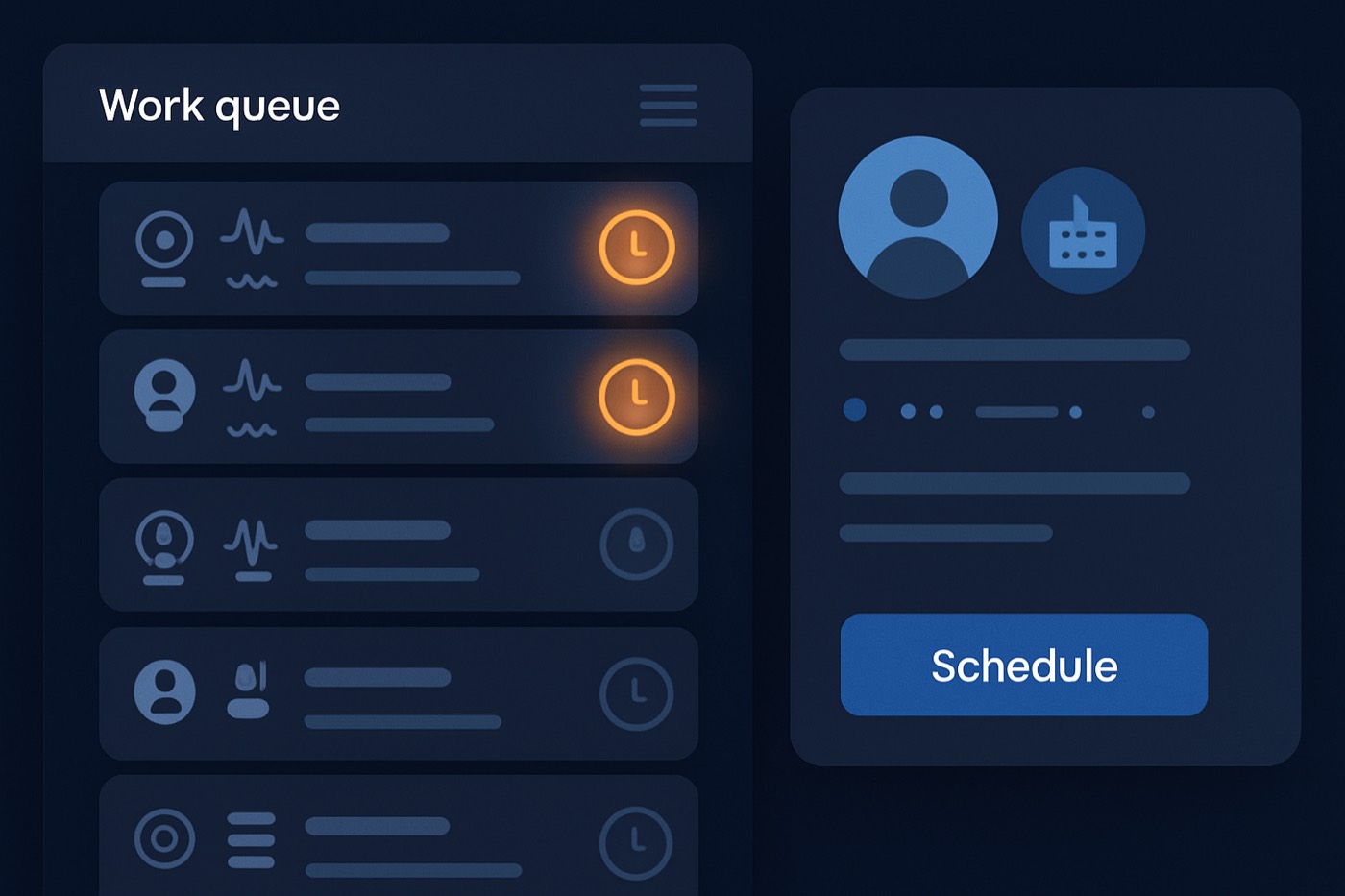
Most SDR queues fail for one reason. They rank activity, not outcomes. So reps do what reps always do. They cherry-pick. They camp in “easy” accounts. They click around tools. Pipeline dies in a thousand tiny delays.
The fix is SDR queue prioritization that blends fit + intent + timing into one ranked work list, plus something to keep that list fresh and followed without a person babysitting it. That second part is where most teams lose. A queue is only as good as the discipline running it, and humans are bad at re-ranking 4,000 accounts every morning at 5am.
This guide covers both halves: how to build the model, and how to hand the running of it to an autonomous operator that finds the leads, scores them, sequences outreach, and books the meeting, surfacing approvals only for the calls that matter.
What “the modern SDR queue” actually means (and why dashboards are a trap)
A modern SDR queue is not a report. It is not a BI view. It is not a RevOps dashboard with 14 filters that nobody touches after onboarding.
It is a ranked list of next actions that updates automatically.
If it is not ranked, reps stall. If it is not automatic, it rots. If nobody owns the running of it, it becomes “optional.”
This matters because buyers spend less time with sellers than you think. Gartner research has found B2B buyers spend only 17% of the purchase journey meeting with suppliers. When multiple suppliers compete, time per supplier drops to about 5% to 6% (gartner.com.au). That window is small. Your queue decides whether you show up in it.
And speed still wins. Harvard Business Review’s classic “The Short Life of Online Sales Leads” shows how sharply qualification odds drop as response time increases (hbr.org).
So yes, fit matters. Intent matters. Timing matters. But the real killer is simpler:
A queue nobody keeps fresh is a queue nobody trusts.
Trust comes from two things:
- The top of the queue produces meetings.
- The queue stays fresh without manual cleanup.
Most teams nail the first by accident and fail the second on purpose, because keeping it fresh is daily, tedious work. That is the case for letting an operator run it.
Step 1: Define “fit” inputs (ICP) that survive contact-level chaos
“ICP” is not a vibe. It is a set of fields a system can score consistently.
Fit answers: should we sell to this account at all?
The fit inputs you actually need
Keep it tight. Use inputs that correlate with buying power, urgency, and product relevance.
1) Firmographic fit (company-level)
Pick 4-6 fields. Example set:
- Industry (target vs non-target)
- Employee count band (e.g. 50-500)
- Revenue band (if reliable in your market)
- Geography (if territory matters)
- Business model (B2B SaaS, agency, marketplace, etc.)
- Growth profile (optional, but strong if you can source it)
Scoring rule of thumb: if you cannot explain why the field predicts meetings, drop it.
2) Technographic fit (what they run)
Technographics work when they map to:
- integration requirement (must have)
- replacement opportunity (rip and replace)
- maturity level (they can buy, they can implement)
Examples:
- Running a competing sales engagement or data tool
- Using data providers you complement
- Running infrastructure that signals seriousness (data warehouse, CDP, etc.)
This is where good enrichment matters. If your data is wrong, your queue becomes a prank.
If you want this kept current, it belongs in continuous enrichment, not spreadsheets. Chronic handles it with lead enrichment so fit scoring stays grounded in real account data instead of stale fields.
3) Role fit (contact-level)
Role fit answers: is this a person who can sponsor, buy, or block?
Define 3 buckets:
- Economic buyer (budget authority)
- Champion/operator (daily pain, influence)
- Noise (students, recruiters, irrelevant functions)
Role fit fields:
- job title keywords
- seniority (IC, Manager, Director, VP, C-level)
- department (Sales, RevOps, Marketing Ops, IT, Finance)
Your role model must also include exclusions:
- agencies if you sell to in-house only
- consultants
- recruiters
- interns
Fit output: a simple fit tier
Do not overcomplicate the output.
- Fit A: perfect ICP
- Fit B: close enough
- Fit C: technically possible but low priority
- Fit D: disqualify
Store fit tier and fit score on the account, not just the lead. Accounts outlive contacts.
If you want ICP definitions built and maintained without a RevOps archaeologist, use an automated approach like Chronic’s ICP builder.
Step 2: Define “intent” inputs that mean “they’re shopping,” not “they have internet”
Intent answers: are they actively researching a problem we solve?
You need two classes of intent:
- First-party intent (your properties)
- Third-party or external intent (the world outside your site)
6sense’s buyer research consistently highlights how much of the journey happens before buyers talk to vendors, with much of the selection happening early as buyers build their shortlist (6sense.com).
A practical intent menu (use what you can actually capture)
1) First-party intent (highest signal, lowest coverage)
Examples:
- pricing page visits
- integration docs visits
- case study visits in your target vertical
- demo request
- trial signup
- reply to outbound
- webinar attendance (if it is product specific)
Rules:
- Count intent at the account level. One person browsing can represent a buying group.
- Treat “demo request” as its own lane. That is not an SDR queue item. That is speed-to-lead routing.
2) External intent (broader coverage, more noise)
Examples that actually work in practice:
- Job posts mentioning tools, responsibilities, or problems you solve
- Tech changes (install, uninstall, migration)
- Funding events
- Headcount growth in key teams (Sales, CS, RevOps, Ops)
- Competitor adoption signals (new tools, new partners)
- Review site activity (where available)
Job postings are useful because they are specific. Many intent data vendors literally use job postings as a core signal source. TheirStack, for example, documents how it extracts buying intent signals from job postings and classifies keywords to infer what companies are investing in (theirstack.com).
Step 3: Add “timing” triggers that force the queue to reorder itself daily
Timing answers: why them, why now?
Timing is not “intent.” It is the forcing function that turns a maybe into a call today.
Timing triggers that consistently produce meetings
Use triggers that imply one of these realities:
- new initiative started
- budget event happened
- tool pain became visible
- team changed and the old way is getting questioned
Here is the practical set:
New hire triggers
- New VP/Director in the buying function
- New RevOps leader
- New “Head of X” role tied to your product
Why it works: new leaders run audits. They change vendors. They need quick wins.
Competitor switch triggers
- Tech install/uninstall that indicates competitor churn
- Hiring for “migration” roles
- Job posts that mention competitor tools directly
Why it works: active change motion is already funded.
Expansion signals
- Hiring multiple roles in the same function
- Geographic expansion
- New product line launches
- Headcount growth acceleration
Why it works: scale breaks processes. Broken processes buy software.
Step 4: Build the scoring model (dual score + recency weighting)
Most teams botch this by dumping everything into one “lead score” and pretending the number means something.
It does not.
A clean model uses:
- Fit score (0-100)
- Intent score (0-100)
- Timing boost (0-30)
- Recency weighting (decay intent and timing over time)
The model (simple, explainable, and hard to game)
1) Fit score (0-100)
Example weights:
- Firmographic fit: 50
- Technographic fit: 25
- Role fit: 25
Example rubric:
- Firmographic: 50 if in ICP band, 25 if adjacent, 0 if out
- Technographic: 25 if competitor installed or key stack match, 10 if partial, 0 if unknown
- Role: 25 for buyer/champion, 10 for adjacent, 0 for noise
2) Intent score (0-100)
Example weights:
- First-party intent: up to 70
- External intent: up to 30
Rubric example:
- Pricing page visit: +25
- Integration docs: +20
- Demo request: route immediately, do not “score”
- Job post matching category: +10
- Tech install event: +15
- Funding: +10
3) Timing boost (0-30)
Use boosts as multipliers for prioritization, not as permanent score.
- New VP hire in function: +20
- Migration-related posting: +15
- Competitor uninstall: +25
4) Recency weighting (the part everyone forgets)
Intent has a shelf life. A visit 30 days ago is not equal to a visit yesterday.
Use decay buckets anyone can understand:
- 0-3 days: 1.0x
- 4-7 days: 0.7x
- 8-14 days: 0.4x
- 15-30 days: 0.2x
- 31+ days: 0.0x (archive it)
IntentWeighted = IntentScore * RecencyMultiplier
Final priority score (rank the queue)
You want fit to matter, but you want intent to break ties and timing to override “good on paper.”
A clean formula:
PriorityScore = (0.6 * FitScore) + (0.4 * IntentWeighted) + TimingBoost
Why this works:
- Fit prevents you from chasing garbage.
- IntentWeighted forces the list to reorder every day.
- TimingBoost forces “why now” accounts to the top even if fit is slightly lower.
Turn the score into queue states (so work can move fast)
Define 4 states. These become filters and routing rules.
- P0: Immediate. PriorityScore >= 80, or demo/trial event
- P1: Today. 65-79
- P2: This week. 50-64
- P3: Nurture. < 50
Step 5: Operationalize the queue without making it a person’s second job
The queue only works if something runs it every day: recompute scores, decay intent, re-rank, route, suppress, sequence. Do that by hand and it slips within a week. The reason is not laziness. Reps are already starved for time. Salesforce’s State of Sales research has repeatedly found reps spend a minority of their week actually selling, with one release citing 28% of time spent selling (salesforce.com). Adding “maintain the scoring model” to that week guarantees the model rots.
Teams also want fewer tools, not more. Salesforce’s State of Sales work discusses consolidation and the drag of disconnected silos (salesforce.com). Bolting another dashboard onto the stack does not fix this. Having one system own the running of the queue does.
So the question is not “which tab does the queue live in.” It is who runs it. The answer that scales is an autonomous operator, not a rep with a daily checklist.
The fields the queue needs
Wherever the records live, the queue needs the same data per record.
At lead/contact level:
- FitScore (0-100)
- IntentScore (0-100)
- IntentLastSeenAt (date)
- IntentRecencyMultiplier (number)
- TimingBoost (0-30)
- PriorityScore (number)
- PriorityTier (P0-P3)
- NextAction (Call, Email, LinkedIn, Nurture, Disqualify)
- Suppressed (true/false) + SuppressionReason
At account level:
- AccountFitTier (A-D)
- AccountIntentScore
- AccountIntentLastSeenAt
- AccountPriorityScore
Daily auto-reprioritization (non-negotiable)
Every day, early, before work starts:
- Recompute recency multiplier
- Recompute PriorityScore
- Reassign PriorityTier
- Update NextAction based on tier and stage
This is where most teams fail, because they try to do it with manual list refreshes. An operator does it on a schedule and never forgets.
Routing rules (get work to the right place, instantly)
Routing logic must use:
- territory (geo, segment)
- named accounts
- ownership conflicts (existing opps, existing customers)
- capacity (do not overload one rep while others starve)
Routing for P0 events (demo/trial/inbound) should ignore everything except:
- is it a customer?
- is it already open in pipeline?
- who is on duty?
Speed matters because qualification odds drop fast as response time increases. HBR’s “Short Life” article remains the canonical reference here (hbr.org).
Suppression rules (protect deliverability, protect sanity)
A clean queue is mostly about what you do not put in it.
Suppress when:
- hard bounce risk (invalid emails, missing domain, disposable domains)
- do-not-contact flags
- existing active opportunity
- existing customer (unless expansion plays belong in SDR scope)
- already sequenced in last X days
- replied “not interested” recently
- job change detected (contact left company)
Suppression is where your queue stops being fantasy and starts being trustworthy. It is also the part that protects your domains, so it has to run automatically, every time, not when someone remembers.
The behavior you actually want
Nobody should browse. The operator works the ranked list in order: top of P0 first, then by PriorityScore, then by most recent intent. It logs outcomes, moves to the next, and reprioritizes as new signals land.
No “I felt like calling this account.” No camping in easy logos. The work follows the score, and the score follows real signals, because the running of it never lapses.
Step 6: Make the queue self-healing (feedback loops that don’t require meetings)
Your scoring model is not “done.” It improves based on outcomes.
Track:
- meetings booked by PriorityTier
- positive reply rate by intent type
- connect rate by timing trigger
- disqualify reasons by fit tier
Then adjust weights monthly, not daily. Daily changes destroy trust. Daily re-ranking keeps the list fresh; daily re-weighting makes the model jittery. Keep those two separate.
The one metric that exposes queue failure
Meetings from the top of the queue. If your P0 and P1 tiers are not producing the bulk of booked meetings, your model is wrong, your suppression is leaking, or your signals are stale. Fix the inputs, not the rep.
Step 7: Let an operator run the queue instead of buying another dashboard
Most stacks look like this:
- one tool for leads
- one tool for enrichment
- one tool for intent
- one tool for sequencing
- one CRM
- one spreadsheet to glue the mess together
Then teams act surprised when the queue rots. It rots because no single thing owns running it end to end. The glue is a person, and that person is busy.
Chronic is an autonomous revenue operator. Instead of handing a rep yet another list, it owns the workflow:
- Finds leads matching your ICP automatically
- Enriches them with contacts, firmographics, and technographics
- Scores with dual fit + intent scoring and recency decay
- Sends outreach from managed, warmed mailboxes
- Handles replies and books meetings, surfacing approvals for the decisions that matter
That maps directly to a queue that stays clean without manual labor:
- Fit stays current because enrichment is continuous: lead enrichment
- Scores stay consistent because scoring is native: AI lead scoring
- Outreach stays on-message without rewriting the same email 400 times: AI email writer
- Pipeline stays visible because the system owns the workflow: sales pipeline
The honest comparison:
- Apollo gives you data and sequences. You still build and run the system. Chronic runs it for you: Chronic vs Apollo
- HubSpot can do almost anything after you configure everything. Chronic shows up with the queue already behaving like a queue: Chronic vs HubSpot
- Salesforce charges per seat and you still need several tools to make outbound effective. Chronic is one operator: Chronic vs Salesforce
And if you care about deliverability (you should), do not ignore governance. Your queue is useless if your domains are burning. Read Outbound deliverability governance: the SOP that keeps your pipeline alive in 2026.
A complete build: ranked SDR work queue in 7 steps (copy this)
- Define ICP bands (industry, size, geo, model). Lock them.
- Define role buckets (buyer, champion, noise). Add exclusions.
- Pick intent events you can actually capture (first-party + external).
- Define timing triggers (new hire, competitor switch, expansion).
- Implement dual scoring (fit 0-100, intent 0-100) plus TimingBoost.
- Add recency decay so the list reorders itself daily.
- Hand the running of it to an operator: daily recalculation, P0 routing, suppression, and a list that never goes stale.
That is SDR queue prioritization that holds up, because the top of the list produces meetings and nobody has to babysit it.
FAQ
What is SDR queue prioritization?
SDR queue prioritization is the process of ranking accounts and leads into a single ordered work list based on who fits your ICP, who shows buying intent, and who has a timing trigger that makes outreach relevant right now. The output is a queue worked in order, not a dashboard someone browses.
Should fit or intent matter more?
Fit should gate the universe. Intent should rank within that universe. If you reverse it, you chase noisy “signals” from companies that will never buy. A practical weighting is 60% fit, 40% intent with recency decay, plus a separate timing boost.
What intent signals are strongest for outbound?
First-party signals are strongest: pricing page visits, integration docs, demo requests, trial signups, and email replies. External signals work best when specific: job posts mentioning the exact initiative, tech install or uninstall events, and credible funding or expansion moves. 6sense research also emphasizes that buyers do heavy research before contacting vendors, so early signals matter (6sense.com).
How do we stop reps from cherry-picking?
Stop handing reps raw lists. When an operator runs the ranked queue and works it in order, there is nothing to cherry-pick. The work follows the score, the score follows real signals, and easy-but-dead accounts never float to the top.
How often should we update scoring?
Re-rank daily. Re-weight monthly. Daily model changes kill trust. Daily re-ranking keeps the queue fresh because intent decays fast.
Can we do this without adding more tools?
The failure mode is not too few tools. It is that no single thing owns running the queue, so it rots between manual refreshes. Chronic collapses the workflow so the queue stays clean: enrichment, scoring, sequencing, and booking in one operator (AI lead scoring).
Build the queue. Let it run. Book the meetings.
Stop shipping “lists” and calling it a process.
Pick your inputs. Score fit and intent separately. Decay intent with time. Boost timing triggers. Re-rank daily. Suppress junk automatically. Stop prospecting from raw lists.
Then measure one thing: are meetings coming from the top of the queue?
If you want pipeline on autopilot instead of queue babysitting, hand it to a system that owns the workflow end to end until the meeting is booked. That is what Chronic does.