SPF, DKIM, and DMARC alignment in 2026: the B2B sender authentication setup guide (with a copy-paste checklist)
DMARC alignment means SPF or DKIM passes AND the authenticated domain matches the visible From address. For B2B outbound, make DMARC pass via aligned DKIM on a dedicated sending domain, then ramp policy from p=none to quarantine to reject.
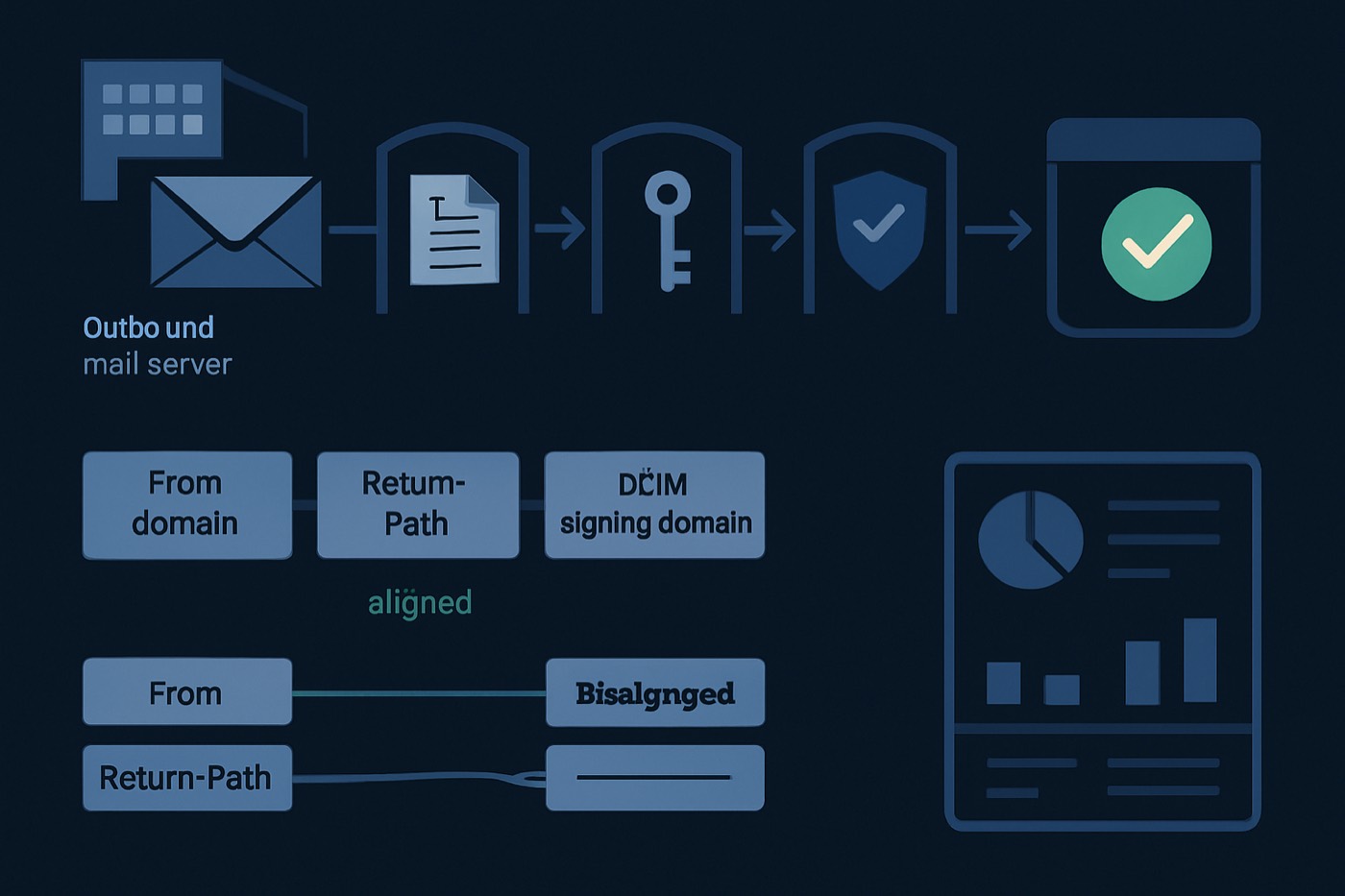
Alignment is the difference between "SPF and DKIM exist" and "SPF or DKIM proves the domain your prospect sees in the From: line is actually authorized to send." In 2026 that distinction matters more than it used to, because mailbox providers increasingly use DMARC alignment as a hard gate for bulk mail. Misalignment is one of the fastest ways to trigger junking or outright rejection, even when your records look correct in isolation.
TL;DR (copy-paste checklist)
- Pick a visible From domain for outbound, usually a dedicated subdomain like
mail.yourcompany.comor a separate sending domain. - Make DMARC pass via aligned DKIM (preferred) or aligned SPF (often harder with SaaS senders).
- Publish one SPF record per domain, kept under the 10 DNS lookup limit.
- Configure vendor DKIM with the right selector and confirm
d=aligns with your From domain. - Roll out DMARC safely:
p=nonethenp=quarantinethenp=reject, usingpct=to ramp. - Verify with a header analyzer and a DMARC inspection tool, then read DMARC aggregate reports weekly.
What "alignment" actually means
DMARC does not just ask "did SPF pass?" or "did DKIM pass?" It asks a stricter question:
Did SPF or DKIM pass and does that authentication tie back to the domain in the RFC5322.From header, the From address a human reads?
That "ties back" idea is identifier alignment, defined in the DMARC spec (RFC 7489). (rfc-editor.org)
The three domains you must stop mixing up
When you debug alignment, label these explicitly:
- RFC5322.From domain
- What the recipient sees:
From: Jane <jane@yourcompany.com>
- What the recipient sees:
- SPF domain (RFC5321.MailFrom / Return-Path domain)
- The envelope-from domain used for SPF evaluation
- DKIM signing domain (
d=)- The domain in the DKIM signature that is validated cryptographically
DMARC passes when either:
- SPF passes and the SPF domain aligns with RFC5322.From, or
- DKIM passes and the DKIM
d=aligns with RFC5322.From
Only one aligned pass is required. (rfc-editor.org)
SPF alignment: what it is, and why it breaks with outbound tools
SPF alignment in plain English
SPF alignment compares the RFC5322.From domain (visible From) with the SPF-authenticated domain (Return-Path / MAIL FROM).
In relaxed alignment it is enough that both sit under the same organizational domain (for example, news.yourcompany.com aligns with yourcompany.com). In strict alignment they must match exactly. (rfc-editor.org)
Why SPF alignment is fragile in modern outbound
Many outbound platforms (sequencers, email APIs, sending tools) use their own bounce domain by default, so the Return-Path is not your domain. SPF can pass for their domain and still fail to align with your From domain.
Practical implication: for B2B outbound you usually aim to make DMARC pass via DKIM alignment, because it is more controllable than SPF alignment when third-party senders are in the mix.
DKIM alignment: the lever you control
DKIM alignment in plain English
DKIM alignment compares the RFC5322.From domain with the DKIM signing domain in d=. Relaxed alignment allows an organizational-domain match; strict requires an exact match. (rfc-editor.org)
Why DKIM alignment is the default for outbound
- Most outbound vendors support custom DKIM for your sending domain or subdomain.
- You can keep SPF simpler, and within lookup limits, while still passing DMARC via DKIM.
dmarcian's alignment overview puts it well: SPF and DKIM on their own do not care about the visible From address, but DMARC alignment does. (dmarcian.com)
DMARC policy in 2026 and a safe rollout (none, then quarantine, then reject)
DMARC is published as a DNS TXT record at _dmarc.yourdomain.com.
The policy options you actually use
p=none: monitoring mode. The receiver should not change disposition on a DMARC failure, but will send reports if you ask.p=quarantine: the receiver should treat failures as suspicious, commonly routing to spam.p=reject: the receiver should reject failures at SMTP. This is the anti-spoofing endpoint, used once you have full coverage.
The rollout sequence
Use this order so you do not break a legitimate sender you forgot about (billing tools, support desk, product emails, forms):
Phase 1 (1 to 2 weeks):
p=nonewith reporting- Goal: discover every sender, confirm alignment, find shadow IT.
- Example:
v=DMARC1; p=none; rua=mailto:dmarc@yourcompany.com; fo=1; adkim=r; aspf=r
Phase 2 (1 to 4 weeks):
p=quarantineramped withpct=- Start at
pct=10, then 25, 50, 100 as confidence builds. - Example:
v=DMARC1; p=quarantine; pct=25; rua=mailto:dmarc@yourcompany.com; adkim=r; aspf=r
- Start at
Phase 3 (steady state):
p=reject- Only after you have confirmed that every source that must send as your domain is aligned.
- Example:
v=DMARC1; p=reject; pct=100; rua=mailto:dmarc@yourcompany.com; adkim=r; aspf=r
Key alignment detail: adkim and aspf control strict versus relaxed alignment, and both default to relaxed (r) when omitted. (rfc-editor.org)
A "done is better than perfect" baseline for small teams
If you are a small B2B team and want a minimum viable setup that is usually safe:
- Use a dedicated outbound domain or subdomain (structures below).
- Make sure outbound mail is DKIM-signed with
d=matching that From domain. - Publish DMARC in monitoring mode first.
Baseline records (template)
SPF (one record only):
your-outbound-domain.com. TXT "v=spf1 include:_spf.google.com ~all"
DKIM (exact format varies by vendor):
selector._domainkey.your-outbound-domain.com TXT "v=DKIM1; k=rsa; p=..."
DMARC (start here):
_dmarc.your-outbound-domain.com. TXT "v=DMARC1; p=none; rua=mailto:dmarc@your-outbound-domain.com; adkim=r; aspf=r"
Then move to quarantine and reject once you have confirmed every real source.
Domain structure: protect the primary domain
Outbound deliverability and brand protection often pull in opposite directions:
- Deliverability wants consistent reputation and low complaints.
- Brand protection wants strict anti-spoofing and minimal exposure.
Option A (recommended for most B2B outbound): a dedicated subdomain for cold outbound
- Primary domain:
yourcompany.com(employee mail and critical transactional) - Outbound subdomain:
mail.yourcompany.com(orgo.yourcompany.com) - Send cold outbound from
rep@mail.yourcompany.com
Benefits: you can enforce strong DMARC on the primary domain sooner, and outbound experiments stay contained.
Pitfalls: you must publish SPF, DKIM, and DMARC for the subdomain too, and warm and monitor its reputation separately.
Option B: a separate sending domain (common for higher-volume outbound)
- Primary:
yourcompany.com - Sending domain:
yourcompanyhq.comor similar - Send cold outbound from the separate domain.
Benefits: maximum isolation from primary-domain reputation, and you can set p=reject on the primary without worrying about outbound-tool alignment.
Pitfalls: a mismatched domain can lower trust if it looks off, and you need a tight process so links, tracking domains, and reply handling stay consistent.
Option C: keep everything on the primary domain (only if you are disciplined)
If you send cold outbound from the primary domain, you have to be strict about vendor approvals, DKIM alignment everywhere, the SPF lookup budget, and monitoring.
For a wider deliverability-ops view beyond alignment, pair this with Cold email deliverability debugging in 2026.
Common alignment-breaking misconfigurations (and how to spot them)
1) Multiple SPF records on the same domain
Symptom: SPF returns PermError, DMARC may fail, inbox placement drops.
Fix: merge mechanisms into a single SPF TXT record. DNS providers and validators warn that multiple SPF records cause failures or unpredictable behavior. (support.dnsimple.com)
2) Broken include chains and the SPF 10 DNS lookup limit
Symptom: SPF PermError from too many DNS lookups, often right after adding one more vendor.
Fixes: remove unused includes, prefer DKIM alignment so DMARC can pass even when SPF is imperfect, and consider controlled SPF flattening only if you understand the maintenance burden. The 10-lookup limit comes from SPF's spec (RFC 7208) and is widely documented in practical references. (support.dnsimple.com)
3) DKIM selector mismatch
Symptom: DKIM fails even though you "added the record."
Common causes: wrong selector name (vendor expects s1, you published selector1), the record published on the wrong domain, or a typo in _domainkey.
Fix: confirm the DKIM-Signature header shows the expected s= and d=, and that DNS has the matching s._domainkey.d record exactly.
4) Subdomain DMARC missing where you actually send
Symptom: the primary domain passes DMARC checks, but subdomain mail fails or shows "no DMARC record."
Fix: if you send From rep@mail.yourcompany.com, publish DMARC at _dmarc.mail.yourcompany.com.
5) "SPF passes, DMARC fails"
This usually happens when SPF passes for a vendor domain but does not align with your From domain. DMARC requires the authenticated identifier to match the From domain. (dmarcian.com)
6) Assuming strict alignment is required (it usually is not)
Relaxed is the DMARC default. Strict can help, but it raises the odds of breaking legitimate flows when vendors sign with a parent domain or use subdomains in expected ways. (rfc-editor.org)
How to verify alignment (tools and what to look for)
Use at least two methods: a DNS record check (are records present and valid?) and a message header check (did a real email authenticate and align?).
Method 1: inspect the DMARC record
Use an MXToolbox DMARC lookup to confirm the record is present and parses cleanly. (mxtoolbox.com)
Look for: the record exists on the correct domain or subdomain, p= is set correctly, rua= is valid and receiving, and any adkim or aspf settings are intentional.
Method 2: send a test email and read Authentication-Results
Send from your outbound tool to a Gmail inbox, an Outlook.com inbox, and ideally a corporate inbox on Microsoft 365 or Google Workspace. Open the original message or message headers and find Authentication-Results:. Check:
spf=passand which domain it authenticated (often shown assmtp.mailfrom=),dkim=passandheader.d=,dmarc=passand theheader.from=domain.
You are done when dmarc=pass is consistent and the aligned identifier is your chosen sending domain, not the vendor's.
Method 3: read an alignment explainer
dmarcian's alignment page is useful when a team is learning to interpret what "aligned" means in practice. (dmarcian.com)
Why alignment is now tied to deliverability, not just security
Mailbox providers have made authentication and alignment more enforceable for bulk senders over the past two years. For example:
- Yahoo urges DMARC publication and notes that with
p=reject, messages without proper DKIM or SPF alignment can be rejected. (senders.yahooinc.com) - Microsoft announced tighter requirements for high-volume senders and said it will reject non-compliant mail with error
550 5.7.515. (techcommunity.microsoft.com)
Even if you are not sending 5,000 emails a day to a single provider, the direction is clear: alignment is becoming table stakes for reliable inbox placement at scale.
Troubleshooting: fast diagnosis (alignment first)
If DMARC fails
Check in this order:
- Did DKIM pass? If DKIM fails, alignment is irrelevant. Fix the selector, the DNS record, or signing.
- If DKIM passed, did it align? Compare
header.from=toheader.d=. If misaligned, configure custom DKIM for the From domain, or change the From domain to match DKIM. - If DKIM cannot be aligned, can SPF align? Compare
header.from=tosmtp.mailfrom=(the Return-Path domain). If misaligned, configure a custom bounce domain / return-path with your vendor if it is supported.
If SPF PermError appears
Most likely more than 10 DNS lookups, or multiple SPF records. Consolidate to one record and reduce includes. (support.dnsimple.com)
If Outlook rejects with 550 5.7.515
Treat it as "authentication and alignment are not acceptable for the From domain." Confirm DKIM pass, DMARC pass, and alignment to the RFC5322.From domain. Microsoft's published guidance and community posts show this error string tied to authentication requirements. (techcommunity.microsoft.com)
A lightweight weekly monitoring routine
You do not need an enterprise deliverability team to keep alignment stable. You need a routine. Budget about 30 minutes a week.
- Read DMARC aggregate reports. Watch for new sending sources, sudden DKIM-fail spikes, and DMARC fails from a known platform (usually a broken DKIM selector or a changed platform setting).
- Gate DNS changes. Any time someone adds a tool that sends email, require: which From domain, whether it DKIM-signs with your domain, whether it needs an SPF include, whether it supports a custom return-path, and who owns the DNS edits.
- Run an alignment spot-check. Send one test email from your sequencer, your support tool, and your product email provider, and confirm
dmarc=passand aligned.
This pairs with Outreach infrastructure in 2026: secondary domains, one-click unsubscribe, and complaint thresholds.
Where Chronic fits: authentication as a live dependency, not tribal knowledge
Alignment breaks in the real world because someone changed DNS, a vendor rotated selectors, a new outbound workspace was added, a domain moved registrars, or a rep connected a new sending account. The failure mode is the same every time: configuration drifts, nobody notices, and reputation erodes while sequences keep sending.
Chronic is an autonomous revenue operator, not a system of record you keep updated by hand. When it runs outbound for you, it owns the sending infrastructure as part of the job: it sends from managed, warmed mailboxes on dedicated domains, and it treats authentication as a production dependency it is responsible for.
In practice that means the agent:
- tracks authentication state per sending domain (DMARC policy, last-verified time, SPF lookup-count risk, DKIM selector and pass state, and whether DMARC is passing via DKIM or SPF),
- watches DMARC aggregate reports and pass rates continuously rather than waiting for a weekly human review, and
- stops itself when authentication breaks. If DMARC pass rate for a sending domain drops below threshold, the agent pauses the affected sequences and surfaces the problem for approval, instead of turning a DNS mistake into a reputation incident.
This is the same operating principle behind the agent's other guardrails. If you already run stop rules on bounce and complaint spikes, authentication failure belongs on that list too. See Stop rules for cold email in 2026.
Copy-paste implementation checklist
Step 1: pick your outbound domain structure
- Primary domain stays for employees and core transactional mail
- Choose one:
mail.primary.comor a separate sending domain
Step 2: publish or fix SPF (one record)
- Exactly one TXT SPF record at the sending domain
- Includes cover all legitimate senders
- Under 10 DNS lookups
- Ends with
~allduring early rollout; consider-allonce stable
Step 3: configure DKIM for every outbound platform
- Enable DKIM signing in the platform
- Publish the correct selector record in DNS
- Confirm DKIM passes on a real email
- Confirm
header.d=aligns with your RFC5322.From domain
Step 4: publish DMARC and ramp safely
- Start:
p=nonewithrua= - Move to:
p=quarantineusingpct= - Final:
p=rejectonce coverage is confirmed - Decide relaxed versus strict alignment (defaults are relaxed)
Step 5: verify with tools
- DNS DMARC inspection (syntax, policy, reporting)
- Header verification (Authentication-Results shows pass and alignment)
Step 6: keep it monitored
- Track auth status per sending domain
- Alert on auth failure
- Pause sequences when DMARC alignment breaks
Do these three things this week
If you do nothing else, do these in order:
- Move cold outbound to a dedicated subdomain or separate sending domain.
- Make DMARC pass via aligned DKIM for that sending domain.
- Publish DMARC with reporting (
p=none), then plan the ramp to quarantine and reject.
That gets you to a defensible, "done is better than perfect" setup quickly, with the visibility to tighten enforcement without breaking revenue-critical mail.
FAQ
What is SPF, DKIM, and DMARC alignment in one sentence?
Alignment means SPF or DKIM passes and the authenticated domain matches the domain in the visible From: address, which is what DMARC uses to decide whether a message is legitimate. (rfc-editor.org)
Do I need both SPF and DKIM aligned to pass DMARC?
No. DMARC passes if either SPF passes and aligns or DKIM passes and aligns. Most teams aim for DKIM alignment because it is easier to control across vendors. (rfc-editor.org)
Should we use strict alignment (adkim=s, aspf=s) in 2026?
Start with relaxed (the default) and move to strict only with a clear reason and control over every sending source. Strict raises the chance that a vendor configuration detail breaks DMARC even when the mail is legitimate. (rfc-editor.org)
Why does SPF pass but DMARC fail?
Because SPF can pass for the Return-Path domain while still not aligning with the visible From domain. DMARC requires alignment, not just authentication. (dmarcian.com)
What is the SPF 10 DNS lookup limit and why do we keep hitting it?
During SPF evaluation, receivers typically limit lookups to 10 across include, a, mx, redirect, and similar mechanisms. Too many vendors and nested includes trigger PermError. (support.dnsimple.com)
What does Microsoft's "550 5.7.515 Access denied" usually indicate?
It commonly means Microsoft is rejecting mail because the sending domain does not meet required authentication expectations (SPF, DKIM, DMARC, and often alignment for the From domain), particularly for higher-volume senders. (techcommunity.microsoft.com)