Cold email benchmarks 2026: what 27.7% opens and 3.43% replies mean for an autonomous operator
Cold email averages like 27.7% opens and 3.43% replies are reference points, not goals. Use them as control limits, optimize for positive replies and meetings booked, and let the operator hold reputation steady rather than chase volume.
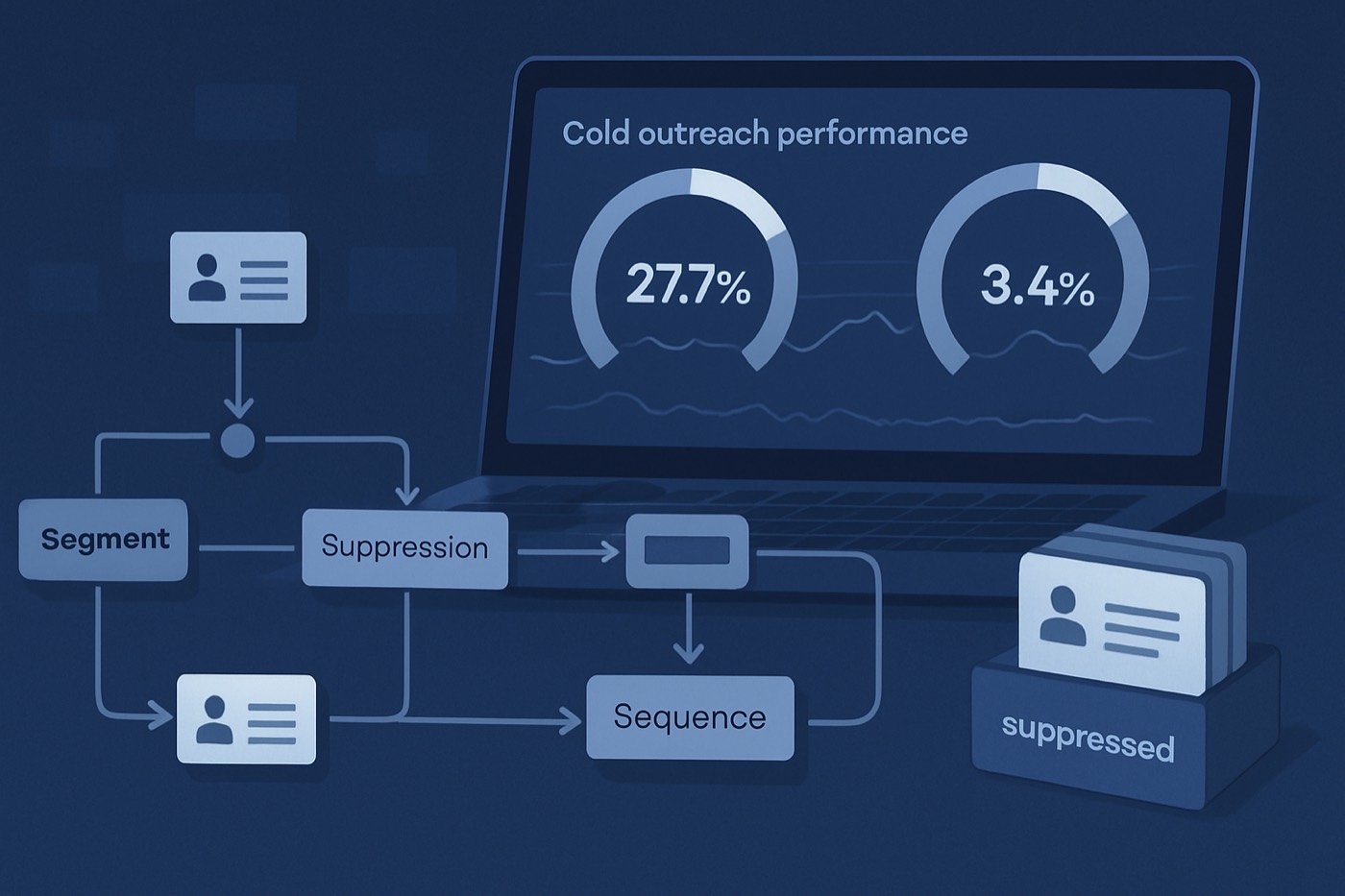
Cold email benchmarks are having a moment again in March 2026, and the headline numbers getting repeated are familiar: roughly 27.7% opens and 3.43% replies. The useful question is not “Are these good?” The useful question is: what should these numbers change about how outbound actually runs? Benchmarks only matter when they become execution rules: who gets mailed, when, how often, under what constraints, and what gets stopped the moment quality drops.
Chronic is an autonomous revenue operator. You set a revenue goal, an offer, and a budget, and the agent runs discovery, enrichment, sending from managed warmed mailboxes, reply handling, and meeting booking, surfacing approvals only for the decisions that matter. That framing changes how benchmarks get used. They stop being a scoreboard a human stares at and become the guardrails the operator runs against automatically.
The March 2026 benchmark conversation: what those numbers actually represent
The 3.43% reply rate number is being cited widely as a “2026 average” across large datasets and high-volume senders. One widely referenced benchmark compilation reports 3.43% average replies across industries, with significant variance by vertical and company size. (Death to Cold Emails) Another analytics roundup references platform-wide averages around 3.4% to 4.1%, and explicitly warns that methodology and sender mix matter. (Prospeo)
Meanwhile, “open rate” benchmarks are all over the place, partly because the metric itself is unstable. Some 2026 summaries still quote open averages in the 27% to 40%+ range, but also note inflation and noise caused by privacy protections and how providers fetch remote images. (Cleanlist, Apple Support)
So if you are anchoring on 27.7% opens and 3.43% replies, treat that as a typical result for a certain mix of senders, volumes, and targeting quality, not a universal grade.
Why “average benchmarks” are dangerous in 2026
Benchmarks can mislead you in three common ways:
- They hide segment mix. A dataset that blends SMB agencies, recruiting, and enterprise SaaS averages out to a number that matches none of them. Industry reply rates can differ by multiples. (Death to Cold Emails)
- They hide volume effects. High-volume senders tend to accept lower reply rates because the unit economics can still work. Targeted lists can legitimately beat the averages. (Prospeo)
- They hide measurement error. Open tracking relies on a pixel and on remote-content fetching, which privacy features distort. Apple's Mail Privacy Protection downloads remote content in the background, changing what “opened” means operationally. (Apple Support)
What benchmarks do (and do not) mean for B2B teams
What benchmarks are good for
- Control limits: “if replies fall below X for this segment, stop and diagnose.”
- Budget inputs: “at 3.4% replies, how many contacts do we need to generate 30 positive conversations?”
- Segment expectation setting: “enterprise IT will underperform SMB professional services, so we plan for it.”
- Experiment prioritization: “if bounce rate is high, fix data and deliverability before rewriting copy.”
What benchmarks are not good for
- A guarantee a campaign is “working” just because you hit them.
- A copywriting score.
- A substitute for pipeline attribution.
- A reason to keep sending while you accumulate risk (spam complaints, high bounces, domain reputation damage).
Why opens are a weak north star (and what to track instead)
If March 2026 taught anything, it is this: open rate is at best directional, and at worst a vanity metric that pushes teams into the wrong behavior, like subject-line games, curiosity bait, and irrelevant volume.
Two practical reasons:
- Open tracking is structurally compromised. Apple Mail Privacy Protection downloads remote content privately in the background, which reduces the link between an “open event” and a human actually reading. (Apple Support)
- Deliverability is increasingly engagement-weighted. Providers are tightening expectations for authenticated sending and one-click unsubscribe, and they use multiple signals to assess reputation. (Microsoft Learn, Yahoo Sender Hub)
The metric hierarchy that maps to real revenue
Track metrics in this order (top = most valuable):
- Meetings booked rate (per segment, per sequence, per mailbox)
- Positive reply rate (not total replies)
- Qualified conversation rate (reply depth, second reply, or handoff acceptance)
- Hard bounce rate (list quality and risk)
- Spam complaint rate and other negative signals (where available)
- Open rate (directional only, for debugging a subject line or a deliverability shift, never for optimization)
This aligns with the modern view that replies and meetings matter most while opens are noise. (Prospeo)
Cold email benchmarks 2026, translated into how an operator runs
Benchmarks are only helpful when they become operating rules instead of a report a human reads after the fact. Here is the model Chronic runs, and you can recognize the same logic whatever tooling you use.
1) Reply-rate targets by segment, not globally
A single goal like “get 5% replies” creates bad incentives. Targets should vary by:
- ICP tier (A, B, C)
- Industry
- Company size band
- Persona (CEO vs VP Ops vs Head of RevOps)
- Region and time zone
- Data confidence (enriched and verified vs partially known)
A segment target table the operator can hold as policy:
- Tier A ICP, SMB, enriched + verified: 4.5% to 7% replies, 2% to 4% positive replies
- Tier B ICP, mid-market, verified: 2.5% to 4.5% replies
- Tier C ICP, enterprise, partial data: 0.7% to 2% replies
The point is not that these ranges are “true” for everyone. The point is that different segments need different stop rules, because structural response rates vary by industry and size. (Death to Cold Emails)
2) A QA gate before any contact enters a sequence
Benchmarks get worse when low-quality records leak into sequences. A gate blocks sending until required fields and checks pass.
The pre-send checks (all must be true):
- Identity: first name present (or a safe fallback token); role and persona match confirmed.
- Fit: ICP match score above threshold (for example 70/100); exclusion rules checked (competitors, existing customers, recent churn).
- Data quality: email syntax valid; domain exists; hard-bounce risk flagged low.
- Relevance: one concrete trigger present (technographic, hiring, funding, job post, intent, website change).
- Compliance and preference: not on a suppression list; an unsubscribe mechanism is in place.
This is where ICP Builder plus Lead Enrichment remove the need to “chase benchmarks.” The operator is not trying to brute-force its way above 3.43% replies. It is raising the average relevance of every send.
3) Suppression: stop mailing people the system has already learned from
A mature outbound system has a first-class suppression layer. Suppression is not only “unsubscribed.”
Minimum suppression categories:
- Unsubscribed (global)
- Hard bounced in the last 90 days
- Marked spam (if you receive feedback-loop data)
- “Not a fit” reply (auto-classified)
- “Already have a vendor” with a recontact date
- Open opportunity
- Existing customer (unless a cross-sell motion is explicitly allowed)
- Recently contacted on another channel (avoid the pile-on)
If you mail Yahoo and AOL audiences at volume, remember that complaint feedback loops exist and are designed to help you suppress complainers. (Yahoo Complaint Feedback Loop)
4) Per-domain send caps and risk tiers (where deliverability becomes a workflow problem)
In 2026, outbound is increasingly punished for uniform, high-velocity sending. The operator enforces caps such as:
- Max new contacts per day per sender mailbox
- Max emails per day per recipient domain
- Max concurrent sequences per sender
- Cooldown windows after negative signals
A practical risk-tier model:
- Green (low risk): enriched, verified, strong ICP match. Allowed: full sequence and follow-ups.
- Yellow (medium risk): missing one or two enrichment fields, or an uncertain persona match. Allowed: shorter sequence, lower daily send, stricter stop rules.
- Red (high risk): unverified email, unclear role, weak fit, high bounce risk. Allowed: do not send; route to the enrichment queue or another channel.
Protecting long-term deliverability means aligning with provider expectations on authentication and unsubscribe mechanics. Gmail and Yahoo bulk-sender requirements have made infrastructure and list hygiene table stakes, not an “email ops nice-to-have.” (Microsoft Learn, Yahoo Sender Hub FAQs) Chronic sends from managed, warmed mailboxes for exactly this reason: the agent owns ramping and reputation so you do not have to learn deliverability to use it.
5) “Benchmark chasing” vs relevance engineering
Benchmark chasing looks like:
- Rotate subject lines weekly
- Randomize send times
- Change templates constantly
- Increase volume to “smooth” the results
Relevance engineering looks like:
- Improve who enters sequences
- Improve segmentation so the offer matches the context
- Reduce bounces and complaints through verification and suppression
- Use signals and timing to hit real buying windows
This is what AI Lead Scoring is for. When the model is allowed to prioritize contacts by fit, intent, and timing, outbound becomes far less dependent on beating a generic average.
For a deeper deliverability view, pair this with The Engagement-Quality Deliverability Playbook (2026) and 2026 Deliverability Reality Check: How Filters Detect Similarity.
A simple diagnostic tree when performance drops
When reply rate falls below a segment control limit, do not brainstorm new copy first. Run this tree, in order.
Step 1: List quality (fastest to rule out)
Symptoms: bounce rate spikes; reply rate drops across all segments; “who are you?” replies increase.
Checks: percentage of verified emails (did it drop?); source-mix changes (new provider or scraping method); enrichment freshness issues (wrong titles, old companies).
Fixes: tighten the pre-send QA gate; re-verify emails for the next batch; enforce enrichment freshness rules (for example, re-enrich anything older than 60 to 90 days).
List quality and bounce rates strongly separate top and bottom performers in benchmark summaries. (Cleanlist)
Step 2: Deliverability (inbox placement, not opens)
Symptoms: opens and replies fall together, especially on certain recipient domains; replies skew to smaller domains only; more “never received it” responses on follow-up.
Checks: authentication alignment (SPF, DKIM, DMARC); unsubscribe headers and one-click unsubscribe support; sending-velocity changes; domain reputation and new-mailbox ramping.
Fixes: reduce per-sender volume and tighten warm-up discipline; add per-domain caps for corporate domains; improve suppression and complaint handling; meet bulk-sender expectations on authentication and unsubscribe UX. (Microsoft Learn, Yahoo Sender Hub FAQs)
Step 3: Offer (value clarity and friction)
Symptoms: opens stable, replies drop; replies are mostly “not interested” with no questions; polite declines from the correct personas.
Checks: is the ask too big for cold (demo now, 30 minutes, multi-stakeholder)? Is the outcome specific (“increase revenue” is not)? Is the proof credible for that segment (logo mismatch)?
Fixes: reduce the CTA size (permission-based questions, a small next step); add segment-specific proof (a case study by industry or company size); move from a feature pitch to “problem, trigger, next step.”
Step 4: Relevance (targeting and message match)
Symptoms: reply rate drops mainly in one segment; “not my area” or “wrong person” replies; positive replies cluster around one niche.
Checks: persona-mapping accuracy; trigger coverage (is there a real reason to email now?); segment-definition drift (ICP too broad).
Fixes: rebuild segments using enriched firmographics and technographics; add trigger-based queues; tighten the ICP and create a “do not mail” band below a threshold.
This is where Lead Enrichment and ICP Builder lift reply rates without rewriting templates every week. For timing and signals, see How to Build a Right-Time Outbound Engine.
How Chronic turns benchmarks into a running system (example)
Here is the end-to-end flow that turns cold email benchmarks 2026 into guardrails the operator enforces:
- A sourced account enters the outbound candidate stage.
- Enrichment runs: firmographics, role, technographics, location, recent signals. If confidence is below threshold, route to the research queue. (Lead Enrichment)
- Scoring assigns priority and risk: fit score, timing score, and data-confidence score. (AI Lead Scoring)
- QA gate: persona match, verified email, and suppression check must all pass.
- Sequence by segment: the segment sets the template, CTA size, follow-up count, and send caps.
- Per-domain caps enforced: for example, no more than 25 new contacts per day to a single corporate domain across all senders.
- Automated stop rules: if bounce rate exceeds 2% in a segment, pause it; if reply rate sits below the control limit for three days, pause and open a diagnostic.
- Reply classification: auto-tag positive, neutral, objection, not-a-fit, or unsubscribe, and route positives for a meeting with the right SLA.
- Pipeline attribution: count success only when a meeting is booked and an opportunity is created in the Sales Pipeline.
The difference from a sequencer is that you are not the one running steps 1 through 9. The operator runs them and surfaces the approvals that actually need you. If you are comparing approaches, see how Chronic positions against major options: Chronic vs Apollo, vs HubSpot, and vs Salesforce.
Common mistakes when reacting to 27.7% opens and 3.43% replies
- Optimizing subject lines to raise opens. You can lift opens and keep replies flat or worse, especially when the body is not relevant.
- Treating all replies as equal. A benchmark reply rate is meaningless if it is mostly negative. Track positive reply rate and meeting rate.
- Not segmenting by ICP and company size. Benchmarks show large variance by industry and size, so targets must reflect that. (Death to Cold Emails)
- Letting low-confidence records into sequences. Poor enrichment with no QA gate produces bounces and mis-targeting that drag everything down.
- No suppression memory. A system that does not learn pays repeatedly for the same negative signal.
FAQ
What do “cold email benchmarks 2026” actually mean?
They are aggregated reference metrics (open rate, reply rate, meeting rate, bounce rate) pulled from platforms and studies. Use them as control limits and planning inputs, not universal goals, because results vary heavily by segment, list quality, and volume. (Prospeo)
Is a 3.43% reply rate good in 2026?
It can be good or bad depending on your segment and volume. The 3.43% average is often cited across industries, but targeted, high-fit campaigns can exceed it while enterprise segments can be structurally lower. Judge success by positive replies and meetings, not raw replies. (Death to Cold Emails)
Why should I stop caring about open rates?
Because open tracking is not a stable proxy for human intent. Apple Mail Privacy Protection downloads remote content in the background, which weakens the link between a tracked open and a real read. Opens stay useful for debugging, but they are a weak north star for optimization. (Apple Support)
What rules matter most for improving reply rate without “benchmark chasing”?
The rules that matter most are: QA gates before sending (verified email, ICP match, suppression check); segment-level sequences and targets; per-domain send caps and risk tiers; and stop rules when bounce rate or reply rate crosses a control limit. They improve relevance and reduce deliverability risk.
How do AI lead scoring and enrichment improve cold email performance?
They reduce wasted sends. Enrichment supplies accurate firmographic and persona context, and scoring prioritizes the contacts most likely to be relevant now. That raises reply quality, lowers bounces, and removes the temptation to brute-force volume to hit an average. (Lead Enrichment, AI Lead Scoring)
What should I do first when reply rates suddenly drop?
Run the diagnostic tree in order: list quality (verification, freshness, source drift), then deliverability (authentication, velocity, domain reputation), then offer (CTA size and clarity), then relevance (persona match, trigger coverage, ICP drift). Do not start by rewriting copy until list quality and deliverability are cleared. (Cleanlist, Microsoft Learn)
Turn benchmarks into guardrails you can run this week
If you want to respond to the March 2026 benchmark conversation like an operator, the moves are the same whether a human runs them or Chronic does:
- Replace global targets with segment control limits (reply, positive reply, meeting rate).
- Add a hard QA gate before any contact can enter a sequence.
- Build a suppression layer that includes “not a fit,” “already working with a vendor,” and recontact dates, not just unsubscribes.
- Enforce per-domain send caps and risk tiers so you stop burning reputation to chase volume.
- Route outbound through scoring and enrichment first, so relevance rises and benchmark chasing becomes unnecessary.
That is the job Chronic takes off your plate: it holds the control limits, sends from warmed mailboxes, classifies the replies, and brings you the meetings. Pair this with The Engagement-Quality Deliverability Playbook (2026), then let the operator run the workflow through Sales Pipeline and AI Email Writer for controlled, relevant personalization at scale.