13 cold email personalization tokens you can generate automatically from enrichment (with examples)
Pick one relevant, verifiable signal per prospect, tie it to an outcome they care about, and skip the rest. This post gives 13 enrichment-driven personalization tokens (with copyable examples) and a simple score-then-select loop to choose the strongest one.
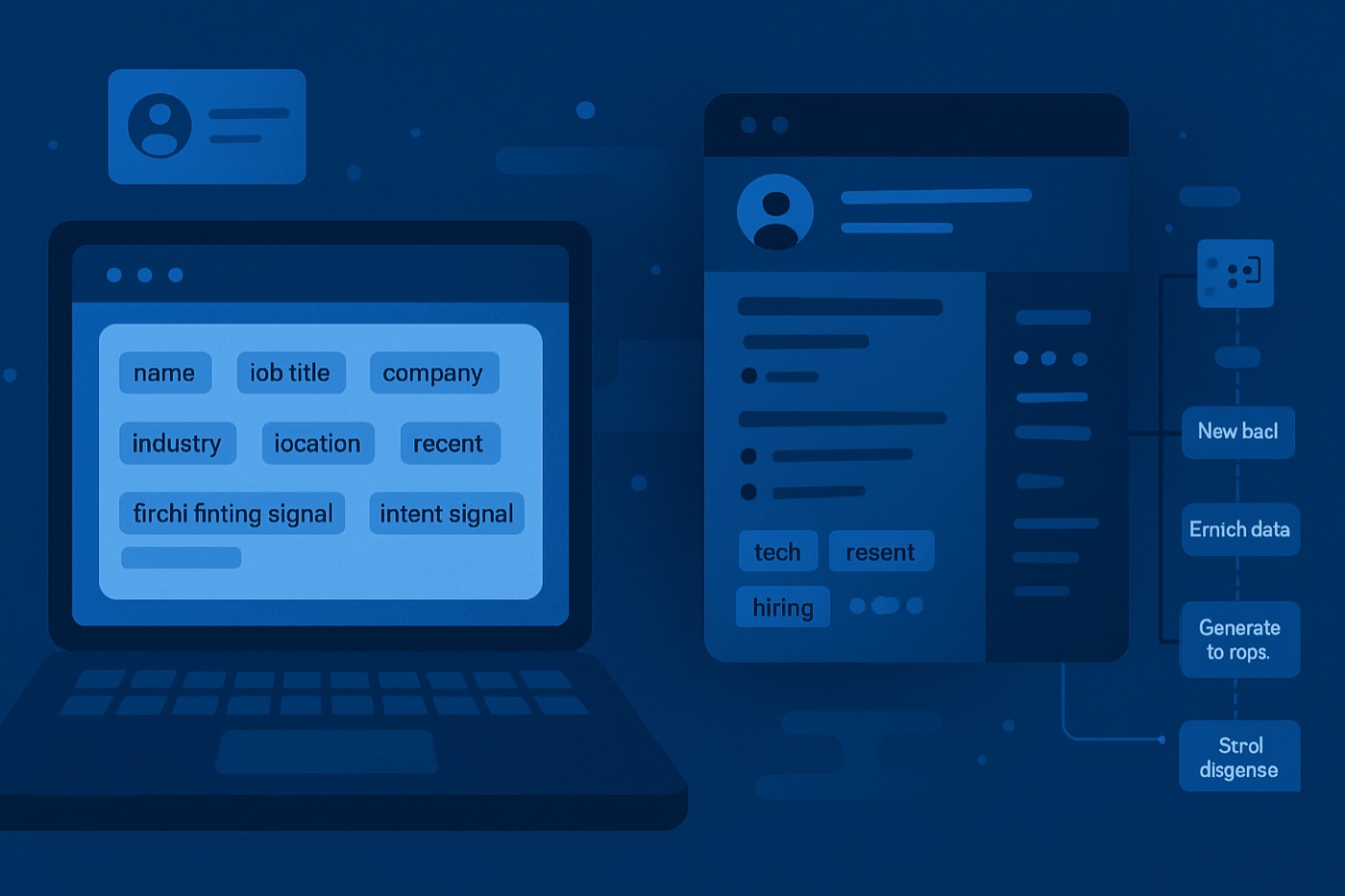
Personalization that scales is not about writing longer emails. It is about choosing one relevant, verifiable "reason for you" signal, then tying it to a clear outcome. When you do that consistently, you stop sounding generated, because your message is anchored in specific context, not generic flattery.
Below are 13 personalization tokens you can pull from enrichment, the score-then-select loop that keeps you from stacking weak ones, and copyable cold email personalization examples for each.
Why enrichment-driven personalization wins (and why "AI-sounding" personalization loses)
Two industry realities matter here:
Personalized subject lines and hooks materially improve engagement. Belkins reports 46% open rates with personalized subject lines vs 35% without, and reply rates of 7% vs 3% in their study. (Belkins)
Inbox providers are less forgiving than ever. Gmail and Yahoo enforcement for bulk senders (starting February 1, 2024) raised the bar on authentication and spam complaint rates, with guidance to keep spam rates below 0.1% and never reach 0.3%. (ActionKit summary of Google guidance, Mailgun overview)
Personalization helps both. Better relevance reduces spam complaints, and fewer complaints protects deliverability, which keeps your tests valid.
What "personalization tokens" mean
A personalization token is a structured field you can insert into a cold email that is:
- Specific (not "love what you do")
- Relevant to the persona and your offer
- Fresh enough to be believable
Enrichment turns these tokens into repeatable, automatable fields, not one-off research.
The mini framework: token quality scoring (specificity, relevance, freshness)
Before you generate copy, score candidate tokens. This prevents "token spam" where you jam four weak facts into one email.
Token quality score (TQS)
Score each token 1 to 5 on three dimensions:
- Specificity
- 1: generic (industry only)
- 3: company-level with one concrete detail
- 5: role-level or initiative-level with a measurable clue (tool, hiring surge, launch, compliance)
- Relevance
- 1: interesting but unrelated to your value prop
- 3: adjacent
- 5: direct line to the pain, risk, or KPI your product affects
- Freshness
- 1: likely stale (old blog post, outdated stack)
- 3: could still be true (funding within last 12 to 18 months)
- 5: time-bound signal (recent job post, new integration page, new office location, recent launch)
Rule of thumb: use tokens with TQS 11+. If nothing scores 11+, do not fake it. Use a simpler, honest hook.
The loop: enrich, score, select, write, learn
This is the operating loop behind every good outbound email. With Chronic, the autonomous revenue operator runs the whole loop for you and surfaces an approval only when a decision needs a human. You can also run it by hand; the steps are the same.
Step 1: enrich
Pull firmographics, technographics, hiring signals, news, and compliance cues onto each account and contact. Chronic enriches every prospect it discovers, so personalization is not a rep-by-rep scavenger hunt.
Step 2: score the token candidates
Score each available token with the TQS model above. Parts of this can be automated:
- Freshness can be inferred from "last seen" timestamps
- Relevance can be inferred from your ICP segment mappings
- Specificity can be inferred from token granularity (role-level vs company-level)
Chronic scores the prospect and the signals together, so a low-fit account never burns your best, most specific hooks.
Step 3: select one primary token (and optionally one backup)
Most "AI-sounding" emails fail because they stack weak tokens. Use:
- one primary token for the opener
- one supporting token only if it strengthens the same thesis (example: tech stack plus a compliance requirement)
Step 4: write the email and subject line
Write the first line and the "why you, why now" sentence, not the whole essay. Chronic drafts these from the selected token and persona, sends from a managed, warmed mailbox, and keeps strict guardrails:
- no exaggerated praise
- no unverifiable claims
- one clear CTA
Step 5: learn from outcomes
At minimum, track:
- reply (positive, neutral, negative)
- meeting booked
- spam complaint signals (if available)
- token used (primary)
- persona segment
Tie this back to pipeline so you learn which tokens create revenue, not just opens. Chronic handles replies, books the meeting when there is intent, and feeds the result back into which tokens it reaches for next time. For how it triages inbound, see reply routing rules for outbound.
13 cold email personalization tokens (with examples)
Each token below is a "field" you can store, score, and insert into templates. Each includes when to use it and cold email personalization examples (one or two lines you can paste).
1) Role token: {persona_role} + {role_kpi}
What enrichment provides: title, seniority, role category, likely KPIs (mapped by persona)
Use when: you sell a workflow, tool, or service that maps cleanly to role outcomes (pipeline, CAC, compliance risk, onboarding time)
Example lines:
- "As a {persona_role}, you are probably measured on {role_kpi} more than on activity."
- "Most {persona_role} teams I talk to hit a ceiling when {role_kpi} depends on reps doing manual research."
2) Department priorities token: {department_priority_1}
What enrichment provides: inferred department initiatives (RevOps standardization, security review pressure, cost reduction, consolidation)
Use when: your offer aligns to an initiative and you want a believable "why now"
Example lines:
- "Noticed {company} is leaning into {department_priority_1}. That usually changes what 'good' looks like for outbound."
- "If {department_priority_1} is on the roadmap, the fastest win is usually cleaning up how leads get prioritized and routed."
3) Tech stack token: {primary_tool} or {crm_system} + {adjacent_tool}
What enrichment provides: technographics (CRM, email tools, data vendors, analytics, support desk)
Use when: you integrate with, replace, or improve an existing tool
Example lines:
- "Saw you are on {crm_system} plus {adjacent_tool}. That combo usually creates gaps in lead scoring consistency."
- "When teams run {primary_tool}, we often see personalization split across too many places, so learnings never compound."
4) Hiring signals token: {open_roles} + {hiring_theme}
What enrichment provides: job postings, department growth, themes (SDR hiring, RevOps, data, security)
Use when: headcount growth implies process strain, tooling changes, or new targets
Example lines:
- "Noticed you are hiring for {open_roles}. That is usually when teams feel the pain of inconsistent outbound quality."
- "When {hiring_theme} ramps, the best teams standardize enrichment and scoring before they add more sequences."
5) Funding token: {funding_round} + {funding_date} + {investor_signal}
What enrichment provides: funding events, timelines, investor names, growth stage
Use when: you sell something that helps translate capital into pipeline with less waste
Example lines:
- "Congrats on the {funding_round}. After rounds like that, most teams get aggressive on pipeline, but personalization quality often drops."
- "If {funding_date} capital is fueling growth, the bottleneck is usually not volume, it is relevance and routing."
6) Recent launch token: {launch_name} + {launch_date} + {launch_category}
What enrichment provides: product releases, press, changelog signals
Use when: launches create new target segments, new objections, or more inbound interest
Example lines:
- "Saw the {launch_name} launch in {launch_category}. Are you targeting a different ICP now, or expanding the same one?"
- "Launch periods tend to spike inbound and outbound at the same time. That is when lead scoring and fast follow-up matter most."
7) Integrations token: {integration_partner} + {integration_use_case}
What enrichment provides: partner pages, integration directories, marketplace listings
Use when: your value prop depends on systems working together, or you can ride an ecosystem motion
Example lines:
- "Noticed {company} highlights {integration_partner}. That often signals you care about {integration_use_case} being airtight."
- "If {integration_partner} is core to your workflow, we can tailor outreach by stack and route replies based on intent."
8) Compliance requirements token: {compliance_framework} + {risk_area}
What enrichment provides: industry compliance (SOC 2, HIPAA, FINRA, GDPR), security posture cues, regulated-vertical tags
Use when: you sell into regulated industries or enterprise procurement, and you want credibility without hype
Example lines:
- "Given {compliance_framework} expectations, most teams get stricter about where prospect data comes from and how it is used."
- "If {risk_area} is a concern, the safest personalization is enrichment-backed fields with clear provenance, not scraped guesses."
9) Geography token: {hq_location} + {region_focus} + {timezone}
What enrichment provides: HQ, multiple locations, region focus, timezone
Use when: territory strategy matters, local regulations matter, or you want a subtle relevance hook without being creepy
Example lines:
- "Saw {company} is based in {hq_location}. Are you focused on {region_focus} this quarter, or expanding?"
- "If your team is selling across {timezone} time zones, reply routing and speed-to-lead tends to decide who wins."
10) Industry benchmarks token: {industry_metric} + {benchmark_range}
What enrichment provides: industry category plus mapped benchmark stats (use sparingly, cite sources)
Use when: you need a credible "gap" without making claims about their performance
Example lines:
- "Across {industry}, teams usually see {benchmark_range} for {industry_metric}. If you are below that, it is often a relevance problem, not an effort problem."
- "We are seeing {industry_metric} become the constraint in {industry} because buying groups are bigger and replies are harder to earn."
Buying groups really are larger and more cross-functional in recent research, with Gartner-cited ranges commonly referenced (often 8 to 13 stakeholders depending on complexity). (Attainment citing Gartner, Traction Complete citing Forrester and Gartner)
11) Competitor comparison token: {competitor_used} + {switch_trigger}
What enrichment provides: competitor tool usage (where detectable), category signals, review-site references (handle carefully)
Use when: you have a clear differentiation and a respectful angle
Example lines:
- "If you are evaluating {competitor_used} this quarter, I can share the trade-offs we see when teams want signal-led outreach vs list-blast outreach."
- "Most switches happen after {switch_trigger} (data quality, workflow friction, reporting gaps). Is that what you are running into?"
When you name a competitor, keep it factual and respectful. State the real difference in how each tool works, not a put-down, and let the prospect draw the conclusion.
12) Job posts token: {job_post_title} + {job_post_requirement}
What enrichment provides: job posting details, responsibilities, tooling requirements
Use when: you want a precise hook tied to systems, metrics, or process gaps
Example lines:
- "In the {job_post_title} post, you call out {job_post_requirement}. That usually means you are trying to fix the handoff from outbound to pipeline."
- "If {job_post_requirement} is a priority, we can auto-enrich accounts and keep personalization consistent across reps."
13) Headcount changes token: {headcount_change_pct} + {department_growth}
What enrichment provides: estimated headcount trend and department-mix changes
Use when: growth or contraction explains why process must change now
Example lines:
- "Looks like headcount is {headcount_change_pct} recently, especially in {department_growth}. That is typically when outbound needs tighter scoring and routing."
- "When teams grow that fast, personalization breaks first. Enrichment-backed tokens keep the quality bar consistent."
How to pick the right token: a quick decision tree
Use this to choose your primary token quickly:
- Do you have a time-bound trigger? (job post, launch, funding, headcount change)
- Yes: use it
- No: go to step 2
- Do you have a stack angle that maps to your value prop? (CRM, sequencing tool, enrichment vendor)
- Yes: use the tech stack or integration token
- No: go to step 3
- Can you anchor to a role KPI or department priority?
- Yes: use the role or department priority token
- No: use geography or an industry benchmark as a softer relevance cue
One more rule: if you cannot explain in one sentence why the token matters to the recipient, it is not relevant enough.
Templates: plug-and-play blocks (openers, bridges, CTAs)
These blocks keep your message human while still systematic.
Opener formula (one token)
Pattern: token plus meaning, not token plus praise.
- "Noticed {token}. Usually that means {implication}. Curious if that is accurate?"
Example:
- "Noticed you are hiring SDRs for mid-market. Usually that means pipeline targets are moving up, but reply quality becomes the constraint. Is that what you are seeing?"
Bridge formula (tie to value)
- "The reason I ask: we help {persona} do {outcome} by {mechanism}."
Example:
- "The reason I ask: we help outbound teams keep personalization consistent by auto-enriching accounts, scoring fit, and writing role-relevant first lines."
CTA formula (low-friction, two-choice)
- "Worth a 10-minute compare on {two options}?"
- "If you are focused on {A} vs {B}, I can share what we typically see."
How Chronic runs this for you
If this loop lives in spreadsheets, reps will cut corners, and "noisy" personalization is the symptom. Chronic is an autonomous revenue operator: you give it a revenue goal, your offer, and your constraints, and it runs the whole loop and asks for approval only on the decisions that matter.
- It discovers accounts that fit your ICP and enriches every one, filling the 13 token fields above automatically.
- It scores fit so high-effort, multi-signal tokens go to the prospects worth them, and low-fit accounts never burn your best hooks.
- It writes the opener and the "why you, why now" line from the selected token, then sends from managed, warmed mailboxes it keeps in good standing.
- It handles replies, books the meeting when there is intent, and learns which tokens actually moved pipeline, not just opens.
You stay in control: set the autonomy level, review what it surfaces, and step in whenever you want.
Common failure modes (and how to fix them)
Failure mode 1: over-personalizing the wrong accounts
Fix: use scoring gates.
- If fit is low, do not spend high-effort tokens.
- If fit is high, allow multi-signal personalization.
Failure mode 2: tokens are stale or wrong
Fix: add freshness thresholds.
- Hiring token expires after 30 to 45 days
- Launch token expires after 30 to 60 days
- Stack token requires a "last detected" date
Failure mode 3: the email sounds like a résumé summary
Fix: convert "fact" into "implication."
- Bad: "I saw you use Salesforce."
- Better: "Teams on Salesforce often struggle to keep outbound learnings connected to pipeline outcomes."
Failure mode 4: measuring opens as success
Fix: focus on replies, meetings, and spam rate. Open rates are increasingly noisy because of privacy features and proxy opens, so treat opens as a deliverability proxy, not the goal. (Verified.Email commentary on open rate reliability)
FAQ
How many personalization tokens should I use in one cold email?
Use one primary token. Add a second only if it reinforces the same message. Stacking unrelated tokens is the fastest way to sound automated and manipulative.
What are the best cold email personalization examples for teams selling into enterprise?
Enterprise replies improve when personalization reflects risk, compliance, integrations, or workflow ownership, not compliments. Strong tokens tend to be compliance requirements, integrations, tech stack, job posts, and department priorities, because they map to cross-functional buying groups. (Traction Complete)
How do I prevent personalization from hurting deliverability?
Two practical steps:
- Keep relevance high to reduce spam complaints.
- Meet bulk-sender requirements (SPF, DKIM, DMARC, working unsubscribe, and spam complaint rates under guidance like a 0.1% target, never reaching 0.3%). (ActionKit, Mailgun)
Which token should I start with if I only have basic enrichment?
Start with role plus department priority or tech stack. They are usually stable enough to be accurate and relevant enough to matter, even without time-bound signals.
How do I operationalize token quality scoring without adding RevOps overhead?
Keep it simple:
- Add three numeric fields: specificity, relevance, freshness (1 to 5).
- Auto-fill freshness from timestamps.
- Pre-map relevance by ICP segment.
- Let reps override with a quick dropdown, then analyze which overrides correlate with meetings.
What is the fastest way to test these tokens?
Run a two-week test:
- Pick two ICP segments.
- Allow only tokens with TQS 11+.
- A/B test three tokens (for example: tech stack vs hiring vs job post).
- Log token used and outcome.
- Promote the best-performing token rules into your default approach.
A five-day rollout (so your team ships this, not just reads it)
- Day 1: define the token fields (the 13 above) and add timestamps for freshness.
- Day 2: enrich accounts and contacts automatically via your enrichment provider, or let Chronic enrich every prospect it discovers.
- Day 3: create a token scoring rubric (TQS) and set "eligible token" rules (TQS 11+).
- Day 4: write three opener templates per token so the highest-scoring signal always has copy ready.
- Day 5: launch a controlled test and log outcomes back to pipeline (meetings and stage movement), not only opens.
Do this well and personalization becomes a compounding asset: every reply trains your token selection, and every token selection improves the next week's replies. That is how you scale personalization without scaling headcount or sounding like everyone else.