Cold email reply routing: how an autonomous operator triages replies in under 5 minutes
Cold email reply routing classifies each inbound reply, stops the sequence, books or escalates, and logs it in minutes. Positive replies should get a human-quality response in under 5 minutes; unsubscribes and complaint signals should be honored immediately.
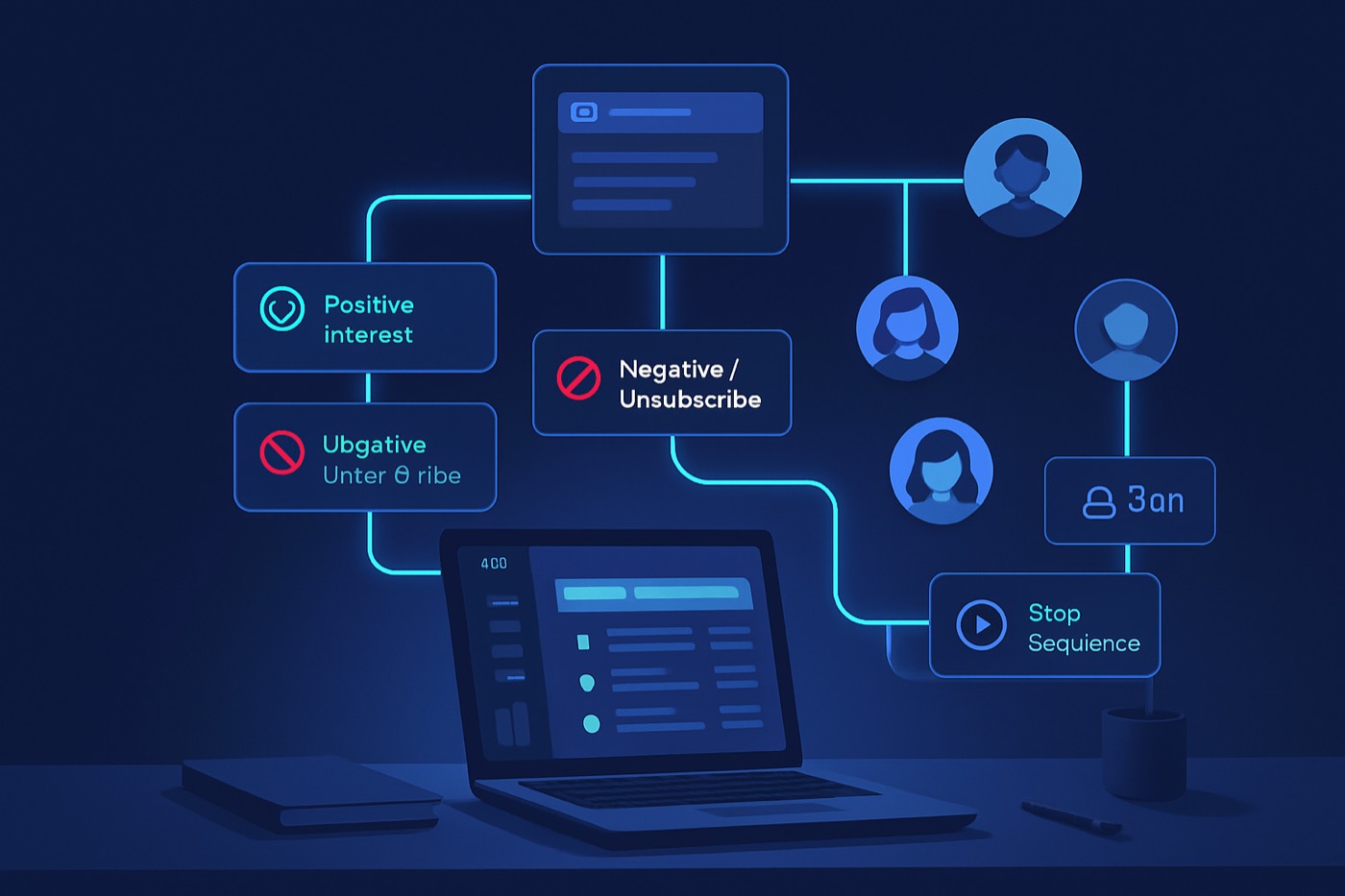
Replies are where outbound turns into pipeline, or dies in someone's inbox. Most teams obsess over copy, domains, and sequencing, then treat the reply as "someone will handle it." That is how high-intent meetings get delayed, "not now" turns into "never," and complaint risk quietly climbs.
Reply routing is the part that decides whether the work before it pays off. This is a guide to how it should run: what each reply type needs, how fast, and where a human still has to be in the loop. Most of it can and should be automated. The point is not to give a rep more steps to follow. It is to make sure the reply gets the right next action immediately, every time, without anyone having to remember.
What reply routing means (and why it is the bottleneck)
Reply routing is the operational layer that takes an inbound reply to an outbound email and turns it into the correct next action in minutes, not hours.
A complete routing system answers five questions immediately:
- What type of reply is this? (intent)
- Who, or what, should respond? (handling)
- How fast does it need a response? (SLA and aging)
- What changes in the record right now? (stage, fields, log)
- What must stop automatically? (the rest of the sequence)
The classic speed-to-lead research is usually discussed for inbound form fills, but the operational truth carries over: the faster you respond to expressed intent, the more likely you are to convert. Harvard Business Review's widely cited "Short Life of Online Sales Leads" describes how quickly lead value decays when follow-up is slow. HBR (2011)
In outbound, the "lead" is the reply itself. A positive response is the highest-intent signal you will get in cold outreach. It should be treated like a production incident, with a defined response time and a defined owner, not left to whoever happens to open the inbox.
The operating targets: SLAs, response time, and aging rules
You need targets that are measurable, so you can tell when routing is working and when it is leaking.
The core number: time to first human-quality response
This is the time from when a reply arrives to when the prospect receives a real, personalized response, not an auto-acknowledgment. It is the number that maps to booked meetings.
Recommended targets
- Positive reply: under 5 minutes (goal), 5 to 15 minutes (acceptable), 15+ minutes (breach)
- Referral / "talk to X": under 15 minutes (goal), 15 to 60 minutes (acceptable)
- Unsubscribe / opt-out: honored immediately, because continued emailing is the risk
- Complaint-risk signals: reviewed within 10 minutes, routed to whoever owns deliverability
- Objection / not now: under 60 minutes (goal), same business day (acceptable)
- Out-of-office: no reply required, but the record and schedule must still update
Aging rules (auto-escalations)
Aging rules stop "someone will get to it" from becoming "it never happened."
- 5 minutes: if a positive reply is still unhandled, escalate and notify a person
- 15 minutes: flag as urgent and surface it where the owner will see it
- 60 minutes: move to an at-risk queue that requires acknowledgment
- End of day: any positive reply that was not booked gets a next-day follow-up scheduled automatically
The 7 reply types you have to route (with rules and SLAs)
These categories match real outbound triage. Each one needs a different action, a different speed, and a different answer to "does a human need to see this."
1) Positive reply (high intent)
Examples
- "Yes, interested."
- "Can you send details?"
- "Let's talk next week."
- "What's your pricing?"
- "We're evaluating vendors."
Classification logic
- If the reply contains:
interested,yes,sure,pricing,demo,talk,meeting,calendar,next week,evaluate,send more,how does it work - And does not contain:
unsubscribe,remove,stop,spam - Then classify =
Positive
SLA
- First response: under 5 minutes
- Booking attempt: under 15 minutes
What should happen automatically
- Stop the remaining sequence steps
- Move the record to
Reply - Positive - Draft a reply that confirms interest, offers times, and asks one qualifying question
- Offer a meeting link based on the right calendar
- Surface it for human approval before it sends if confidence is anything less than high
Good reply shape
- Confirm interest
- Offer specific times plus a link
- Ask one qualifier (use case or timeline)
- Keep it under 90 words
2) Objection reply (needs a fast, accurate response)
Examples
- "Too expensive."
- "Already using X."
- "No budget."
- "Not a priority."
- "We tried this before."
Classification logic
- If the reply contains:
too expensive,budget,cost,already using,we use,contract,vendor,not a priority,not now(without a time anchor),we tried - Then classify =
Objection
SLA
- First response: under 60 minutes (goal), same business day acceptable
What should happen automatically
- Stop the remaining sequence for at least 48 hours
- Move the record to
Reply - Objection - Draft a one-to-one reply, not a template blast, for review
- Hold the meeting link until the prospect accepts a next step
Handling shape
- Acknowledge the objection
- Ask one clarifying question
- Offer one proof point or an alternative path
- Do not send a deck unless asked
3) Out-of-office (OOO)
An OOO is not neutral. It is a timing signal, and it often names an alternate contact.
Classification logic
- If the reply contains:
out of office,ooo,away,vacation,back on,returning,limited access - Then classify =
OOO
SLA
- No human response required
- Record and schedule update within 5 minutes, automatically
What should happen automatically
- Move the record to
Reply - OOO - Extract the return date if present and store it
- Pause the sequence until the return date plus one business day, then resume
- If the OOO names an alternate contact, create that contact and link it
4) Unsubscribe (compliance-critical)
Treat an unsubscribe as urgent. Do not "confirm" unless asked. Just stop, everywhere.
Classification logic
- If the reply contains:
unsubscribe,remove me,stop emailing,do not contact,opt out,take me off,no more emails - Then classify =
Unsubscribe
SLA
- Processing: immediate
- Human response: usually none, unless they ask for confirmation
What should happen automatically
- Set the contact to do-not-email
- Add them to a global suppression list, not a per-rep one
- Stop all sequence steps permanently
- Move the record to
Do Not Contactand write a compliance log entry
Deliverability context Mailbox providers have tightened expectations around spam complaints and compliance. Many deliverability experts recommend staying below a 0.1% spam complaint rate and treating 0.3% as a hard ceiling, especially for bulk sending. Mailgun overview of 2024 requirements
Even if your sending is not "bulk" by a provider's definition, honoring opt-outs cleanly reduces the chance someone hits "mark as spam" instead of replying.
5) Referral reply ("talk to X")
A referral is a gift, but only if it is routed fast and correctly.
Examples
- "Email our VP Ops."
- "Talk to procurement."
- "Reach out to my colleague."
Classification logic
- If the reply contains:
talk to,reach out to,contact,email,cc,instead,my colleague,our head of,procurement - Then classify =
Referral
SLA
- First response: under 15 minutes
- New contact created: under 30 minutes
What should happen automatically
- Create the new contact and associate it to the account
- Set source to "referral from cold reply"
- Draft a warm intro to the referred contact that names the referrer
- Move the original contact to
Referredand stop sequencing them
6) "Not now" (defer with a date, not a vibe)
This is where most teams lose future pipeline, because they never capture a real follow-up moment.
Examples
- "Circle back in Q3."
- "After our product launch in April."
- "Try me in 6 months."
Classification logic
- If the reply contains:
not now,circle back,check back,reach back,later,next quarter,Q1,Q2,Q3,Q4,in 3 months,in 6 months,after - Then classify =
Not Now
SLA
- First response: same business day
- Follow-up scheduled: immediately
What should happen automatically
- Move the record to
Nurture - Not Now - Extract the time anchor and store it as the next outreach date
- Schedule a follow-up for that date
- Stop the current sequence and move them to a low-frequency cadence, monthly or quarterly, not the original one
7) Complaint-risk signals (deliverability incident)
These are not always a literal "I reported you." Treat them as warning signs.
Examples
- "This is spam."
- "How did you get my email?"
- "I never opted in."
- "Report."
- Aggressive language, a legal threat, or a privacy escalation
Classification logic
- If the reply contains:
spam,reported,reporting,FTC,GDPR,CCPA,illegal,how did you get,where did you get my,privacy,harassment - Then classify =
Complaint Risk
SLA
- Review: within 10 minutes
- Deliverability review: same day
What should happen automatically
- Stop the sequence immediately
- Always surface this to a human; do not auto-respond
- Tag the sending domain, sequence, and list source so the pattern can be analyzed
- Set the contact to do-not-email if appropriate
Why this matters Provider rules increasingly tie inbox placement to complaint behavior. Industry summaries of the Google and Yahoo requirements highlight complaint thresholds and the operational importance of keeping complaints low. Mailgun
The reply router: what runs on every reply
This is the routine that should fire the moment a reply lands, before any human looks at it.
What to log so routing is measurable
You cannot improve what you do not record. At a minimum, capture:
Reply Type(Positive, Objection, OOO, Unsubscribe, Referral, Not Now, Complaint Risk, Other)Reply Received At(timestamp)First Response At(timestamp)Response Minutes(calculated)Sequence Suppressed(boolean)Suppression ReasonOOO Return DateNext Outreach DateClassification Confidence(0 to 1)Needs Human Review(boolean)
The universal routine: on reply received
Trigger: an inbound reply, parsed from the mailbox.
Always do, in order
- Store the raw reply text and metadata
- Stamp
Reply Received At - Classify the reply (rules first, then a model)
- Set
Reply TypeandClassification Confidence - Set
Needs Human Reviewif confidence is low or the type is Complaint Risk - Stop the remaining sequence steps for every type except a clean OOO (which pauses until return)
- Set the SLA timer for the type
- Update the stage
- Draft the right next action: book, ask a qualifier, set a follow-up date, suppress, or escalate
- Offer a meeting link only for Positive and some Referral replies
Who responds, by type
- Positive: drafted automatically against the right calendar; surfaced for approval unless confidence is high
- Objection: drafted as a one-to-one reply for review
- Unsubscribe: fully automated; no human needed unless they ask for confirmation
- Referral: drafted automatically; flagged for review if the referred contact needs enrichment first
- Not Now: scheduled automatically; a human only sees it again on the follow-up date
- Complaint Risk: never auto-handled, always escalated to a person
Routing rules and SLA table
Use this as the starting reference for the seven types.
| Reply type | Common patterns | Sequence suppression | Response (drafted or escalated) | SLA | Stage update |
|---|---|---|---|---|---|
| Positive | interested, yes, pricing, demo, meeting | Yes, immediate | Drafted, book a meeting | 5 min | Reply - Positive |
| Objection | too expensive, already use, no budget | Yes, 48h | Drafted, one-to-one | 60 min | Reply - Objection |
| OOO | out of office, back on, vacation | Yes, until return | None | None | Reply - OOO |
| Unsubscribe | unsubscribe, remove me, do not contact | Yes, permanent | None | Immediate | Do Not Contact |
| Referral | talk to X, contact Y, cc Z | Yes | Drafted, intro to new contact | 15 min | Referred |
| Not now | circle back, Q3, in 6 months | Yes | Scheduled | Same day | Nurture - Not Now |
| Complaint risk | spam, reported, how did you get | Yes, immediate | Escalated to a human | 10 min | Risk - Deliverability |
Classification: rules first, then a model, then a person
Reply classification is a good fit for automation, because:
- Replies are short
- The categories are bounded
- Speed matters
- Mistakes are recoverable when you review the uncertain ones
The order that works
- Hard rules for Unsubscribe and OOO (high precision, no ambiguity)
- A model for Positive vs Objection vs Not Now vs Referral vs Other
- A human review queue for:
- confidence below 0.80
- type = Complaint Risk
- more than one intent in the same reply
- an unknown sender with no matching record
Human review SLA
- Clear the queue within 15 minutes during business hours
- After hours, queue for the next morning, but hand positive replies to whoever is on call
What the classifier should output
reply_typeconfidenceentities: dates, names, alternate contacts, competitor mentionsrecommended_next_action: book, ask a qualifier, set a follow-up date, suppress, escalate
This is the core of how Chronic handles replies. You set the revenue goal and the approval level, and the agent runs the outbound system end to end: it finds the prospects, sends from managed and warmed mailboxes, then triages every reply through exactly this routine and surfaces only the calls a human should make.
- Lead enrichment fills in firmographic context before a reply is drafted.
- AI lead scoring puts "positive reply from an ICP-fit account" at the top of what you see.
- Sales pipeline keeps reply-driven deals in a visible queue with a clear next step.
Running the under-5-minute queue
You will not hit the SLA on positive replies if no one and nothing owns the clock. When the agent drafts and books automatically, most positive replies never wait. The exceptions are the ones held for approval and the ones escalated for review, and those are what the queue exists for.
Daily rhythm
- Morning: confirm every Not Now follow-up has a real date set
- Midday: check for any response-time breaches and why they happened
- End of day: confirm no positive reply went unhandled
When the routine is doing the routing, this is a short review, not a full-time inbox job.
Meeting links: automatic, but only where they fit
A common failure is dropping a scheduling link into every reply, which reads as robotic.
Include a meeting link when:
- the reply is Positive
- it is a Referral where you are speaking with the referrer again
- it is an Objection, but only after they accept a next step
Do not include a meeting link when:
- the reply is an Unsubscribe
- it is a Complaint Risk
- it is an OOO
- it is most "not now" replies
Responses are drafted with the right context for the reply type and account, so you scale personalization without losing the human read. See AI email writer.
Sequence suppression: the step most teams forget
If you keep sending steps after a reply, you create three problems:
- you look careless
- you raise complaint risk
- you cause confusion when more than one touch piles on
Suppression policy (simple)
- Any reply: stop the sequence immediately
- OOO: pause until the return date plus one business day
- Objection: pause 48 hours, then resume only if there is no active conversation
- Not now: stop permanently, move to nurture
- Unsubscribe and complaint risk: stop permanently
For how outbound signals should feed back into the rest of the system, see a deliverability-first reply system.
A dashboard you can stand up quickly
Track:
- Response time, median and p90, by reply type
- SLA breaches and where they came from
- Replies still untouched at 5, 15, and 60 minutes
- Positive-reply-to-meeting-booked rate
- Unsubscribe rate and complaint-risk count, by sequence
This is how you connect reply handling to revenue, not just activity.
Where this fits in your stack
Most tools can store a reply. Far fewer turn it into the right next action in minutes, on their own.
Chronic is an autonomous revenue operator. You give it a revenue goal, a budget, your offer, and the level of approval you want, and it builds and runs the whole outbound motion: discovery, enrichment, deliverability and warmed mailboxes, outreach, reply handling, and meeting booking. Reply routing is not a playbook a rep follows; it is work the agent does, surfacing the decisions that matter for sign-off.
If you are deciding what to put this against, compare the approaches here:
If your outbound starts in data and sequencing tools:
For where autonomous outbound is heading, see the 2026 outbound stack.
FAQ
What is cold email reply routing?
Cold email reply routing is the set of rules and automations that classify an inbound reply to an outbound email, decide whether to respond automatically or escalate, stop the rest of the sequence, update the record, and enforce a response time. The goal is to turn a reply into the correct next action in minutes.
What response time should we target for positive replies?
A practical target is a human-quality first response in under 5 minutes during business hours. If you cannot staff that by hand, automate the draft-and-book step so positive replies do not wait, and treat anything over 60 minutes as a revenue leak.
Should replies be classified automatically or by hand?
Automate for speed, with guardrails. Use hard rules for unsubscribe and out-of-office, a model for the rest, and a human review queue for low-confidence cases and always for complaint-risk signals. The hybrid keeps routing fast while catching the mistakes that matter.
Do we have to suppress the sequence every time someone replies?
Yes. Any reply should stop the remaining automated steps immediately, at least until the reply has been classified. Continuing to send after a reply is a common cause of complaints and lost trust.
How do we handle "not now" without losing the lead?
Require a time anchor. The routing rule should pull out a date or timeframe, set the next outreach date, schedule the follow-up, and move the contact to a nurture cadence. Never leave "not now" as free text sitting in an inbox.
What should we log to make reply routing measurable?
At a minimum: Reply Type, Reply Received At, First Response At, Response Minutes, Sequence Suppressed, Next Outreach Date, and Classification Confidence. Without these, you cannot enforce a response time or diagnose a breach.
Stand up the 5-minute reply router this week
- Define the reply taxonomy (the 7 types above).
- Decide which fields you will log on every reply.
- Build the on-reply routine: classify, then suppress, update, and draft or escalate.
- Add response-time targets and aging escalations at 5, 15, and 60 minutes.
- Run classification rules-first, with a human review queue for the uncertain and risky cases.
- Stand up the response-time dashboard and review breaches daily for two weeks.
- Only then go back to optimizing sequences. First, stop losing the replies you already earned.