Outbound orchestration: the 2026 playbook for running pipeline from one system
Outbound orchestration is making one system decide who to contact, why now, and in what channel: signals in, score fit and intent, route, sequence with permissions, log every touch, then book meetings and hand off with context.
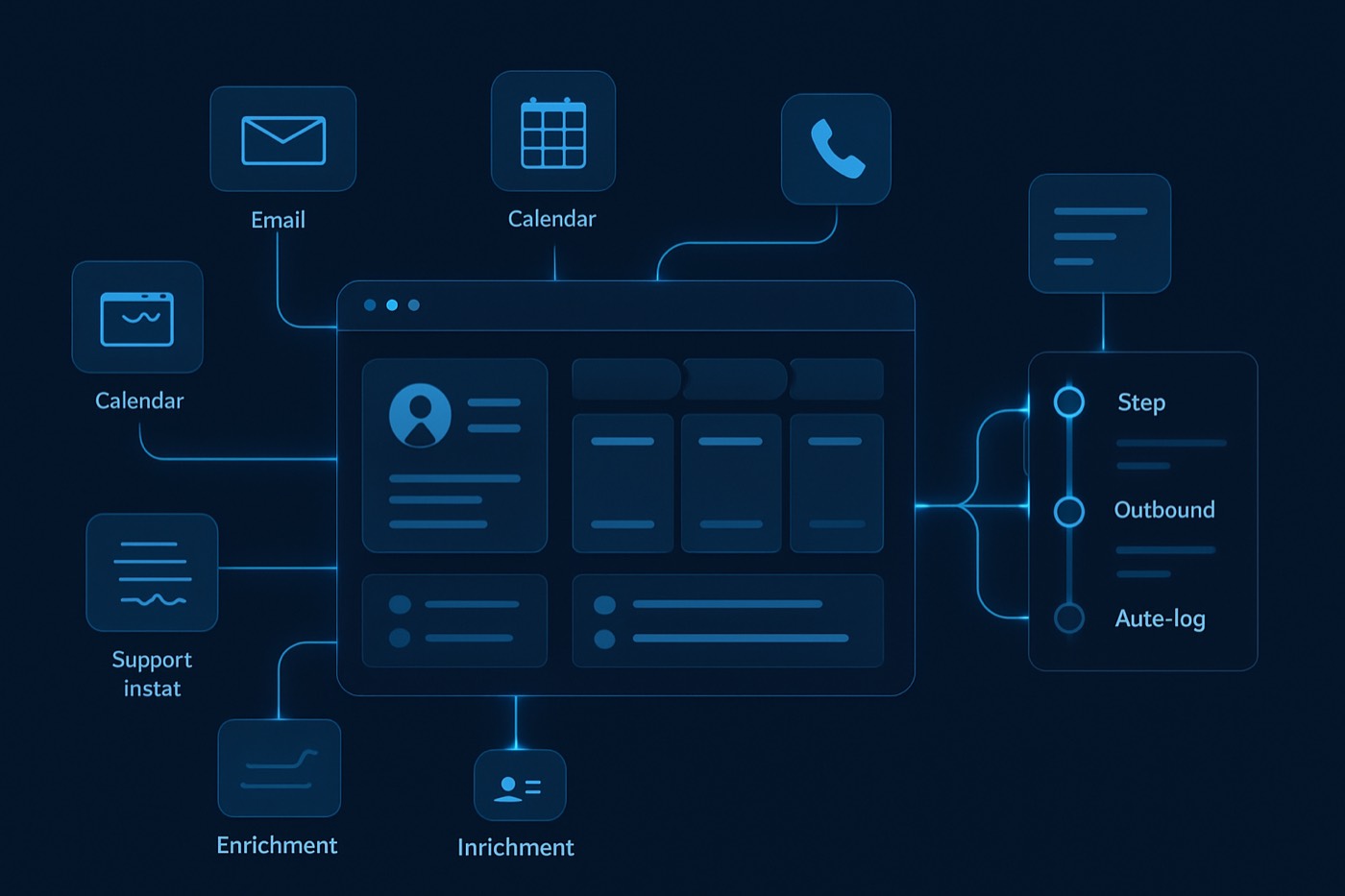
Most outbound stacks have no system that actually decides what happens next. Leads sit in one tool, enrichment in another, sequences in a third, and the CRM is a database somebody updates after the fact. The work runs on memory, Slack messages, and luck.
Outbound orchestration is the fix: one system that decides what happens next. Who to contact, why now, in what channel, with what message, and how it gets logged, without a human babysitting each step.
This playbook is the build order for that system. It works whether a person runs it or, increasingly, an autonomous operator does. Chronic is the second case: you set a revenue goal, and the agent runs discovery, scoring, outreach, reply handling, and booking, surfacing the decisions that need a human. Either way, the orchestration logic below is the same.
TL;DR
- Treat outbound as an operating system, not a contact list.
- Standardize the 12 to 20 fields outbound needs to run without manual babysitting.
- Pipe signals in, score them, route them, sequence them, log them, book meetings, hand off cleanly.
- One shared source of truth beats five integrations that quietly disagree.
- Minimal stack: data and enrichment, sequencing, calendar, and one system that orchestrates the rest. Everything else is optional.
Outbound orchestration in 2026 (definition + why it matters)
Outbound orchestration is the set of objects, fields, rules, and automations that turn scattered tools into a single execution engine: signals come in, decisions get made, actions fire, and outcomes get written back.
Not a dashboard. Not a graveyard of "last contacted: sometime in Q2." An engine that acts.
Why now:
- AI use at work is mainstream, but most companies still bolt tools onto broken workflows. Adoption is not the hard part. Workflow redesign is. Microsoft's Work Trend Index shows broad AI adoption among knowledge workers and a clear gap between individual usage and institutional process change. That gap is where pipeline dies. (Microsoft Work Trend Index, Microsoft 365 blog)
- CRM spend keeps climbing, but the value only shows up when that data becomes executable. Gartner projects CRM end-user spending to grow through 2027. You are likely already paying for the category. The job is to make the data drive actions, not just sit there. (Gartner Forecast Analysis: Customer Experience and Relationship Management, Worldwide)
The failure mode: separate tools, no shared truth
If your stack looks like this, you already know the symptoms:
- Leads in Apollo.
- Enrichment in Clay.
- Sequences in Instantly.
- Calls in a dialer.
- Notes in Slack.
- A "source of truth" in the CRM that nobody trusts.
What breaks first
- Routing breaks. Two reps hit the same account, or nobody does.
- Suppression breaks. You keep emailing people who replied "stop."
- Timing breaks. A hot signal sits for four days because it never created a task.
- Attribution breaks. You cannot answer "what booked meetings last month?"
- Handoffs break. Meetings get booked with zero context, reps walk in cold, deals stall.
This is not a tooling problem. It is an orchestration problem. No tool in the chain is responsible for the decision.
The 2026 rule: one system decides, the records stay correct
A database stores facts. An orchestration layer:
- decides next actions,
- triggers workflows,
- enforces rules,
- writes outcomes back to wherever the records live.
Sales engagement platforms have pitched "one place to work" for years, because reps lose time to manual busywork and retroactive logging when execution lives apart from the record. Even the vendor blogs concede the real value is action plus logging, not "data." (Salesloft on sales engagement, Sales engagement platform vs CRM)
Orchestration is how you get that outcome without wiring together a fragile chain of integrations. The CRM is still useful as a record store; it just stops being the thing you hope someone updates.
Step 1: Define the objects (keep it boring, keep it usable)
For founders, small teams, and agencies, you do not need 47 objects. You need five.
1) Account
The company. Where routing decisions often start.
2) Contact
The person. Where channel permissions and suppression live.
3) Lead (optional)
Use Leads only if your CRM requires it. Many teams skip Leads and work Accounts plus Contacts.
4) Signal (custom object)
The event that justifies outreach. This is the piece missing from most setups.
Examples:
- "Job post for RevOps"
- "Visited pricing page"
- "Tech install detected"
- "Funding announced"
- "Opened 3 emails, clicked case study"
- "Replied: not now, Q3"
Signals must be first-class records, not lines buried in activity history.
5) Task (or Next Action)
What happens next. Tasks are where orchestration becomes execution.
Step 2: Build the required fields (the non-negotiables)
If a field does not drive a decision, delete it. If a decision has no field behind it, you are about to run outbound on guesswork.
Required Account fields (execution-grade)
- ICP fit tier (A / B / C / D)
- ICP tags (multi-select: SaaS, Agency, Fintech, PLG, and so on)
- Segment (SMB / Mid-market / Enterprise)
- Employee band (1-10, 11-50, 51-200, 201-1k, 1k+)
- Geo (region or country)
- Tech stack tags (whatever matters to you: HubSpot, Salesforce, Shopify)
- Account owner (human)
- Outbound status (Prospecting / Active sequence / Paused / Suppressed / Customer)
- Do-not-contact (account) (boolean)
- Last touch (account) (datetime)
- Next task due (account) (datetime)
Required Contact fields (where compliance and timing live)
- Persona (Founder, RevOps, Sales Lead, Marketing, Finance)
- Seniority (IC / Manager / Director / VP / C-level)
- Email plus email validity status (Valid / Risky / Unknown / Bounced)
- Phone plus phone validity status
- Channel permissions
- Email allowed (Y/N)
- Phone allowed (Y/N)
- LinkedIn allowed (Y/N)
- Unsubscribe / do-not-contact (contact) (boolean)
- Last touch (contact) (datetime)
- Last channel used (Email / Phone / LinkedIn / Other)
- Next task due (contact) (datetime)
- Sequence state (Not in sequence / In sequence / Finished / Removed)
- Stop reason (Replied positive, Replied negative, Bounce, Unsub, Competitor, Not ICP)
Required Signal fields (this is the orchestration fuel)
- Signal type (Funding, Hiring, Intent, Web, Tech, Referral, Reply)
- Signal source (G2, LinkedIn, website, enrichment vendor, manual)
- Signal strength (1-5)
- Signal timestamp (datetime)
- Associated account
- Associated contact (optional)
- Recommended play (Sequence X, Call-first, LinkedIn-first)
- Expiration date (datetime), so you stop chasing stale signals
Required Task fields (keep reps honest and machines reliable)
- Task type (Call, Manual email, Personalization, Research, Rep handoff)
- Priority (P1 / P2 / P3)
- Due date
- Owner
- Linked signal
- Expected outcome (Book meeting, Confirm pain, Route to partner)
Implementation note: store datetimes in a standard format. RFC 3339 is a commonly used, strict subset of ISO 8601, and it prevents timezone confusion when automations run across tools. (RFC 3339 and ISO 8601 reference)
Step 3: Define the routing flow (signals in, meeting out)
This is the backbone. Make it explicit. Make it testable.
The routing flow, end to end
- Signals in
- Normalize and dedupe
- Score
- Assign
- Sequence
- Log
- Book
- Handoff
Everything below turns that outline into an implementable system.
Step 4: Signals in (and why "lead source" is not enough)
Most CRMs store "Lead Source: Webinar" and call it a day. That is a label, not a signal. It does not tell the system what to do or when.
What counts as a usable outbound signal in 2026
- Intent: a high-fit account researching your category.
- Change: new role, new tool, new funding, new leadership.
- Engagement: replies, clicks, repeat visits.
- Internal: inbound form fill, demo request, referral.
Signal ingestion checklist
- Every signal creates or updates:
- Account
- Contact (if known)
- Signal record
- Every signal sets:
- Signal strength
- Timestamp
- Expiration date
- Every signal maps to a play:
- "Call-first" beats "add to newsletter."
If you cannot answer "what signal triggered this sequence?", your system is not orchestrated. It is just sending.
Step 5: Score (dual scoring, or you spam everyone)
A single score fails because it collapses two different questions:
- Fit: should we sell to them at all?
- Intent: should we sell to them now?
Run dual scoring:
- Fit score (0-100): ICP match from firmographics, technographics, persona.
- Intent score (0-100): signal strength, recency, engagement depth.
Then add the rule most teams skip.
The stop-sending rule (mandatory)
If a contact unsubscribes, bounces, or replies negative, set the suppression fields and the sequencer stops within minutes, not on the next sync.
This is not etiquette. It is deliverability survival. One slow suppression can poison a sending domain.
(For the deeper version of this logic, here is Chronic's breakdown: Dual scoring with a stop-sending rule.)
Step 6: Assign (routing that does not start a turf war)
Routing needs to be deterministic. If it is not, your team will patch it with Slack messages, and the rules will live in nobody's head.
A simple routing hierarchy that works
- Existing owner wins. If an account owner exists, assign to them.
- Territory rules. Geo plus segment mapping.
- Round robin. Only inside a defined pod.
- Agency mode. Route by client workspace, then by pod.
Required routing safeguards
- Account-level lock: one owner, one active sequence at a time.
- Contact-level lock: prevent two sequences from different reps hitting the same contact.
- Cooling-off window: for example, if last touch is under seven days, do not re-sequence.
Step 7: Sequence (multi-channel, but permission-aware)
Sequencing without channel permissions is how you get reported and blocked.
You need a field on each contact:
- Email allowed
- Phone allowed
- LinkedIn allowed
The sequencer reads those fields and builds the right path.
Example: 10-day cadence (permission-aware)
- Day 1: Email (if allowed)
- Day 2: Call (if allowed) plus voicemail
- Day 4: LinkedIn view and connect (if allowed)
- Day 5: Email follow-up
- Day 8: Call
- Day 10: Breakup email
Benchmarks are messy, and response rates are not magic. HubSpot cites an average cold email open rate around 24% and a response rate around 8.5% in one data-backed breakdown. Treat it as directional, then measure your own system. (HubSpot cold email vs cold call data)
Step 8: Log (automatic, or it does not happen)
If logging depends on humans, your records will drift from reality. Always.
Your standard:
- Every outbound action logs within minutes:
- email sent
- reply received
- call attempt
- meeting booked
- sequence added or removed
- Every logged action updates:
- Last touch
- Last channel used
- Sequence state
- Next task due (if needed)
Sales engagement vendors push this because retroactive updates are a top killer of data quality. They are not wrong. (Salesloft SEP vs CRM)
Step 9: Book (the booked meeting is the finish line)
Orchestration is not "we sent emails." It is "we booked the meeting, and the record is correct."
Minimum booking requirements
When a meeting is booked, the automation:
- Sets the pipeline stage to Meeting booked
- Attaches:
- contact
- account
- source signal(s)
- the last five outbound touches
- Creates a handoff task with:
- meeting link
- context block
- objections seen, if any
- personalization notes
Step 10: Handoff (make the meeting worth taking)
Your outbound system wins or loses on meeting quality, which means handoff quality.
Handoff template (drop into the CRM task)
- Why this account is ICP: tags plus one sentence
- Trigger signal: type plus timestamp
- Hook used: one line
- What they replied: verbatim snippet
- Risk flags: competitor, timing, no authority
- Next step: the ask and the desired outcome
This is where agencies keep clients, and where small teams stop wasting selling time on cold meetings.
Minimal tool stack (and what each part does)
You want fewer tools, not for the sake of simplicity, but for shared truth.
The minimal stack
- Data and enrichment (find and qualify accounts and contacts)
- Sequencer (execution across channels)
- Calendar scheduling (booking)
- An orchestration layer (the system that decides and writes outcomes back)
- A record store (your CRM, kept correct automatically)
That is it. Add-ons come later.
Where Chronic fits
Chronic is an autonomous revenue operator: it is the system that runs the loop above end to end, until the meeting is booked. You give it a revenue goal, budget, offer, and approval level, and it handles discovery, scoring, outreach from managed and warmed mailboxes, reply handling, and booking, surfacing only the decisions that need you.
- ICP definition: ICP Builder
- Data coverage: Lead enrichment
- Personalization at scale: AI email writer
- Prioritization: AI lead scoring
- One place to see it run: Sales pipeline
If you are comparing approaches:
- Chronic vs Apollo: Chronic vs Apollo
- Chronic vs HubSpot: Chronic vs HubSpot
- Chronic vs Salesforce: Chronic vs Salesforce
The contrast is simple. A point tool sends, enriches, or stores. Chronic is the operator that connects those steps and owns the decision in between, so you are delegating an outcome (qualified meetings) rather than assembling a stack.
(And yes, per-seat pricing is on the way out. Here is why: Per-seat CRM pricing is dying.)
Orchestration blueprint: the build order, week by week
Week 1: Data model and required fields
- Create the Signal object.
- Add the required fields listed above.
- Define picklists for persona, ICP tags, signal types, and stop reasons.
- Lock the field definitions. No per-client improvisation.
Deliverable: records that can represent reality.
Week 2: Routing and suppression
- Implement owner rules.
- Implement account lock and contact lock.
- Implement suppression on unsubscribe, bounce, and negative reply.
- Add cooling-off windows.
Deliverable: nobody double-taps prospects, nobody emails suppressed contacts.
Week 3: Scoring and plays
- Fit scoring rubric: employee band, geo, tech tags, persona match.
- Intent scoring rubric: signal strength, recency decay (for example, minus 10 points every 7 days).
- Map score bands to plays:
- A-fit, high intent: call-first sequence
- A-fit, low intent: email-first with a softer CTA
- B-fit, high intent: short test sequence
- C or D fit: suppress or nurture
Deliverable: outbound focuses on the right targets.
Week 4: Logging and handoff
- Make every step write back to the record.
- Build the meeting-booked workflow.
- Build the handoff task template.
Deliverable: a booked meeting becomes a clean pipeline artifact, not a calendar surprise.
If your deliverability needs a real SOP rather than a checklist, take the structure from this: Cold email deliverability ops in 2026.
Governance: keep autonomous outbound under control
You do not need a bureaucracy. You need controls that are always within reach.
Three controls that prevent disasters
- Kill switch. One field, "Outbound paused," at account and workspace level.
- Audit trail. Every sequence add or remove is logged with timestamp and actor.
- Risk review. A weekly look at bounce rate, spam complaints (where available), unsubscribe rate, positive reply rate, and meetings per 1,000 sends.
Once a system makes decisions on its own, treat it like one. NIST's AI Risk Management Framework is a solid reference for identifying and managing the risks that come with automated decisions. (NIST AI RMF 1.0 PDF, NIST announcement)
FAQ
What is outbound orchestration, in one sentence?
It is having one system that triggers, routes, executes, and logs outbound actions based on signals, instead of a database that gets updated after the fact.
Do I need a sales engagement platform to do this?
Not always. If your existing tools can run sequences and log activity reliably, you can keep the stack tight. If they cannot, a sales engagement platform becomes the execution surface while your CRM stays the record store. Vendors like Salesloft position SEPs as the system that runs work and logs it back. (Salesloft SEP vs CRM)
What fields are truly required to run outbound from one system?
At minimum: ICP tags, persona, channel permissions, last touch, next task due, sequence state, suppression flags, and a Signal object with type, strength, timestamp, and recommended play.
How do agencies set this up across multiple clients without breaking everything?
Standardize the schema. One field dictionary across clients. Then isolate routing, sender domains, and sequences per client workspace. Do not let each client invent its own persona taxonomy, or reporting falls apart.
What is the biggest mistake teams make when they orchestrate outbound?
They automate sending before they automate suppression and logging. That scales bad behavior and damages deliverability, data quality, and trust.
How do I measure whether orchestration is working?
Track outcomes, not activity:
- meetings booked per 1,000 sends
- positive reply rate
- median time from signal to first touch
- percent of meetings with a completed handoff task
- percent of accounts with accurate last touch and next task due
Build the system, then press send
Start with the schema. Then routing. Then suppression. Then scoring. Then sequences. Then logging. Then booking.
Do it in that order, or you will automate chaos and call it pipeline. If you would rather not build and run it yourself, that whole loop is what an autonomous revenue operator is for.