Relevance beats personalization: a trigger-based outbound framework
Trigger-based outbound starts when a real business event happens (hiring, funding, a new leader, a tooling change), tiers and time-bounds each signal, and references it as work context rather than as proof you were watching.
You can feel it in your inbox: the first line is “personalized,” the second line is “AI,” and the third line is a Calendly link.
Prospects are not rejecting personalization. They are rejecting low-signal personalization that does not map to a real business moment. Relevance beats personalization because relevance is about timing, priorities, and risk. Personalization is often just trivia.
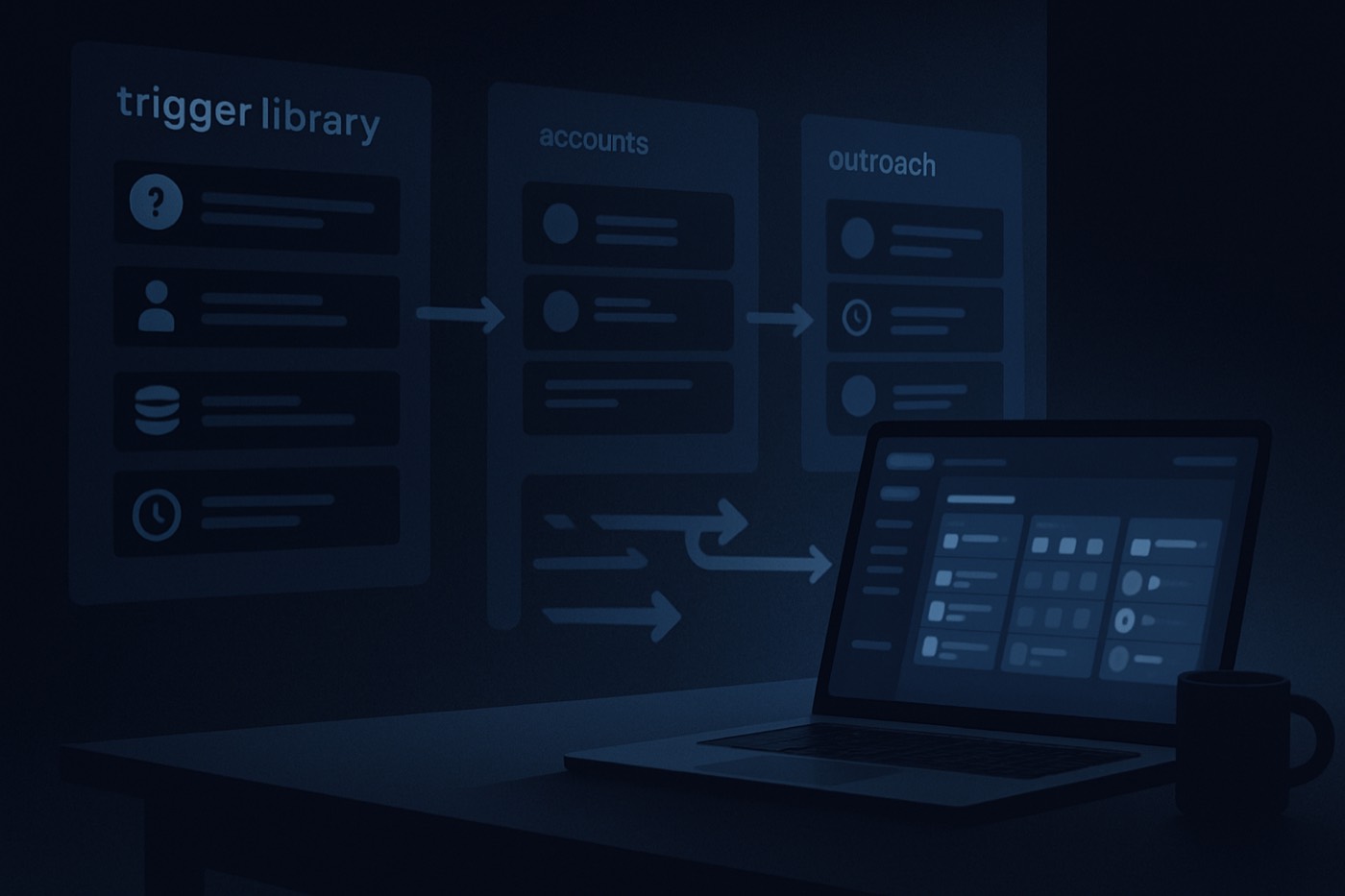
The shift this framework makes is from “write a clever first line” to “act on a real change.” A trigger based outbound system activates when something actually moves at an account (hiring, funding, a tech install, a compliance deadline, a new region, a leadership change), records that signal with enough structure to route and score it, and references it in the message as work context rather than as a surveillance flex. Stronger triggers earn faster routing and more channels; weaker triggers earn a low-pressure permission ask. And when a signal feels private, ambiguous, or inferred from something sensitive, you speak to the problem instead of the trigger.
Why relevance is winning the “AI first-line fatigue” era
Most “AI personalization” is an opener that proves you can scrape LinkedIn. It rarely proves you understand the buyer’s situation.
Relevance is different. Relevance is:
- Why now: a specific event that changes priorities.
- What changes: budget, risk, timeline, ownership, tooling, or headcount.
- What’s likely breaking: handoffs, reporting, deliverability, attribution, compliance, onboarding, forecasting.
This aligns with what researchers keep finding about modern buying behavior:
- Buyers are deep into their journey before they want to talk, and they often initiate contact on their terms. 6sense’s Buyer Experience research repeatedly finds that buyers are roughly two-thirds to about 70% through before engaging sellers, and that buyers often make the first contact. See the methodology and context in the 6sense 2024 Buyer Experience Report and 6sense 2025 Buyer Experience Report.
- Omnichannel and digital-first journeys are the default, which makes interruptive outreach harder unless it is well-timed. Digital Commerce 360 covers how B2B buyers and sellers are leaning into omnichannel expectations: Digital Commerce 360 on omnichannel B2B.
- Privacy and “reasonable expectations” matter. If your outreach uses personal data, you need to behave like a professional, not a stalker. The UK ICO guidance is clear that UK GDPR still applies to B2B marketing when personal data is involved, and that you should respect objections and opt-outs: ICO business-to-business marketing guidance.
Trigger-based outbound works because it creates a reason to talk that is bigger than “I liked your post.”
A working definition
Trigger based outbound is a sales motion where:
- You define a set of high-signal business events (triggers).
- You detect and record them as structured signals (what happened, when, and where it was seen).
- You route, prioritize, and message based on trigger strength and freshness.
- Your outbound copy references the trigger as relevant context, not “personalization.”
If you want a one-line internal standard:
Trigger based outbound = “right account, right moment, right angle.”
The 15 high-signal outbound triggers (with strength and “why now”)
Below is a practical list you can run today. You do not need all 15 to start. Pick 10, instrument them, then expand.
Tier 1 triggers (high urgency, high intent)
- Competitor switch in progress
- Signal: new contract notice, migration role posted, job req references competitor tools, tech footprint change
- Why now: budget is active, change risk is accepted
- Caution: do not claim you “saw their contract,” keep it general
- New executive or new leader in your buyer lane (CRO, VP Sales, RevOps, Head of Growth)
- Why now: a new leader reviews tooling, pipeline hygiene, forecasting, ICP, and the outbound motion
- Angle: “90-day audit” framing
- Funding event (Seed, A, B, C, growth debt)
- Why now: hiring plan and pipeline targets become non-optional
- Angle: “turn dollars into meetings without scaling headcount”
- Hiring surge for GTM roles (AEs, SDRs, RevOps, Demand Gen)
- Why now: onboarding, process consistency, routing, and data quality become bottlenecks
- Angle: “standardize execution”
- Tech install or replacement (sales engagement, enrichment, intent, CRM, data warehouse)
- Why now: integration windows open, stack decisions are being made
- Angle: “reduce tool sprawl”
Tier 2 triggers (medium urgency, strong relevance)
- New region launch (EMEA, APAC, LATAM)
- Why now: territory rules, compliance, language, enrichment accuracy
- Angle: “region-aware data and routing”
- New product launch or new pricing model
- Why now: new ICP hypotheses, messaging tests, outbound experiments
- Angle: “fast learning loops and pipeline visibility”
- Compliance deadline or regulatory change affecting their process
- Why now: risk management, audit trails, governance
- Angle: “systems and logs, not hype”
- Note: be careful. Do not imply you know their compliance gaps.
- Website or positioning change (new pages, new vertical, new use case)
- Why now: they are trying to create demand or move upmarket
- Angle: “match outbound to the new narrative”
- RevOps rebuild or pipeline reset
- Why now: routing, ownership, and lifecycle stages are all in flux
- Angle: “make outbound a system of action”
Tier 3 triggers (low urgency, good for warm sequences)
- Intent spike (topic surge)
- Why now: early research phase, buyer group forming
- Angle: “quick benchmark or checklist”
- New customer logos in their industry
- Why now: they have a pattern to replicate, you can show adjacent relevance
- Angle: “repeatable playbook”
- New partnerships or integrations announced
- Why now: their ecosystem is changing, new routes to market
- Angle: “co-sell workflows, lead routing”
- Team restructure (sales pods, new segments, new territories)
- Why now: segmentation rules, lead handoffs
- Angle: “routing and handoff clarity”
- Outbound infrastructure change (new domains, new sending provider, deliverability issues)
- Why now: capacity constraints, spam placement risk
- Angle: “operational checklist”
- Tie-in: reference a technical checklist, not a pitch.
To ground this in a repeatable operating rhythm, pair it with Chronic’s deliverability operations checklist: Outbound Deliverability Operations in 2026: The Weekly Checklist and the deeper infrastructure system: Cold Email Infrastructure in 2026.
How to make a trigger usable (not just a fact)
This is where most teams fail. They “see a trigger,” then they manually send one email. No record, no learning, no response standard.
A trigger is only useful when it is:
- searchable
- routable
- scoreable
- auditable
That means every trigger needs more than a sentence. At the account level, capture the type, a strength tier (Tier 1–3, or a 1–100 score), a first-seen and last-seen timestamp, the source (a job board, news, a technographic provider, an intent signal), a short plain-language summary, a confidence rating, and a privacy flag that says whether it is safe to mention. If the signal is genuinely about one person (a job change, a new role), note that too, along with whether you should reference the personal detail at all. And keep an audit line for what was observed and when, so you can learn from it later.
Timestamps matter more than text
Outbound triggers decay fast, so freshness has to be queryable. A practical rule:
- Tier 1: expires in 14 days
- Tier 2: expires in 30 days
- Tier 3: expires in 45–60 days
When the last-seen date falls outside the window, drop the account back to baseline sequencing, or re-qualify it with fresh intent.
Where Chronic fits
A trigger system is only useful if it converts into daily action, and that is the part teams quietly never get to. Chronic is an autonomous revenue operator, not a CRM you have to drive: you give it a revenue goal and your ICP, and it runs the loop. It watches for these signals, attaches firmographics, technographics, and contacts so a trigger is actually actionable, scores each one by strength and freshness, and drafts outreach that references the trigger as context while holding the line on tone and “no creepy lines.” It sends from managed, warmed mailboxes, handles replies, and books meetings, and it surfaces the decisions that matter for your approval rather than asking you to babysit fields and tasks. The framework below is the operating logic; Chronic is what runs it without you managing the machinery.
Routing and response time by trigger strength
Triggers are useless without response-time standards. The point is to make relevance operational, so a Tier 1 signal does not sit in a queue while it decays.
A simple matrix:
Tier 1 triggers (high intent)
- First touch within 2 business hours
- Channel mix: email plus a call, with a light LinkedIn touch
- Sequence length: 7–10 business days, then pause
Tier 2 triggers (strong relevance)
- First touch within 24 business hours
- Channel mix: email plus LinkedIn; a call if the role match is strong
- Sequence length: 14–21 days
Tier 3 triggers (soft signal)
- First touch within 72 business hours
- Channel mix: email first, then LinkedIn
- Sequence length: 21–30 days, value-first
One guardrail: triggers override score, but only inside ICP
- If the account matches ICP and the trigger is Tier 1, act immediately, even if a named contact is still missing.
- If the account is outside ICP, do not act on it even when the trigger is strong. Enrich and verify fit first, then decide.
This is where teams get burned by “random funding lists.” Funding is not an ICP substitute. For a scoring pattern you can reuse, see How to build PQL lead scoring.
Message angles that reference triggers without creepy personalization
The goal is to reference the trigger as a business hypothesis, not a personal observation.
The “not creepy” trigger mention formula
- Context, not proof: “Noticed you’re expanding X,” not “I saw you posted X 3 days ago.”
- Impact hypothesis: what typically breaks during that change.
- A small artifact: a checklist, benchmark, teardown, or template.
- A permission question: “Worth sharing?” “Open to a 10-minute compare?”
Examples of safe phrasing
- Job change: “Congrats on the new role. When RevOps leadership changes, teams often re-check routing, enrichment, and handoff rules.”
- Hiring: “When teams add SDR headcount, reply handling and lead ownership usually become the bottleneck.”
- Tech install: “If you’re evaluating enrichment or outbound tooling this quarter, I can share a short checklist we use to avoid data bloat.”
When NOT to mention the trigger
Do not mention the trigger when:
- It could be sensitive (layoffs, stealth initiatives, performance issues).
- You only have low confidence (rumors, scraped signals without verification).
- It implies surveillance (personal posts, family details, non-work content).
- It can feel like you are “auditing” them uninvited.
If you still want the relevance benefit, abstract the trigger:
- Instead of “I saw you hired 12 SDRs,” say “When teams scale outbound headcount…”
- Instead of “I saw you use X tool,” say “If you’re re-evaluating your outbound stack…”
Privacy rules differ by region and situation. If you process personal data for outreach, respect opt-outs and follow applicable law and guidance. The UK ICO guidance is a good baseline for B2B electronic marketing expectations: ICO business-to-business marketing.
The weekly operating cadence
Here is a simple rhythm that prevents “random acts of outbound.” With an autonomous operator most of this runs continuously, and your job is the review, not the data entry.
Monday: ingest and validate triggers
- Pull new triggers from the last 7 days by tier.
- Validate confidence:
- High: job change confirmed, hiring page visible, funding press release
- Medium: job posts with an ambiguous department
- Low: unclear technographic detection, weak intent spike
- Cap the active set so it stays executable (a few dozen Tier 1 and Tier 2 accounts at a time).
Monday: enrich and map to ICP
- Attach account basics (industry, size, geo, tech).
- Map 2–4 contacts: the economic buyer, a champion (RevOps, SDR manager), a technical influencer if needed, and procurement or finance for compliance triggers.
This is the step humans skip and the one Chronic does automatically so a trigger never dies as an unworked note.
Daily: route, send, and hold the response standard
- Sequence and send by tier, on warmed infrastructure.
- Hold the first-touch standard for each tier.
- Only treat an account as a real opportunity after a positive reply, a booked meeting, or an explicit “send info” request.
Friday: learn and tune
Track reply rate, meeting rate, and any “this felt creepy” signals by trigger type, plus time-to-first-touch by tier. Then make one change: cut an underperforming trigger, add one message angle, or tighten one routing rule.
6 plug-and-play email templates (by trigger)
Use these as starting points. Keep them short. A trigger email is not a nurture newsletter.
House rules
- 70–120 words
- One ask
- One idea
- No “I noticed you…” followed by five bullets
- No hard claims about how you found the trigger
Template 1: Job change (RevOps or sales leader)
Subject: Quick idea for your first 30 days
Hi {{FirstName}},
Congrats on the new role at {{Company}}.
When a new RevOps leader comes in, three things usually break first: lead ownership rules, enrichment consistency, and “what counts as qualified” getting fuzzy across SDRs and AEs.
If helpful, I can share a 1-page trigger-based scoring sheet we use to route high-signal accounts automatically (no extra tools required).
Worth sending over?
{{YourName}}
Template 2: Hiring surge (SDRs or AEs)
Subject: Before the SDR ramp gets noisy
Hi {{FirstName}},
Looks like {{Company}} is scaling the team.
A common failure mode during hiring ramps is that activity goes up but meetings do not, because reps chase low-signal accounts and response standards drift.
If you want, I can send a simple “trigger tiers plus response time” framework we use to keep outbound focused when headcount increases.
Open to it?
{{YourName}}
Template 3: Funding
Subject: Turning funding into pipeline, without adding chaos
Hi {{FirstName}},
Congrats on the raise.
The pattern after funding: targets jump immediately, but teams run the same outbound list at higher volume, which leads to more spam complaints and lower connect rates.
If you’re open, I can share a trigger based playbook that prioritizes accounts by real change events (hiring, new region, tech shifts) and acts on them same-day.
Should I send it?
{{YourName}}
Template 4: New region launch
Subject: Region launch = routing and data problems (fast)
Hi {{FirstName}},
When teams expand into {{Region}}, the biggest outbound bottlenecks usually aren’t messaging. They’re data coverage, territory rules, and inconsistent handoffs.
If you’re building regional outbound, I can share a checklist for region-aware data, trigger freshness, and response standards by tier.
Want the checklist?
{{YourName}}
Template 5: Tech install or evaluation (keep it abstract)
Subject: Tooling check: avoid “more data, less signal”
Hi {{FirstName}},
If you’re re-evaluating your outbound or enrichment stack this quarter, one thing I’d watch for is “more fields, less action.”
We’ve been helping teams treat triggers as structured signals with timestamps, then act on them by trigger strength instead of generic personalization.
If it’s useful, I can share the exact signal schema and routing rules.
Worth a quick send?
{{YourName}}
Template 6: Compliance deadline (tone-safe)
Subject: Audit-friendly outbound workflows (question)
Hi {{FirstName}},
Quick question: are you tightening compliance or audit requirements around prospecting this year?
A lot of teams are moving toward “minimization and logs”: store only the trigger fields you need, track source and timestamp, and enforce stop rules and opt-out handling.
If you want, I can share a lightweight setup that supports this without slowing reps down.
Should I send it?
{{YourName}}
Call script (trigger-based, not trigger-creepy)
Goal: earn permission to ask 3 questions, then offer a small next step.
Opener (10 seconds) “Hi {{FirstName}}, {{YourName}} here. I’ll be brief. I work with B2B teams on trigger based outbound, basically using real change events to prioritize outreach. Did I catch you with 30 seconds?”
If yes:
Reason for call (15 seconds) “I’m calling because teams going through {{TriggerCategory}} often run into {{Problem}}. I’m not sure if that’s true at {{Company}}.”
3 discovery questions (60 seconds total)
- “How are you deciding which accounts get touched first right now?”
- “Do you have a standard for responding to high-signal events, or is it rep-by-rep?”
- “Where do triggers live today, if anywhere?”
Offer (15 seconds) “If it’s helpful, I can send a one-page trigger schema and a routing matrix. If it looks relevant, we can do a 15-minute working session to adapt it.”
Close “Where should I send it?”
LinkedIn DM variant (short, permission-based)
“Hi {{FirstName}}, quick one. When teams hit {{TriggerCategory}} (hiring ramp, new region, tooling change), outbound usually gets noisier unless triggers are tracked as structured signals and acted on with real response standards. Want a 1-page template for a trigger based outbound setup?”
How to run this with Chronic
Even if you are using another tool today, this is the operating logic you want your system to support. With Chronic, you do not assemble it by hand; you set the goal and the operator runs the loop.
- Define ICP before you define triggers. If you skip ICP, triggers turn into random lists. Chronic builds outreach against the firmographic ranges, must-have technographics, and disqualifiers you set, so a strong signal at the wrong account is still a no.
- Make triggers executable. A trigger is worthless if you cannot find the right contact, verify fit, and act. Chronic enriches the account and the buying committee so each signal is ready to work.
- Score and prioritize automatically. Trigger tier, freshness, ICP fit, and committee coverage become a priority order, not a gut feeling.
- Keep triggered work separate. Triggered outbound should not be confused with inbound, referrals, and upsells. Chronic tracks it as its own lane so you can see what relevance is actually producing.
- Generate safe variants, not “fake human” openers. Chronic drafts a few angles per trigger, holds a “no creepy line” style, and keeps the CTA consistent, then surfaces anything sensitive for your approval before it sends.
If you are weighing options, you can also compare how different platforms handle automation and routing: Chronic vs HubSpot, vs Salesforce, or vs Apollo.
Common pitfalls (and how to avoid them)
Pitfall 1: Treating triggers as “personalization tokens”
Fix: a trigger should change routing, channel mix, and offer, not just the first sentence.
Pitfall 2: No timestamps
Fix: every trigger needs a last-seen date. If you cannot time-bound it, it is not a trigger. It is a fact.
Pitfall 3: One trigger, one email, no system
Fix: add response standards and a weekly rhythm. Triggers are an operations problem, not a copywriting trick.
Pitfall 4: Mentioning sources that feel invasive
Fix: if the source is personal (a post) or uncertain (scraped), abstract it. Talk about the scenario.
Pitfall 5: Ignoring opt-outs and stop rules
Fix: run outbound like a real program, with suppression lists and stop rules. The ICO guidance is explicit about honoring objections and maintaining do-not-contact lists for electronic marketing: ICO B2B marketing guidance.
For outbound operations discipline, pair this with Outbound Deliverability Operations in 2026: The Weekly Checklist.
FAQ
What is trigger based outbound, in simple terms?
Trigger based outbound is prospecting that starts when a meaningful business event occurs (hiring, funding, a new leader, a tooling change) and is executed using structured trigger signals, timestamps, routing rules, and response standards rather than a one-off clever email.
How many triggers should we run at once?
Start with 10. In practice, most teams only execute well on 5–8 at a time. Add more once you can measure reply and meeting rates by trigger type and you have response standards in place.
Should we always mention the trigger in the message?
No. Mention it only when it is clearly work-related, high confidence, and unlikely to feel invasive. If it is sensitive, ambiguous, or drawn from personal activity, do not mention it. Reference the broader scenario instead (“when teams expand into EMEA…”) and ask a permission-based question.
How do we score trigger strength?
Use a tiering model. Tier 1: budget is active or ownership is changing (exec change, competitor switch, funding, tooling evaluation). Tier 2: strategy and operations are shifting (new region, product launch, compliance initiatives). Tier 3: early interest signals (intent spike, content engagement, light positioning shifts). Then factor in freshness: a Tier 1 trigger from 60 days ago is no longer Tier 1.
What is non-negotiable for this framework?
At minimum: trigger type, strength tier, a last-seen timestamp, source, confidence, and a privacy flag. Without timestamps and privacy flags, you cannot operationalize routing or safe messaging.
Does trigger-based outbound replace personalization entirely?
No. It replaces low-value personalization. You can still personalize, but only after you earn attention with relevance: trigger context first, then a personalized next step based on what they care about (metrics, workflow, team structure, timeline).
Launch this framework in 7 days
- Day 1: Pick 10 triggers and set tiers, freshness windows, and “do not mention” rules.
- Day 2: Decide what you capture for each trigger (type, strength, timestamps, source, confidence, privacy flag).
- Day 3: Set routing and response standards (Tier 1 in 2 hours, Tier 2 in 24 hours, Tier 3 in 72 hours).
- Day 4: Load 50 ICP accounts, log triggers, enrich contacts, and stage sequences.
- Day 5: Ship the 6 templates plus one LinkedIn DM, and enforce the tone rules.
- Day 6: Run the first wave, watch for “creepy” signals, and adjust language.
- Day 7: Report reply rate and meeting rate by trigger type, plus response-time adherence. Cut the bottom 2 triggers and double down on the top 3.
If you want this to run without constant manual work, hand the operating logic to a system built to run it: an operator that watches for the signals, acts on them on warmed infrastructure, and brings you the decisions worth your attention. That is how relevance becomes a system, not a writing trick.