Pipeline hygiene automation: auto-capture next steps, stage exit criteria, and follow-up SLAs without micromanaging reps
Pipeline hygiene automation enforces next steps, stage exit criteria, and follow-up SLAs by rule instead of by reminder, so opportunities stay accurate and forecasts hold without anyone policing reps.
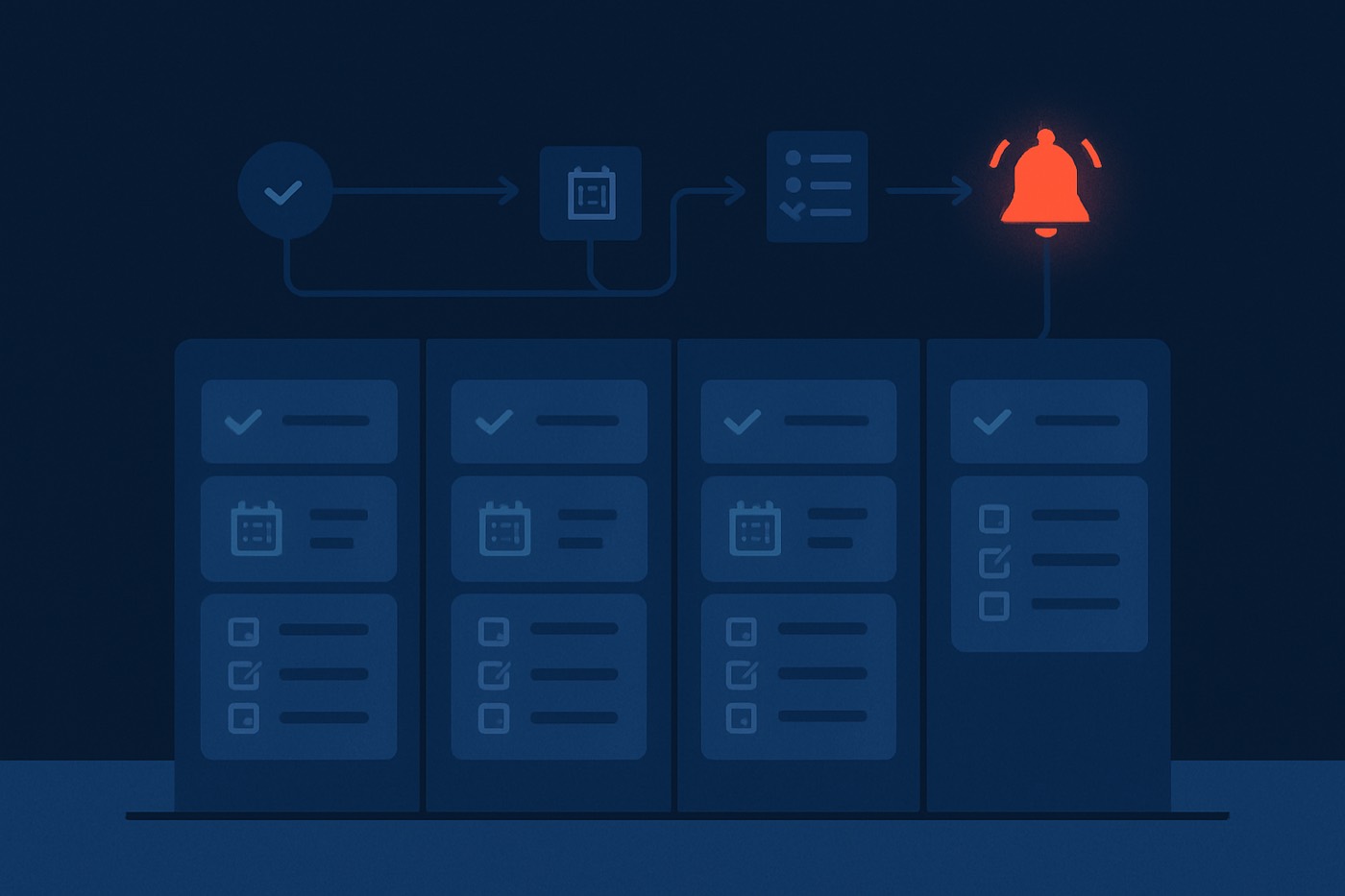
If your pipeline feels “messy,” it is usually not because reps are lazy. It is because the system lets ambiguity in. Deals move forward without a next step, stage changes happen without proof, and follow-ups rely on memory instead of timers.
Pipeline hygiene automation fixes that by turning the pipeline into a system of action: every stage has required fields, every stage change has exit criteria, every customer interaction can generate the next task, and every deal has a follow-up SLA that escalates when it is missed. The result is less rep micromanagement and more reliable forecasts, because the pipeline has consistent inputs to learn from.
What you will build:
- Required fields per stage (minimum viable data, not rep paperwork)
- Stage exit criteria (what must be true to advance a deal)
- Enforced next step + due date (no “floating” opportunities)
- Auto-created tasks from call notes + email replies (activity drives tasks)
- Follow-up SLA timers + escalations (speed is enforced by the system)
- Exception handling (rep override with reason, manager review queue)
- A weekly ops cadence to maintain the rules without slowing sales
- Cleaner forecasts, because the inputs stop drifting
What “pipeline hygiene automation” actually means
Pipeline hygiene automation is a set of rules that keeps opportunities accurate and actionable without relying on manual rep discipline.
It combines:
- Data guardrails (required fields, valid values, standard definitions)
- Process guardrails (stage exit criteria and stage-change governance)
- Action guardrails (next-step capture, follow-up SLAs, task automation)
- Exception paths (override reasons, manager review, auditability)
The goal is not “perfect data.” The goal is predictable execution and trustworthy forecasting.
Why now: sales teams are actively prioritizing data hygiene to make AI useful. In Salesforce’s 2026 State of Sales announcement, 74% of sales professionals reported focusing on data cleansing, and high performers prioritized data hygiene more than underperformers. (salesforce.com)
Why hygiene rules improve outcomes (and why reps hate “pipeline policing”)
Reps dislike hygiene projects because they usually mean:
- More fields
- More clicks
- More “update your pipeline” Slack messages
So your automation must follow one principle.
Principle: collect fewer fields, but enforce them harder
You are designing a minimum viable dataset per stage, then enforcing:
- a next step
- a due date
- a proof-of-progress to advance
This also protects time. Salesforce research has consistently shown sellers spend the majority of their week on non-selling tasks. (salesforce-research.relayto.com)
Step 1: define your stage model and required fields per stage
Before you automate anything, lock the language.
1A) Write stage definitions in one sentence each
Example stage definitions for B2B SaaS:
- Qualification - confirm ICP fit and a problem worth solving.
- Discovery - map pain, impact, stakeholders, and current workflow.
- Solution fit - confirm product capabilities align to requirements.
- Proposal - commercial terms shared, decision process confirmed.
- Negotiation / security - security, legal, procurement in motion.
- Closed won / lost - outcome recorded with reason codes.
If your stages are vague (“In progress”), automation will enforce nonsense.
1B) Choose “minimum viable fields” by stage
Keep required fields to 3-7 max per stage. Use a mix of picklists and dates, and avoid free text where you can.
Example: Qualification required fields
- ICP fit (picklist: high, medium, low)
- Primary use case (picklist)
- Lead source (picklist)
- Next step (text or templated picklist)
- Next step due date (date)
Example: Discovery required fields
- Pain confirmed (yes/no)
- Champion identified (yes/no)
- Economic buyer identified (yes/no/unknown)
- Target close date (date)
- Next step + due date
Example: Proposal required fields
- Proposal sent date (date)
- Pricing package (picklist)
- Decision date (date)
- Procurement required (yes/no)
- Next step + due date
1C) Add “confidence fields” instead of “extra fields”
Instead of forcing 10 discovery questions, add a single field:
- Deal confidence (low, medium, high) with a tooltip that defines each.
This reduces rep burden while still creating a consistent signal you can weigh later.
If you want a framework for governance and auditability as you add rules, see: CRM evaluation rubric for 2026: data governance, audit trails, and agent guardrails (not just ‘AI features’).
Step 2: create stage exit criteria (the real engine of hygiene)
Stage exit criteria are the conditions that must be true before an opportunity can advance.
They prevent:
- “happy ears” stage changes
- inflated pipeline
- forecast whiplash
2A) Design exit criteria as “proof,” not “intent”
Bad exit criteria: “Customer is interested.”
Good exit criteria: “Discovery meeting completed and next meeting booked.”
2B) Example stage exit criteria you can copy
Qualification - exit criteria
- ICP fit is not blank
- Next step and due date are set
- At least 1 logged activity in the last 14 days (call, meeting, or email)
Discovery - exit criteria
- Pain confirmed = yes
- Champion identified != no
- Next step and due date are set
- Meeting outcome captured (picklist: advanced, stalled, disqualified)
Solution fit - exit criteria
- Use case confirmed (picklist not blank)
- Demo completed (yes)
- Mutual action plan exists (yes/no) or “pilot plan” exists
Proposal - exit criteria
- Proposal sent date populated
- Decision date populated
- Follow-up SLA active (more on this below)
2C) Decide what happens when criteria are not met
Pick one enforcement pattern per stage:
- Hard block: cannot change stage without the fields.
- Soft block with timer: stage change allowed, but it triggers tasks and manager review if not corrected within X hours.
- Auto-revert: stage changes revert if criteria remain unmet after X time.
Most teams start with hard blocks on “next step + due date,” then use soft blocks for everything else.
Step 3: enforce next-step and due-date capture (without turning reps into data clerks)
Your pipeline breaks when opportunities have no next action.
3A) The “next-step contract”
Make these two fields mandatory on every open opportunity:
- Next step (short, specific, customer-facing)
- Next step due date (a date, not “next week”)
Rules:
- Due date cannot be in the past.
- Due date cannot be more than 30 days out without an override reason.
- Next step must be at least 8-12 words (prevents “follow up”).
3B) Provide templates to reduce typing
Use a picklist or snippet library like:
- “Send security packet and confirm review meeting”
- “Confirm champion feedback and align on success criteria”
- “Book procurement call and confirm vendor onboarding steps”
3C) Auto-update next step when stage changes (optional)
When an opportunity moves to Proposal, auto-suggest:
- Next step: “Confirm proposal review call with buyer and champion”
- Due date: +3 business days
Reps can edit, but they start from a reasonable default.
Step 4: auto-create tasks from call notes and email replies
This is where pipeline hygiene automation stops feeling like “compliance” and starts feeling like the system is doing real work for you.
4A) Auto-task from call outcomes
At minimum, capture a call outcome:
- Connected
- Left voicemail
- No answer
- Meeting booked
- Not a fit
Rule examples
- If call outcome = “Connected” and no next step exists:
- Create task: “Log next step and due date”
- Due: today
- If call outcome = “Meeting booked”:
- Create task: “Send agenda and confirm attendees”
- Due: within 24 hours
4B) Auto-task from call notes using AI extraction
If your call notes include phrases like:
- “I will send…”
- “Can you share…”
- “We will review…”
- “Next Tuesday…”
an AI layer can extract:
- the next step
- a due date (from natural language)
- stakeholder names
- risks (security, procurement, competitor)
4C) Auto-task from inbound email replies
Treat a reply as a trigger, not a notification.
Rule examples
- If a prospect replies and the opportunity stage is not Closed:
- Create task: “Respond to prospect reply”
- SLA due: 2 business hours
- If the reply contains scheduling intent (“next week,” “calendar,” “book time”):
- Create task: “Send scheduling link and propose 2 times”
- Due: same business day
Speed matters. Response time strongly affects outcomes. A Forbes Business Council piece in 2025 cites research showing response delays can reduce odds dramatically, including a 21x drop after 30 minutes in some studies. (forbes.com)
Reply speed is exactly the kind of work an autonomous operator should own end to end, not just remind you about. Chronic watches replies as they land, drafts a contextual response, and books the meeting, surfacing the message for approval when the stakes call for a human read. The SLA is met because the agent is the one on the clock.
Step 5: build follow-up SLAs with timers, escalations, and “stall” detection
A follow-up SLA is a rule that says:
- what “timely follow-up” means
- how it is measured
- what happens when it is missed
5A) Pick SLA tiers by stage
Example SLA framework for outbound and active deals:
- Inbound demo request: respond in 5 minutes (business hours), otherwise route to backup
- Active opportunity (Discovery to Proposal): respond to the buyer within 4 business hours
- Negotiation / security: respond within 1 business day
- No-response sequences: nudge cadence every 2-3 business days
5B) Define SLA start events and stop events
Start events
- inbound email reply from a buying stakeholder
- a meeting ends without a scheduled next meeting
- proposal sent
- security questionnaire received
Stop events
- rep sends an email reply (logged)
- meeting booked
- next step due date updated
- opportunity moved to Closed won/lost
5C) Escalations that do not shame reps
Avoid “manager CC” as the first step. Use gradual escalation:
- SLA breach at 0 minutes:
- assign a task to the owner
- breach at +2 hours:
- add to the “SLA breach” queue
- ping the rep privately
- breach at +24 hours:
- notify the manager
- require an override reason or stage downgrade
5D) Auto-detect stalled deals
Add a “stalled” label when:
- no logged activity in 14 days (stage-dependent)
- next step overdue by 7 days
- stage age exceeds a threshold (example: Discovery > 21 days)
Then trigger:
- task: “Reconfirm next step or close-lost”
- optional: auto-move to a “Stalled” stage or forecast category
For more on fixing predictive accuracy by fixing inputs, see: Deal risk scoring in CRMs: how it works, why reps don’t trust it, and how to fix the inputs.
Step 6: exception handling (rep overrides, manager review, and auditability)
No matter how good your rules are, real life breaks them. The trick is to make exceptions explicit and reviewable.
6A) Build a rep override that is easy, but not invisible
If a rep tries to:
- move a stage without exit criteria
- set a next step due date > 30 days
- remove a next step
allow it only if they fill:
- Override reason (picklist)
- Override notes (short text, optional but encouraged)
Override reason picklist examples:
- Waiting on buyer internal approval
- Security review in progress
- Procurement calendar delay
- Customer requested pause until a specific date
- Multi-threading in progress, next step uncertain
6B) Create a manager review queue
Automatically route exceptions to a queue:
- Deals with an override reason
- Deals with SLA breaches > 24 hours
- Deals that are “stalled” but still in Commit / Best case
Managers should spend 15 minutes per week on this queue, not chase reps randomly.
6C) Track hygiene as a system metric, not a rep personality trait
Good hygiene metrics:
- % of open opps with next step + due date
- median next-step overdue days
- SLA breach rate by stage
- stage age distribution
- % of opps meeting exit criteria at stage change
Avoid “rep shame” leaderboards at first. Focus on systemic blockers.
Step 7: example rule set (copy/paste blueprint)
Use this as a starting point for your ops backlog.
7A) Global opportunity rules
- Every open opportunity must have a next step and a next step due date.
- Next step due date must be within 30 days, or require an override.
- If next step due date is today or overdue:
- create task “Complete next step or update due date”
- If no activity in 14 days:
- mark “At risk”
- create task “Re-engage or close”
7B) Stage change rules
- Stage cannot advance unless stage exit criteria are met.
- If a stage is changed backwards:
- require a “reason for regression” picklist
- If a stage is changed to Closed lost:
- require loss reason + primary competitor
7C) Activity-to-task rules
- After any logged call:
- if no next step is captured, create an “Add next step” task due today
- After any inbound reply:
- create a “Respond” task due per SLA
- After a meeting ends:
- if no follow-up meeting is booked, create a “Schedule follow-up” task due within 24 hours
Step 8: weekly ops cadence to maintain pipeline hygiene automation (30-60 minutes)
Automation is not set-and-forget. It is a product you maintain.
Monday (15 minutes): hygiene dashboard review
- Next step coverage rate
- Overdue next-step count
- SLA breaches from last week
- Stalled deals added
Wednesday (15 minutes): stage integrity sampling
Randomly sample 10 deals:
- Do the notes match the stage?
- Are the exit criteria meaningful?
- Any fields being gamed?
Friday (15-30 minutes): rules tuning
- Remove one low-signal required field
- Add one high-signal validation
- Review override-reason frequency
- Fix one automation that creates “busy tasks”
If you want a KPI structure for this routine, map it to your outbound metrics stack: 2026 outbound KPI stack: the metrics that matter after opens (and the weekly ops routine to track them).
How hygiene makes forecasting and deal scoring more accurate
Any model that scores deals is only as good as its inputs. Hygiene automation improves three things those models depend on:
- Consistency - the same stage means the same thing across reps.
- Freshness - next steps and SLAs keep deal activity recent and measurable.
- Completeness - fewer missing values, fewer “unknown unknowns.”
Sales leaders are explicitly linking AI success to unified, trusted data. Salesforce’s 2026 State of Sales announcement emphasizes trusted, connected data and highlights how disconnected systems slow AI initiatives. (salesforce.com)
The payoff is concrete:
- Deals carry honest health signals (overdue next steps, stage aging, SLA breaches)
- Forecasts reflect what is true, not rep optimism
- Managers coach from evidence, not gut feel
Where Chronic fits: the operator that keeps its own pipeline clean
Most of this article is process you can apply in any tool. Chronic’s angle is different: it is an autonomous revenue operator, not a CRM you have to police. You give it a revenue goal and it runs the front of the funnel end to end, then keeps the resulting pipeline accurate as a byproduct of doing the work.
- Finds and enriches prospects that match your ICP, so the deals entering your pipeline are real fits, not noise.
- Writes and sends outreach from managed, warmed mailboxes, and logs every touch automatically, so activity data is never “forgotten to be entered.”
- Handles replies and books meetings, hitting follow-up SLAs because the agent is the one on the clock, and surfacing the messages that need a human for approval.
- Keeps next steps and stage signals current from the conversations it runs, so when a deal advances, the proof is already attached.
The hygiene rules above stop being chores someone has to enforce; the operator generates clean inputs in the course of generating meetings, and surfaces only the exceptions that actually need you.
If data freshness is the blocker, pair your pipeline rules with a refresh strategy: Lead enrichment workflow: how to keep your CRM accurate in 2026 (rules, refresh cadence, and confidence scores). For multi-source enrichment and bounce reduction, see: Waterfall enrichment in 2026: how multi-source data cuts bounces and increases reply rates.
FAQ
What is pipeline hygiene automation?
Pipeline hygiene automation is the set of rules that ensures opportunities always have clear next steps, accurate stages, timely follow-up, and consistent required data. It reduces manual policing by making the system enforce standards automatically.
How many required fields per stage is too many?
For most B2B teams, more than 7 required fields per stage creates rep resistance and low-quality “checkbox” data. Aim for 3-7 high-signal fields plus next step and due date, then enforce them consistently.
How do I enforce next steps without annoying reps?
Make next step and due date mandatory, but minimize everything else. Use templates, auto-suggestions on stage changes, and auto-task creation from calls and email replies so reps are not typing the same thing repeatedly.
What follow-up SLA should I set for inbound leads?
If you can, target a response within minutes during business hours, with automatic routing if the owner is unavailable. Research and industry reporting consistently show response delays sharply reduce qualification odds. (forbes.com)
How do I handle exceptions like procurement delays?
Add a rep override flow: allow stage changes or long due dates only with an override reason (picklist) and optional notes. Route those deals into a manager review queue so exceptions are visible and auditable.
Can an autonomous operator handle this instead of CRM rules?
For the front of the funnel, yes. An operator like Chronic finds and contacts prospects, replies on time, and books meetings, logging every touch and next step as it goes. That generates clean inputs without anyone enforcing hygiene rules by hand, and it surfaces only the exceptions that need a human.
Roll it out in 30 days (and keep it rep-friendly)
Week 1: standardize stages and required fields
- Write one-sentence stage definitions
- Pick 3-7 required fields per stage
- Make next step + due date mandatory globally
Week 2: add stage exit criteria
- Hard-block only the essentials at first
- Soft-block the rest with tasks and reminders
Week 3: automate tasks from activity
- Call outcome to task
- Email reply to task
- Meeting end to task
Week 4: turn on SLAs and escalation paths
- Start with one SLA (inbound reply follow-up)
- Add stall detection and a manager review queue
If you would rather not build and police all of this by hand, that is the case for handing the front of the funnel to an operator: tell Chronic your offer and target, and it runs discovery, outreach, reply handling, and meeting booking, keeping the pipeline it generates clean and surfacing only the calls that need you.