Signal-based outbound in 2026: how to build a speed-to-signal operator
Signal-based outbound is a timing problem: detect a real buying signal, decide who acts (a rep or an autonomous agent), and send a message tied to that trigger in minutes, not days. Then measure speed-to-signal and false positives.
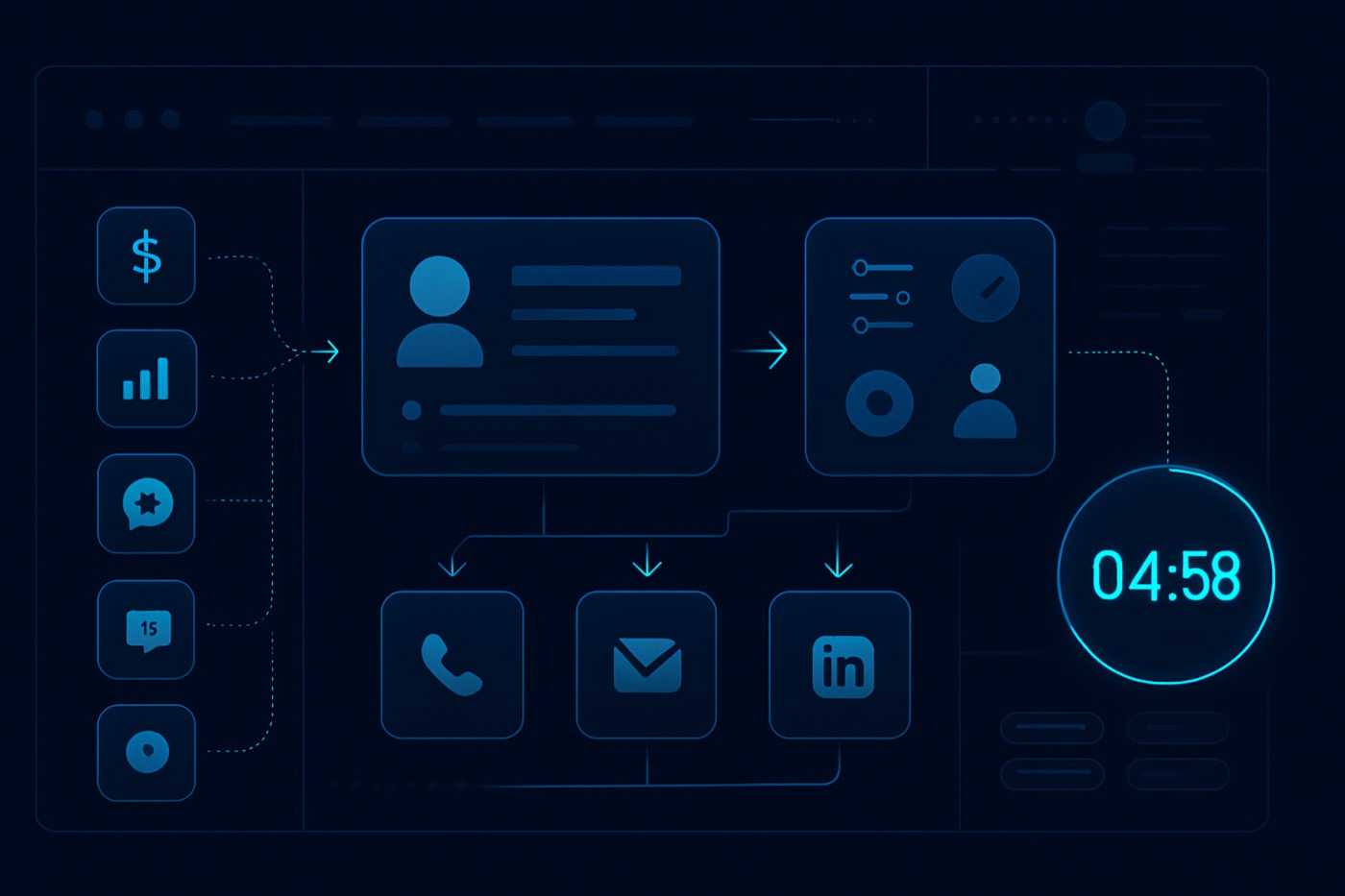
Signal-based outbound in 2026 is not “send more sequences.” It is a timing problem: how fast you detect a real buying signal, decide who acts on it (a rep or an autonomous agent), and send the right message before the moment passes.
Most teams treat this as a CRM configuration exercise: more fields, more rules, more dashboards. The CRM is still useful as a record of what happened, but it does not detect signals, write the email, watch the reply, or book the meeting. Something has to do the work. This guide describes the workflow as an operator runs it, whether that operator is a human SDR, an autonomous agent like Chronic, or a mix of both.
What “signal based outbound” means (and why 2026 teams are rebuilding around it)
Signal based outbound is a B2B prospecting approach where outreach is triggered by observable events that correlate with near-term buying intent, rather than by static lists or generic cadence schedules.
The shift in 2026 is operational. Teams are moving from “find leads” to “win the moment,” which means the operating system behind outbound has to:
- Ingest signals, internal and external
- Decide what each signal means for your ICP and offer
- Take the next action in minutes
- Track signal performance like a product funnel, not a vanity dashboard
This is also harder to do badly now, because inboxes are less forgiving. Gmail and Yahoo’s bulk sender requirements (SPF/DKIM/DMARC, one-click unsubscribe, complaint thresholds) pushed teams toward tighter targeting and higher relevance. (Help Net Security) Spraying generic sequences is no longer just ineffective. It actively damages the domains and mailboxes you send from.
The “speed-to-signal” idea (definition + why it wins)
Speed-to-signal is the elapsed time between:
- A signal being detected (timestamped), and
- The first meaningful outbound action being taken (email sent, call placed, task created, or agent message delivered).
Why it matters: response speed compounds. InsideSales’ lead response research found that performance drops sharply as minutes and hours pass, reporting that conversion rates can be 8x greater when engagement happens in the first five minutes. (insidesales.com) That research is about inbound lead response, not outbound triggers, so treat it as direction rather than a guarantee: the faster you act on a fresh signal, the more of its value you keep. A signal that is two weeks old is usually just a list entry.
Step 1: Build a signal taxonomy your system can actually operationalize
Most teams fail here by keeping signals as “notes” or Slack screenshots. To act on a signal automatically, it has to be structured, timestamped, and queryable, whether it lives in your CRM, a warehouse, or the agent’s working memory.
The 5 core signal categories (and what to capture)
1) Funding signals
What it indicates: budget availability, growth mandate, tool upgrades, new leadership pressure.
Examples:
- Seed/Series A/B/C announced
- Debt financing
- Strategic investment
- “Raised to expand GTM / hire sales” language
What to capture:
signal_type = Fundingsignal_subtype = Series B(etc.)signal_amount(numeric)signal_date(date)signal_source(Crunchbase, press release)signal_confidence(0-100)
Crunchbase data shows North American startup funding was $280B in 2025, up 46% from 2024, which increases the volume of “funding-trigger” moments worth acting on. (Crunchbase News)
2) Hiring signals
What it indicates: team growth, new function maturity, new pain (enablement, tooling), and buying committees forming.
Examples:
- Hiring SDRs/AEs (new pipeline motion)
- Hiring RevOps (tooling and process change)
- Hiring Security/IT (compliance and stack changes)
- Hiring “Head of Partnerships” (ecosystem motion)
What to capture:
signal_type = Hiringsignal_subtype = Role family(Sales, RevOps, Engineering)signal_detail = job title(s)signal_count = # open roles(if available)signal_datesignal_source(careers page, LinkedIn, job board)
3) Tech change signals (technographics)
What it indicates: switching costs are already being paid, integrations are relevant, competitor displacement timing.
Technographics profiles accounts by the technology stack they run. (Wappalyzer)
Examples:
- Installed competitor script
- Removed competitor
- Added Salesforce/HubSpot/Marketo
- Added data warehouse or CDP (new ops maturity)
What to capture:
signal_type = Tech Changesignal_subtype = Installed/Removedsignal_tech = tool namesignal_datesignal_source(Wappalyzer, BuiltWith, Similarweb, internal scanner)
4) Product launch signals
What it indicates: new positioning, new audience, budget shift, urgency to acquire customers quickly.
Examples:
- New product tier
- New integration
- New platform announcement
- New market expansion
What to capture:
signal_type = Product Launchsignal_subtype = Integration / Feature / Tiersignal_detail = what changedsignal_datesignal_source(release notes, blog, PR)
5) Website intent signals (first-party and partner intent)
What it indicates: active evaluation, comparison, stakeholder alignment, or procurement motion.
Intent data is broadly defined as information that indicates a prospect’s level of interest based on online behavior. (Gartner Digital Markets)
Examples (first-party):
- Multiple visits to pricing or integration pages
- Returning visits within 7 days
- Visit to security/compliance page
- High intent referrer terms (brand + “pricing”, “reviews”)
Examples (second-party/third-party):
- Review site category research
- Competitor comparison reads
Gartner Digital Markets describes intent data from its properties (Capterra, GetApp, Software Advice) as a way to identify in-market companies researching categories and competitors. (Gartner Digital Markets)
What to capture:
signal_type = Website Intentsignal_subtype = Pricing / Integrations / Security / Docssignal_strength = Low/Med/High(or 0-100)signal_date_time(timestamp)signal_source(web analytics, intent vendor)signal_page_path(optional)
Step 2: Turn signals into micro-segments and a “why now”
Signals only work when they lead to a specific reason for reaching out today.
Build micro-segments: a simple 3-layer model
Use a mapping table (in your CRM or a lightweight rules engine):
- ICP Fit Segment (who they are)
- Industry
- Company size
- Region
- Tech stack prerequisites
- Buying Context Segment (what changed)
- Funding, hiring, tech change, launch, intent
- Angle Segment (what you should say)
- Speed-to-pipeline
- Reduce risk
- Replace tool
- Integrate with new stack
- Support hiring ramp
Example: signal-to-angle mapping (use this as a template)
| Signal | Micro-segment rule | Primary angle | Proof to include |
|---|---|---|---|
| Series A funding | SaaS, 10-100 employees, hiring sales | “Build pipeline fast without adding headcount” | case study, time-to-meeting metric |
| Hiring RevOps | SaaS, 50-500, uses HubSpot/Salesforce | “Fix scoring, routing, and attribution” | sample routing diagram |
| Installed competitor | Any ICP match | “Replace with a better workflow and lower risk” | migration checklist |
| Product launch | Agencies or SaaS launching new SKU | “Win the launch window with targeted outbound” | launch sprint playbook |
| Pricing page repeats | ICP match + 2+ visits in 7 days | “Answer 2-3 evaluation questions” | comparison sheet, security answers |
A rule that prevents “Congrats on the raise” outreach
Write a rule that every outbound message must contain three sentences:
- The signal: what you noticed
- The implication: what teams like them usually struggle with after that signal
- A narrow offer: a small next step tied to the signal, not a demo ask
This structure cuts the fluff and raises relevance, which matters more than ever under stricter inbox rules. An autonomous agent should be held to the same three-part standard: if it can’t state the signal and the implication from real data, it should not send.
Step 3: Routing, when to use a rep vs an autonomous agent
The goal is not “automate everything.” It is the right executor for the right moment.
A practical routing decision tree
Route based on signal urgency x deal value x confidence.
1) Send to a human AE when:
- Signal is high urgency (website intent high, competitor removal, inbound reply)
- Estimated ACV is high, or the account is strategic
- Multi-threading is required quickly (call + LinkedIn + email)
Example AE triggers
- High intent page + ICP score > 80
- Tech change to competitor + current contract timing inferred
- Funding + “hiring sales” + target segment
2) Hand to an autonomous agent when:
- The signal is real but needs qualification and personalized first-touch at scale
- You need speed within minutes, but not necessarily a live call
- You want to test messaging angles quickly and learn from replies
Example agent triggers
- Funding under $20M but strong ICP match
- Hiring burst across 3-5 roles
- Product launch mention without clear fit confirmation
This is where an autonomous revenue operator earns its place. Given a goal, it can run discovery and enrichment, score the signal, draft and send from warmed mailboxes, handle the reply, and book the meeting, while surfacing the decisions a human should sign off on (a strategic account, an off-script reply, a risky send). Volume work runs on its own; judgment calls come to you.
3) Send to nurture when:
- Confidence is low or fit is borderline
- The signal is interesting but not time-bound
- Required data fields for personalization are missing
Example nurture triggers
- Content/blog visits only (no high-intent pages)
- Hiring signal outside relevant departments
- Tech change that is irrelevant to your value prop
Routing as field-based rules
Minimum routing fields:
ICP_score(0-100)signal_strength(0-100)signal_urgency_window_hours(number)account_tier(A/B/C)data_completeness_score(0-100)
Rule example (simple):
- If
signal_strength >= 80andICP_score >= 75andaccount_tier = A, route to a human AE and create a call task + alert. - If
signal_strength >= 60andICP_score >= 60anddata_completeness_score >= 70, hand to the agent for first touch. - Else, route to the enrichment queue, then nurture.
For more on what “real” automation should look like, see: Agentic CRM Checklist: 27 Features That Actually Matter and Copilot vs AI Sales Agent in 2026.
Step 4: SLA rules that enforce speed (minutes) and persistence (windows)
Speed-to-signal fails when it is “best effort.” You need SLAs your system can enforce on its own.
Core SLA definitions (copy/paste into your ops doc)
- Notification SLA
- Target: alert the owner within 1-3 minutes of signal detection.
- Mechanism: Slack/Teams + CRM task + email.
- First-touch SLA
- Target: first outbound action within 5-15 minutes for high-urgency signals.
- Why: response speed correlates with better outcomes in lead response research. (InsideSales)
- Follow-up windows Define windows by signal type, because signals decay at different rates:
- Website intent (high): 0-2 hours for first touch, then 24-72 hours for multi-touch.
- Tech change: 24-72 hours for first touch, then weekly for 2-3 weeks.
- Funding: 48 hours for first touch, then 2-4 weeks of follow-up (budget allocation takes time).
- Hiring: 24-96 hours depending on role type.
- Auto-pause rules If complaint rates rise or replies signal poor targeting, throttle automatically. Build compliance into the sending system: Gmail’s bulk sender guidance asks senders to keep reported spam rates under roughly 0.3%, alongside authentication and one-click unsubscribe requirements. (Help Net Security) An autonomous operator should treat that threshold as a hard guardrail and back off before it is crossed, because the domain it is protecting is yours.
Related: Cold Email Deliverability Checklist for 2026 and Cold Email Compliance in 2026.
Step 5: Measurement, dashboards, and the metrics that keep signals honest
If you do not measure false positives, the system will quietly “learn” to spam.
The 5 metrics to report weekly
1) Speed-to-signal (primary)
Definition: median minutes from signal_detected_at to first_action_at.
Report:
- Median, p75, p90
- By signal type
- By executor (human AE vs agent)
2) Meeting rate per signal type
Definition: meetings booked / signals acted on.
Track:
- Funding meeting rate
- Hiring meeting rate
- Tech change meeting rate
- Website intent meeting rate
This tells you which signals are worth the operational investment.
3) False positive rate (the one most teams skip)
Definition: signals acted on that turned out to be non-relevant.
How to label false positives:
- “Not our ICP”
- “Wrong department”
- “Already has a solution”
- “No project / no need”
- “Signal misattributed” (common with IP-based intent)
This is the metric that protects your reputation. The faster your outbound runs, the more a high false-positive rate costs you in real sends to the wrong people.
4) Time-to-first-reply (secondary speed metric)
Often a better operational signal than opens or clicks.
5) Signal-to-pipeline and signal-to-revenue
Definition: pipeline created / signals acted on (and revenue closed / signals acted on).
Signals are only valuable if they create revenue, not activity.
Example play 1: B2B SaaS “tech change + intent”
Scenario
You sell a sales tooling add-on (enrichment, scoring, outbound). You detect:
- An account installed a new marketing automation tool (tech change)
- Two visits to your integrations page (website intent)
- A RevOps Analyst job opening (hiring)
Workflow steps
- Signal ingestion
- Tech change from a technographics provider. (Wappalyzer)
- Website intent from analytics
- Hiring from a job scrape
- Normalize the records Create 3 signal records linked to the account:
Tech Change: Installed Marketo(example)Website Intent: Integrations page x2 in 7 daysHiring: RevOps Analyst
- Score the combined event Composite signal score:
- intent high (80)
- tech change medium (60)
- hiring medium (60)
- ICP score high (85) Result: high priority.
- Route
- The agent drafts a personalized email within a couple of minutes.
- An AE gets a call task if the account is Tier A.
- Messaging angle
- “A stack change plus an ops hire usually means routing and scoring break for 2-4 weeks.”
- Offer: “a 15-minute scoring and routing teardown” with a checklist, not a generic demo.
- SLA
- First email within 10 minutes.
- Second touch within 24 hours.
- AE call attempt within 2 business hours for Tier A.
- Measure
- Speed-to-signal target: median under 15 minutes.
- False positives: if the RevOps hire turns out to be unrelated, tag it.
Example play 2: agency “funding + launch” (fast relevance, not volume)
Scenario
You are a digital agency selling paid media and landing page optimization to B2B startups. Signal:
- Series A announced
- A product launch planned (press release or blog)
Crunchbase reports North American startup funding rose sharply in 2025, which means more accounts with new money and a new mandate. (Crunchbase News)
Workflow steps
- Signal ingestion
- Funding from Crunchbase or press
- Launch from blog/RSS monitoring
- Micro-segment rules
- Segment: “Series A, launching a new SKU in 30-60 days”
- Typical pain: acquisition experiment velocity, landing page iteration, tracking and attribution
- Route
- The agent handles first touch with a tailored “launch sprint” offer.
- A human strategist takes over after the reply.
- SLA rules
- Notify within 3 minutes.
- Send the first message within 30 minutes (still fast, but less immediate than website intent).
- Follow-up sequence: Day 2, Day 5, Day 9 (lightweight, value-led).
- Measurement
- Meeting rate for “Funding + Launch” as a combined segment
- False positives: launches that are irrelevant, or funding that is too old to be a real trigger
Data hygiene checklist so the agent does not guess
If you want an autonomous agent to run signal based outbound safely, you have to remove ambiguity. No “infer the industry” or “guess the persona.”
Use this checklist as a gate: if a record fails, route it to enrichment instead of outreach.
Required account fields (minimum viable)
- Legal company name
- Website domain
- Industry (standardized)
- Employee range
- Region/timezone
- ICP score (or tier)
- Primary offering category (your internal categorization)
Required contact fields (minimum viable)
- First name
- Last name
- Role or job title
- Department (Sales, Marketing, RevOps, IT, Finance)
- Work email (verified)
- LinkedIn URL (optional but helpful)
Required signal fields (for every signal record)
- Signal type + subtype (controlled vocabulary)
- Signal timestamp (date-time)
- Signal source
- Signal strength/confidence score
- A short “why this matters” note (1-2 sentences, structured)
Guardrails (do not reach out if)
- Domain is missing
- Email is unverified
- No role/department
- Signal confidence is below threshold
- Duplicate signals fall within a cooldown window (prevents spam storms)
This dovetails with: Minimum Viable CRM Data for AI: The 20 Fields You Need and Why AI Lead Scoring Fails (and How Enrichment Fixes It).
How to stand this up (practical build plan)
Week 1: Define and standardize
- Create your signal taxonomy and controlled vocabulary.
- Add the data model:
- Account-level signal rollups (last signal date, strongest signal, signal count 7d)
- Signal records (child table/object)
- Decide thresholds:
- signal strength cutoffs
- ICP score cutoffs
- data completeness cutoff
Week 2: Connect sources and create routing
- Wire up signal ingestion:
- Funding feed
- Technographics feed
- Website intent
- Build routing rules:
- AE queue
- Agent queue
- Enrichment queue
Week 3: Write plays and SLAs
- Build the micro-segment mappings.
- Write 5-10 message templates per signal type, per persona (or the angle rules an agent will compose from).
- Add SLA timers and escalations.
Week 4: Measurement and iteration
- Build dashboards:
- speed-to-signal
- meetings by signal type
- false positives
- Run a 2-week test:
- A/B messaging angles
- adjust thresholds
- Prune noisy signals without mercy.
For teams comparing agentic approaches, see: Salesforce Agentforce Makes Agentic CRM Mainstream and OpenClaw vs Chronic Digital.
FAQ
What is signal based outbound?
Signal based outbound is outreach triggered by real events or behaviors that correlate with buying intent, such as funding, hiring, technology changes, product launches, or high-intent website activity. The goal is to contact the right account at the right time with a message tied directly to the trigger.
Which signals usually convert best?
In many motions, website intent (pricing, integrations, security, docs) is the highest urgency because it indicates active evaluation. Tech changes and competitor add/remove events can be strong next. Funding and hiring are often valuable but noisier unless you map them to the right persona and timing.
How fast should we respond to a signal?
For high-urgency signals (website intent, competitor displacement), aim for a first action within 5-15 minutes. Lead response research shows large drop-offs as time passes, with InsideSales reporting conversion rates 8x greater in the first five minutes (that finding is about inbound lead response, so use it as direction, not a promise). (insidesales.com)
When should an autonomous agent handle a signal vs a human rep?
Hand it to an agent when speed and scale matter and the message can be reliably personalized from verified data. Send it to a human when ACV is high, the account is strategic, or you need immediate multi-threading (call + email + LinkedIn). Use confidence and data-completeness gates so the agent never guesses, and keep approvals on the sends that carry the most risk.
How do we reduce false positives from intent and technographics?
Use three controls: (1) confidence scoring with minimum thresholds, (2) data-completeness gating, so there is no outreach when key fields are missing, and (3) cooldown windows so multiple similar signals do not trigger repeated sequences. Track false positives explicitly and prune noisy sources.
What are the minimum compliance considerations for 2026 outbound?
At a minimum, ensure authentication (SPF/DKIM/DMARC), easy one-click unsubscribe, and keep complaint rates under stated thresholds for major mailbox providers. Gmail’s bulk sender requirements include keeping reported spam rates under roughly 0.3% and providing one-click unsubscribe. (Help Net Security)
Build your first speed-to-signal sprint this week
- Pick two signal types to start (we suggest Website Intent + Tech Change).
- Define your micro-segments and write 3 messaging angles per segment.
- Set routing: human AE for Tier A, autonomous agent for Tier B/C, enrichment for low data completeness.
- Put SLAs in writing and into your automation:
- notify in 1-3 minutes
- first touch in 5-15 minutes for high intent
- Launch with measurement on day one:
- speed-to-signal dashboard
- meetings per signal type
- false positive rate
The taxonomy, segments, and SLAs are the policy. What makes them real is something that watches the signals, makes the call, and acts inside the window, every time, without waiting on a free afternoon. That is the work an autonomous revenue operator is built to own.