The context layer an autonomous sales agent runs on (definitions, permissions, and data freshness)
Before an autonomous sales agent can run outbound, it needs a governed context layer: consistent business definitions, connected sources, complete activity capture, freshness SLAs, permission-aware retrieval, and an audit trail. Skip these and it acts confidently on stale data.
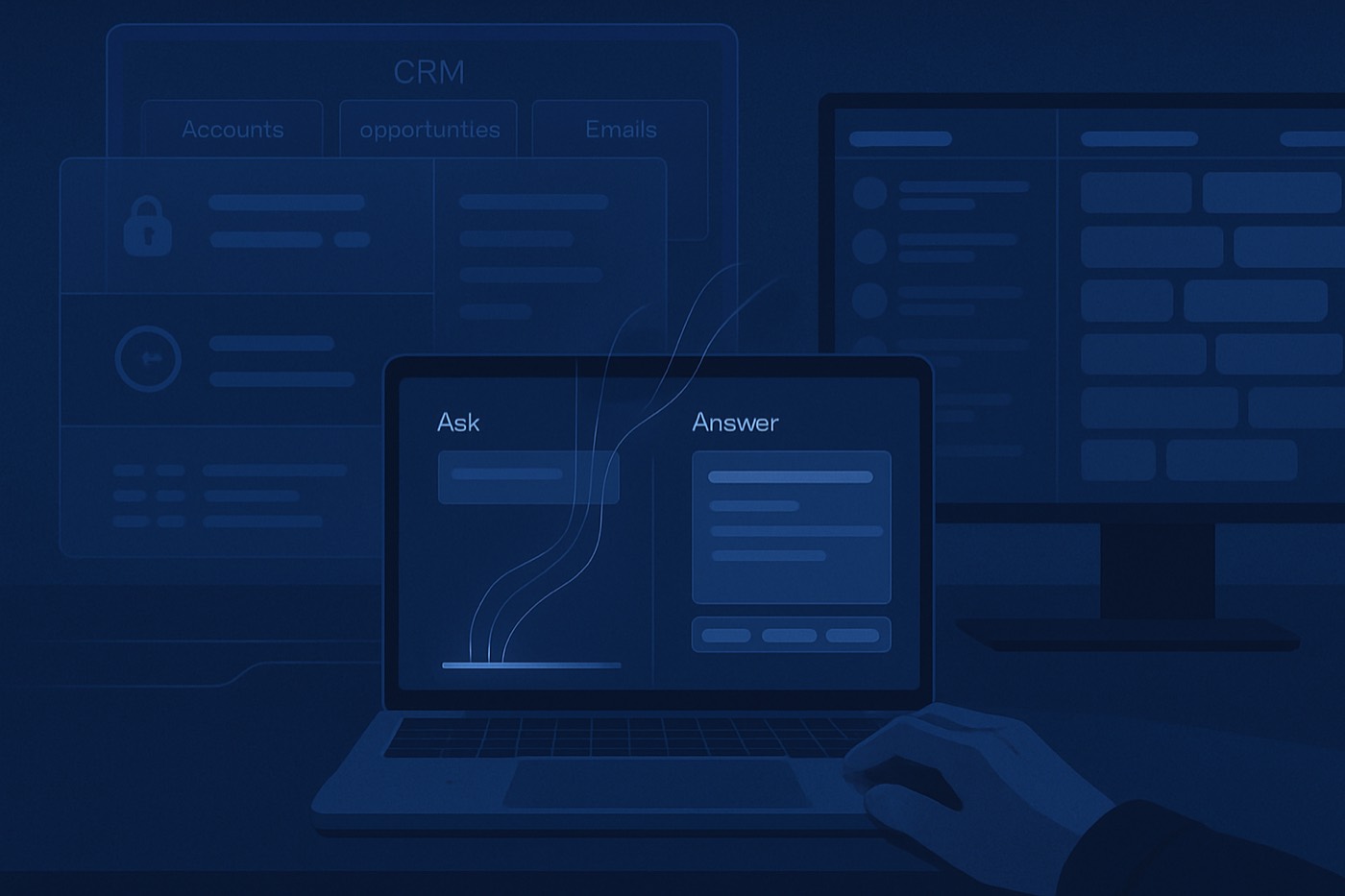
An autonomous sales agent does not need a prettier dashboard. It needs trustworthy context. Before it can find a prospect, decide it is worth contacting, write to them, read the reply, and book the meeting, it has to read your business correctly: who owns the account, what already happened, what is true today, and what this user is allowed to see.
That is the part teams underestimate. The model is rarely the problem. The context underneath it is. In 2026 the major CRM ecosystems are converging on the same conclusion, treating grounding, permissions, and audit trails as first-class requirements rather than UI polish. The same foundation that makes "ask your CRM" safe is the foundation an autonomous operator needs before it is allowed to act on your behalf.
This post is about that foundation: the six things a sales agent has to get right about your data, the failure modes when it does not, and a 30-day way to stand it up without handing an agent the keys before it has earned them.
Why context, not chat, is the real shift
Dashboards answered yesterday's question: "How did we do?" A copilot answers today's: "What should I do next, and why?" An autonomous agent goes one step further and does the next thing, then explains what it did. Each step up that ladder raises the bar on the data underneath.
What changed is not just that good models exist. It is that the platforms are now explicit about what "safe" looks like. Salesforce's Einstein Trust Layer highlights secure retrieval, grounding, masking, zero retention agreements, and an audit trail for prompts and responses. (Salesforce press release, Trailhead module, Developer guide) Microsoft frames Copilot the same way: grounded in relevant sources, respecting existing permissions, and warning about outdated sources. (Microsoft Support on grounding, Microsoft Dynamics blog)
Gartner data, meanwhile, points to conversational GenAI becoming a mainstream initiative in customer-facing use cases, which tends to spill over into internal "act on the system" patterns too. (Gartner press release)
For B2B sales the requirements line up cleanly:
- Sellers want the agent to do the next right thing, not surface five tabs to read.
- Leaders want consistent reasoning instead of metric arguments.
- Security teams want permission boundaries to hold inside the agent.
- Whoever runs revenue wants traceability: what did the agent do, based on what data, and who approved it.
None of that is a chat feature. It is an architecture.
What the context layer is (a definition you can build to)
Think of it as a governed layer between your CRM, your inboxes, and your other systems and the agent that acts on them. It:
- Understands the business meaning of your data (consistent definitions).
- Retrieves the right context from approved systems (connected sources).
- Respects the user's permissions at query time (permission model).
- Scores freshness and confidence so the agent does not act on a stale snapshot.
- Produces citations and audit logs so every decision can be reviewed.
- Gates write actions behind policy and human approval.
This is not "RAG over CRM records." It is the difference between an agent that guesses and one you can hand a revenue goal to. At Chronic this is exactly the layer the agent reads before it discovers a company, scores a signal, drafts an email, or proposes a meeting, and it is why approvals can be specific instead of "approve everything, just in case."
The six layers an agent has to get right
1) Business definitions: the agent's shared vocabulary
If you want "which ICP segment has the highest win rate?" to mean the same thing every time, the agent needs consistent metric and entity definitions. A semantic layer is commonly described as a business representation of corporate data that maps technical structures into business terms like customer, revenue, and pipeline. (Wikipedia) Modern implementations emphasize consistent metrics and governance for both BI tools and AI agents. (Atlan semantic layer guide)
For sales, define at minimum:
- Core entities: account, contact, lead, opportunity, deal stage, activity, campaign, sequence, meeting.
- Core metrics: pipeline created, pipeline coverage, stage conversion, win rate, sales cycle length, reply rate, meeting rate.
- Join logic: account owner, opportunity primary contact, last meaningful touch, source of lead.
- Business rules: what counts as an activity, what a qualified meeting is, what a recycled opportunity is.
If those definitions drift, the agent does not just report inconsistently; it targets and writes inconsistently. Version your definitions, expose the version in any answer or rationale, and treat a definition change like a product change: changelog, migration, rollback.
2) Connected sources: the CRM is necessary, not sufficient
No agent can run on the CRM alone. The minimum connected set for B2B sales usually includes:
- Email and calendar (the real record of what happened)
- Call recordings and transcripts
- Product usage (for product-led motions and expansion)
- Billing and renewals
- Support tickets
- A warehouse or lakehouse for enrichment and event history
Salesforce is pushing "connect without copying" patterns like zero-copy access and federation to keep information fresher and reduce brittle pipelines. (Salesforce Zero Copy press release, Salesforce zero copy overview, Salesforce Architects: Data 360 architecture) The real question is not "ETL or no ETL." It is which datasets need to be live and which can tolerate lag.
Keep an approved-sources registry listing system, dataset, owner, refresh method, SLA, and PII classification. Start with fewer sources and make them trustworthy.
3) Activity capture: the part that quietly breaks everything
An agent that cannot see what happened will act as if nothing did. Capture fails in familiar ways:
- Emails not synced, so outbound and inbound go missing.
- Meetings not captured because of calendar permissions or invite mismatches.
- Calls not logged because the dialer is not integrated or reps bypass it.
- Notes that live in Slack and never reach the CRM.
- Sequences that run in one tool while outcomes sit in another.
Without a complete activity graph, the agent cannot reliably decide "have we followed up enough," "what objection came up," "who is engaged," or "is this deal stalled or just quiet," which are exactly the judgments outbound depends on.
Define which activity types count as meaningful, capture them automatically, and track coverage by rep and team: percent of opportunities with a meeting in the last 14 days, with outbound email in the last 7, with a next-step date populated, and with a transcript attached. The same principle applies when the agent writes back: structured extraction so it updates fields without creating garbage. We go deeper on that in conversation to CRM automation.
4) Freshness SLAs: every fact needs a "best by" date
Sales context is time-sensitive. "Is the deal at risk?" depends on this week, not last quarter. So the layer needs a freshness SLA per source and per field, and it has to be able to say things like:
- "Last activity sync: 12 minutes ago"
- "Product events: 3 hours behind"
- "Billing: daily at 2am UTC"
- "Call transcripts: 24-hour processing window"
Freshness becomes a first-class property, like permissions. Salesforce's emphasis on near real-time synchronization and live query is a direct response to this. (Salesforce zero copy overview) A workable starting model assigns each dataset a tier: real-time or near real-time (minutes) for activities, stage changes, and inbound intent; hourly for usage aggregates and enrichment deltas; daily for finance snapshots and firmographics. Surface the freshness next to anything the agent decides: "data checked: 2026-02-24 10:12 PT."
5) Permissions: the agent can only act on what the user can see
A conversational or autonomous surface is new exposure. The safe default is that the agent can only use data the current user is authorized to access. Microsoft states Copilot respects existing permissions and can only ground in content the user is authorized to see. (Microsoft Support) It also describes query translation and retrieval against Dataverse and Graph scoped to the user. (Microsoft Dynamics blog) Salesforce's Trust Layer materials emphasize the same secure retrieval, masking, and audit trail. (Trailhead, Developer guide)
Models you will see in practice:
- Mirrored CRM permissions: inherits object, field-level, and record-level access.
- Policy-based access: adds rules like no salary data, no HR notes, no PII in summaries.
- Purpose-based access: allows aggregated answers but blocks raw row exposure.
- Scoped memory: stops the agent reusing sensitive facts in later contexts, which matters in shared and multi-tenant workspaces.
Default to no raw export through the agent, require explicit permission for sensitive categories, and define role scopes: SDR (leads, sequences, meetings), AE (opportunities, proposals, stakeholders), CS (tickets, renewals, usage), exec (aggregates, not necessarily employee-level detail).
6) Auditability and citations: the difference between trust and vibes
Auditability is not a compliance checkbox. It is how you debug reality. The layer should record user, timestamp, and prompt; retrieved sources (dataset and record IDs); freshness markers; the model response; confidence score and safety flags; and whether an action was taken and who approved it. Salesforce's Trust Layer documentation calls out an audit trail that tracks prompts through steps. (Trailhead)
Citations matter, but they can mislead if they are not faithful. Research has shown attribution can suffer from post-rationalization, where a citation looks plausible but does not reflect real reliance. (Correctness is not Faithfulness in RAG Attributions, arXiv) So require citations for any factual claim, prefer record-level links (opportunity ID, account ID), and lint them in your evals: if the cited record does not contain the claimed fact, fail the answer.
Failure modes (and why they happen in real teams)
Failure mode 1: stale data produces confident, wrong actions
Symptoms: "next step is scheduled" when it was canceled yesterday; "latest email sent" while inbox sync is behind; "deal is healthy" because usage data is delayed.
Root cause: no freshness SLAs, no freshness-aware prompting, no disclosure.
Fix: freshness scoring and a hard rule that any decision states its data timestamps, plus a fallback: "I cannot confirm within SLA; here is what I last saw."
Failure mode 2: missing activities make the pipeline lie
Symptoms: the agent says "no engagement" while reps are active in personal inboxes; it cannot summarize objections because calls were never stored.
Root cause: capture is not enforced, tool sprawl, manual-logging fatigue.
Fix: automate capture first, then let the agent act. Tie CRM hygiene to coaching, not punishment.
Failure mode 3: access leakage through the agent
Symptoms: an SDR asks for renewal value and gets confidential ARR by customer; a user sees detail from accounts they should not access.
Root cause: retrieval is not permission-filtered at query time, or indexes were built without access-control metadata.
Fix: enforce permission filters inside retrieval, not after generation. Use row-level security in the definition layer so the agent is always gated. (Definition-layer governance is a known best practice for security and auditability. APOS semantic layer governance notes)
Failure mode 4: overconfidence and helpful fiction
Symptoms: the agent invents a competitor, a conversation, or a reason a deal stalled, and cites sources that do not support the claim.
Root cause: hallucination plus retrieval noise, citation-faithfulness problems, no calibration, no abstain behavior.
Fix: confidence calibration and abstain policies are active research areas in RAG, where noise in retrieved context can inflate false certainty. (Noise-Aware Verbal Confidence Calibration for LLMs in RAG Systems, arXiv) In production, add a simple policy: if confidence is below threshold or data is past SLA, the agent must hedge, ask for confirmation, or offer links instead of asserting. Use the NIST AI RMF functions (govern, map, measure, manage) to structure how you monitor and reduce these risks over time. (NIST AI RMF roadmap)
How to let an agent act safely (without killing adoption)
Approved sources, not "all data"
Start by limiting retrieval to a curated set: CRM objects (accounts, contacts, opportunities, activities), conversation sources (call transcripts, meeting notes), enablement docs (pricing, packaging, security FAQ), and one enrichment provider rather than five. Expand source by source, each with an SLA and an owner. For the interaction patterns around this, the ask-your-CRM pattern is a useful reference.
Require citations for factual claims
Rule of thumb: if a decision rests on a number, a date, a contract term, or a customer claim, it must cite the source record. Teach reps to verify too: "show the record IDs and exact fields you used" and "what is the last refresh time for these sources?"
Confidence and freshness that a human can read
You do not need perfect calibration to be safer than today's typical copilots. You need consistent disclosure. A workable output shape: the answer or proposed action; confidence (high, medium, low, with a reason); freshness ("all sources within SLA" or "billing data is 22 hours old"); sources used; and the next safe action, suggested rather than executed.
Human approval for writes, especially outbound
For the first month, the agent should not send email, change a stage, create a discount approval, or move a forecast category without a human review step. This is where an autonomous operator earns trust: it proposes, you approve, and the approvals get narrower as the track record builds. If the agent is writing outbound, pair it with deliverability and authentication hygiene so it never auto-spams your domain. See SPF, DKIM, and DMARC alignment and deliverability troubleshooting, and wire in stop rules so sending throttles automatically when metrics go sideways.
An audit trail you can actually use
Whoever owns revenue should be able to answer five questions for any agent action: what did it do, what data did it use, was the data fresh enough, did the user have access, and what changed as a result. That is how you shorten the mistrust loop after the first mistake instead of pulling the agent offline.
Acceptance tests for the context layer
Use these as gates before you widen what the agent is allowed to do.
ICP and targeting (definitions test)
- "Which ICP segment has the highest win rate in the last 180 days, and what is the sample size?"
- "What is our conversion rate from meeting to SQL by channel?"
Pass criteria: consistent definitions and citations to the saved report or dataset version. For the upstream targeting work, connect this to your lead enrichment workflow.
Deal execution (activity capture and freshness test)
- "Summarize the last 14 days of activity on Acme, list stakeholders, and identify the biggest risk."
- "What objection patterns show up in calls for deals stuck in stage 3?"
Pass criteria: full activity ingestion, transcript availability, recency timestamps.
Exec visibility (permissions and aggregation test)
- "What is pipeline coverage for Enterprise, and what are the top 10 deals at risk?"
- "Which reps have the highest pipeline creation velocity?"
Pass criteria: exec sees aggregates; non-exec cannot see sensitive employee comparisons unless policy allows.
A 30-day rollout
Week 1 (days 1-7): define the contract
Deliverables: a question and task library (25 to 40 items) grouped by pipeline, forecasting, account intel, outreach, and renewals; an approved-sources registry with dataset, owner, refresh SLA, and PII level; definitions v1 (win rate, stage conversion, at risk, last touch, qualified meeting); and a permission decision (mirror CRM permissions plus 5 to 10 policy rules for PII, comp, and legal).
Success metrics: zero permission violations in testing; 80 percent of top questions answerable with citations.
Week 2 (days 8-14): instrument capture and freshness
Deliverables: an activity-coverage view by rep and segment; freshness monitoring with alerts when an SLA breaks; a missing-activity remediation playbook.
Success metrics: a coverage baseline established; 2 to 3 freshness SLAs enforced, even if conservative.
Week 3 (days 15-21): citations, confidence, and audit logging
Deliverables: an enforced response format (answer, confidence, freshness, sources); a stored, searchable audit log; an evaluation set of 50 to 100 tests with pass and fail criteria.
Success metrics: fewer uncited numeric claims; the ability to replay any decision from logs.
Week 4 (days 22-30): pilot and add safe actions
Pilot scope: one SDR pod, one AE pod, one manager. Limit actions to draft email, create task, propose a next-step note, and recommend (not execute) a stage change.
Guardrails: human approval required for any send or update; a stop rule that disables the agent for the pilot if SLAs break on core datasets.
Success metrics: adoption (3 to 5 agent actions reviewed per rep per day), time saved (measured time-to-answer reduction), and quality (manager QA score on summaries and risk flags). If you want a strong test bed for AI-written outbound, start with signal-based templates and keep a human in the loop.
FAQ
What is a "context layer" in plain English?
It is the governed layer between your CRM, inboxes, and other systems and the agent that acts on them. It holds your business definitions, checks permissions, tracks how fresh the data is, and logs every decision, so the agent reasons and acts on the same facts a careful human would, not on a guess.
Why do agent and "ask your CRM" projects fail even when the model is good?
Most failures are systems problems, not model problems: stale data, incomplete activity capture, inconsistent definitions, and retrieval that does not enforce permissions. Overconfidence and weak citations then amplify the damage.
Do we need a formal semantic layer?
For record-level questions, you can get by without one. The moment the agent reasons about metrics (win rate, pipeline coverage, best segment, forecast risk) or targets off them, you need defined metrics and joins, or its answers and its targeting will drift and teams will argue about whose truth is right.
How do we stop sensitive data leaking through the agent?
Enforce permissions inside retrieval, not after the output is generated. Mirror CRM record and field permissions, add policy-based redaction for sensitive categories, and log every prompt, source, and response. Microsoft and Salesforce both treat permission-aware grounding and auditability as core. (Microsoft Support, Salesforce Trust Layer module)
What is the simplest safe way to let an agent take actions?
Start with suggest and draft, not execute. Let it draft emails, tasks, and notes, but require human approval to send, change stages, or move forecasts. Add confidence and freshness thresholds before any action can even be proposed, and narrow the approvals as trust builds.
How should we measure success in the first 30 days?
Track adoption (actions reviewed per rep per day), quality (manager QA or test-set pass rate), governance (permission violations, missing citations), and operational health (freshness SLA uptime, activity-capture coverage). If those are solid, pipeline follows.
A 30-day checklist
- Define 25 to 40 high-value questions and the exact definitions behind them
- Publish an approved-sources registry with owners and freshness SLAs
- Fix activity capture before letting the agent act across the org
- Require citations for any number, date, or customer claim
- Add confidence and freshness disclosure to every decision
- Enforce permission checks at retrieval time and log everything
- Pilot with one SDR pod and one AE pod, with human approval for all actions
- Review logs weekly, update definitions monthly, and expand sources slowly